
We bring you an abundance of useful enhancements designed to make your building projects faster, smarter, and more flexible. This release brings streamlined report layouts, instant 3D job filtering, intuitive package selections, clear job referencing, and robust platform stability—plus new dynamic tools for item list creation, and client engagement insights for clever decision making. Experience seamless, personalised workflows and elevated efficiency at every step, ensuring builders and clients alike enjoy the best the online building process has to offer!
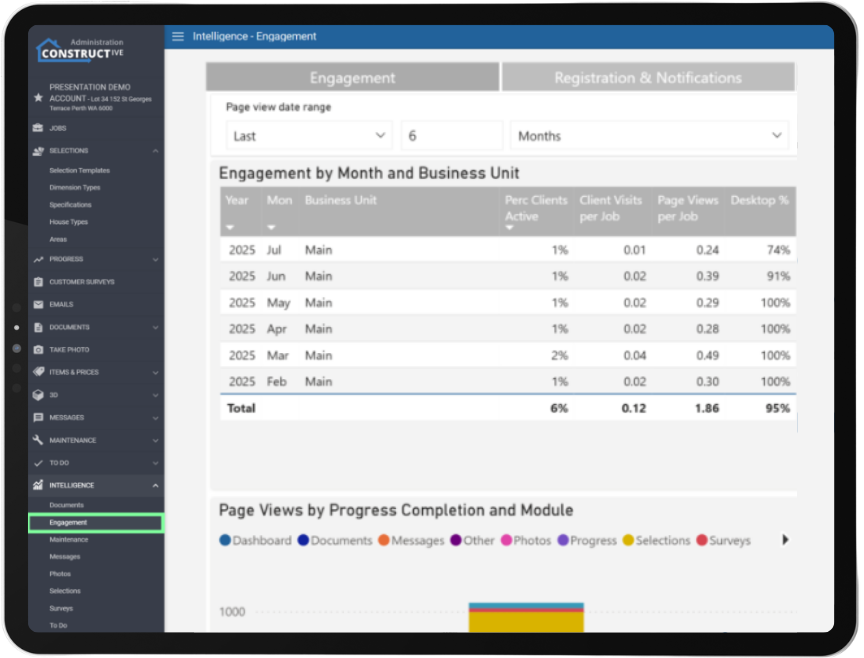
Make informed data-driven decisions – New Client Engagement Report.
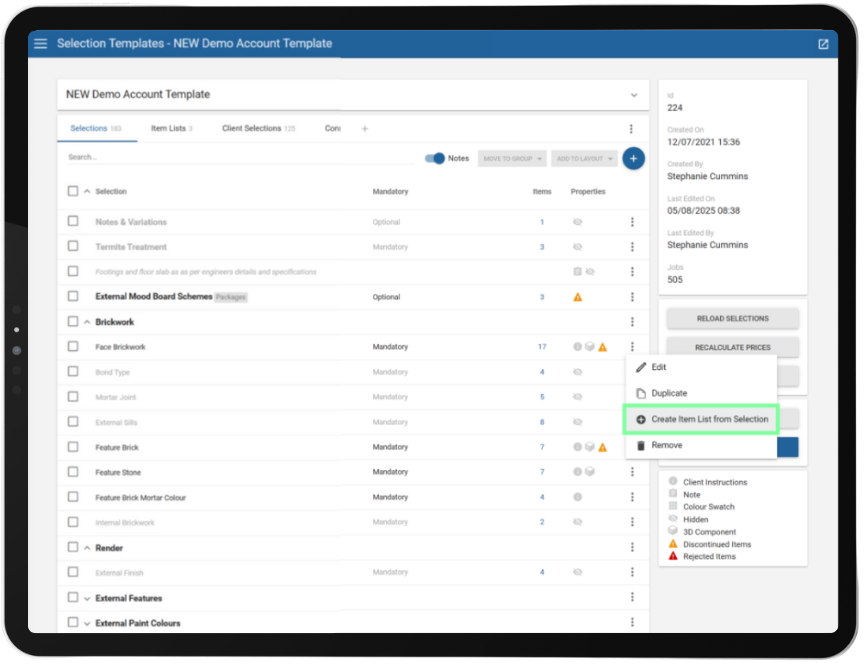
Speed up processes – Create Selections item lists on the fly with new tool.
Builders can now generate new Item Lists directly from any selection within the Selection Template. Using the new “Create Item List from Selection” tool in the 3-dot menu, transforming existing work into concrete lists takes just seconds – saving time, reducing admin, and improving the performance of your selection templates through streamlined Item Lists.
How to create Item List direct from a Selection : Constructive Software
Builders are free to experiment without risk -Specialised Selections customisation.
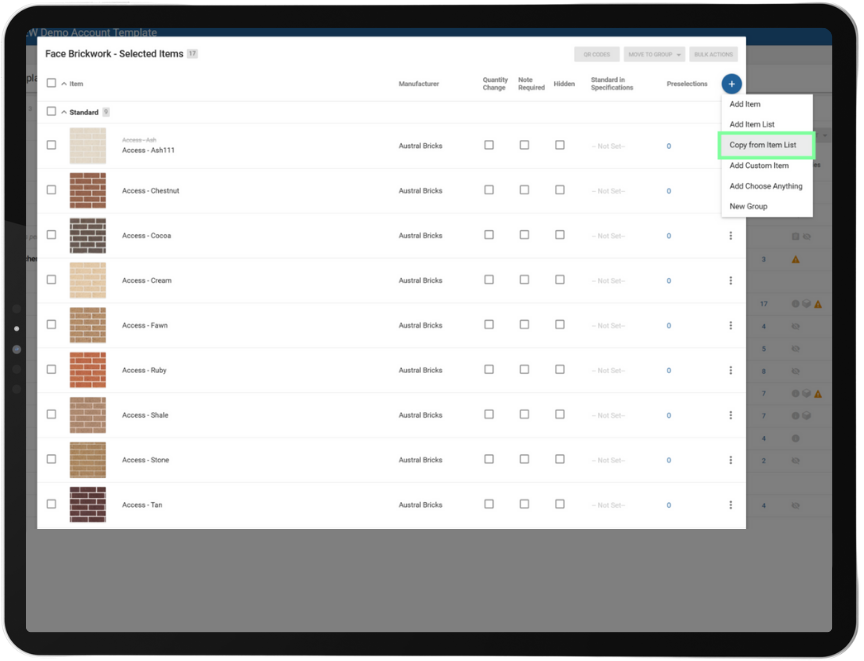
Effortlessly copy items from an Item List into a selection – each copy is independent, so you can tweak and tailor the item without risk of affecting your original list. Builders enjoy the freedom to experiment and adapt while maintaining full control.
Note: Updates to the original Item List won’t affect copied selections, keeping your custom work safe. How to copy items from Item Lists : Constructive Software
SME Empowerment – You now have the keys to all report layout options.
Company Administrators now hold the keys to every report layout detail, from showing contacts to highlighting special selections in headers. No waiting on support tickets – just pure, instant configuration power to suit your business workflows.

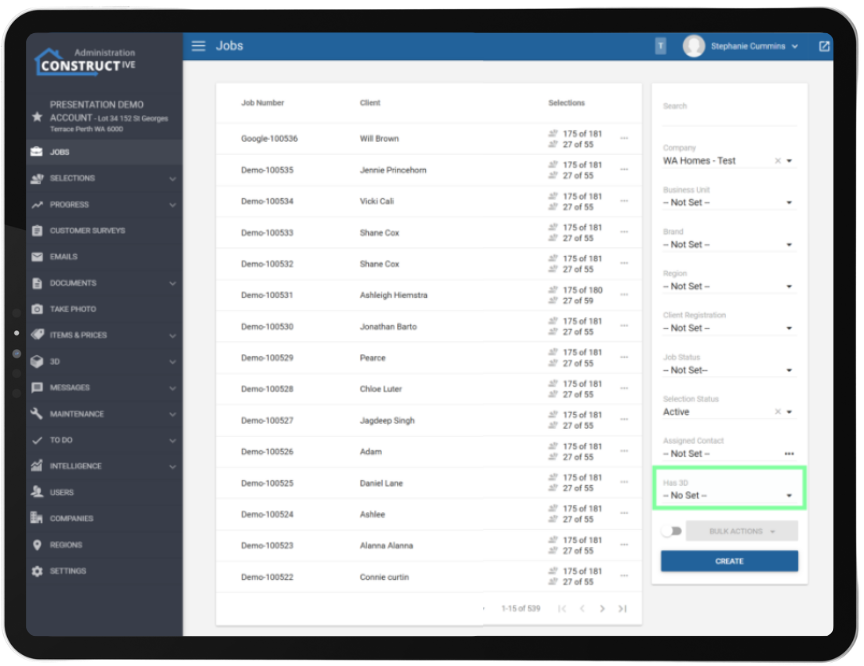
Locate jobs with 3D in a flash – Fast filter to save time.
Locate projects with a 3D model in a flash. The new “Has 3D” filter on the Jobs screen lets Builders instantly access all 3D-enabled jobs, supporting quick project management and helping teams deliver those wow-factor visualisations clients love.
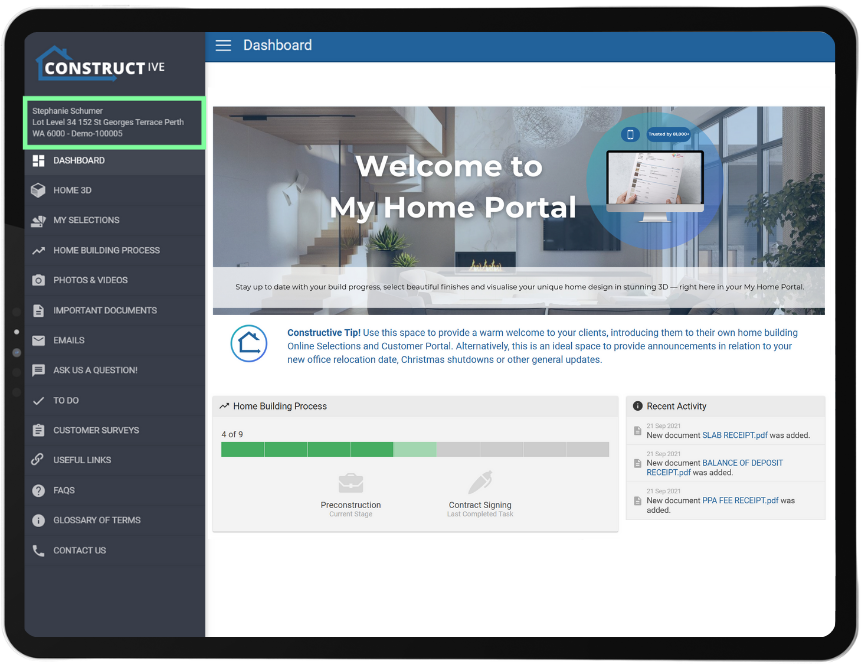
Communication has never been clearer – Job references displayed alongside client names.
Job references are now consistently displayed alongside client names (for everyone except clients themselves), Sales Agents and Property Managers can identify and discuss jobs with ease – improving internal coordination and professionalism when dealing with third parties, all while safeguarding client privacy.
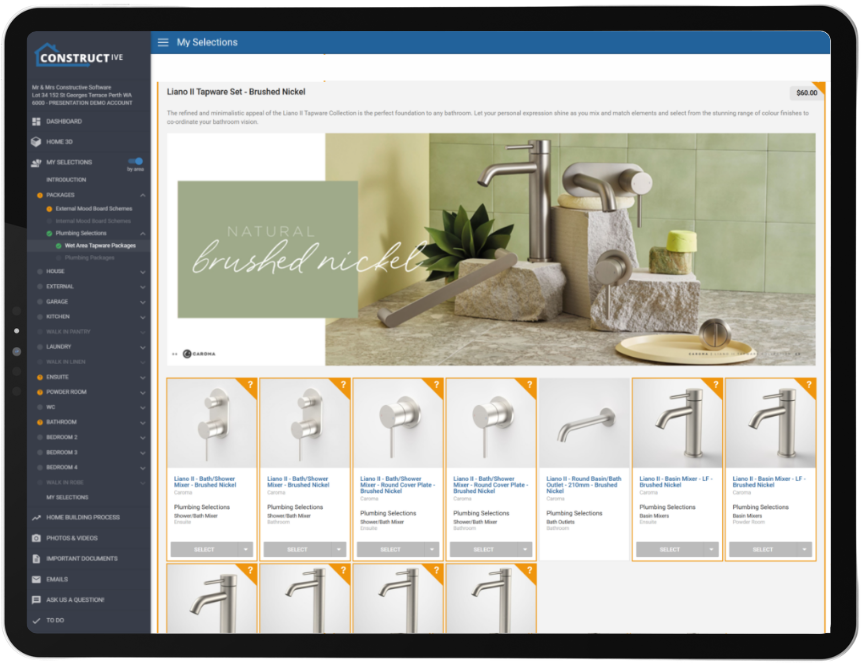
Smart Selections displays packages based off client choices – New view/page display for a more appealing client experience.
Clients can view any unresolved package selections—indicated by a question mark—when selecting a package from the Package Selection page (not only listed in the menu). This enhancement allows clients to hide subsequent selection options, ensuring only the relevant packages are displayed based on their chosen colour scheme or predefined package pathway.
Note: 3D functionality limits our screen space and therefore the client will need to close 3D to see the full card view to resolve the package choices.
If you have any questions after reading the full release notes, or want help navigating the new features, our team is here to support you.