The Constructive 2026.2 release brings enhancements designed to improve workflow efficiency, including a major highlight – the eagerly anticipated Multi-Attribute Item Selections for Clients. Task and maintenance processes have also been updated, with brand-specific To Do templates, improved visibility of deleted items, streamlined defect reporting, and new self-registration options for jobs in Maintenance status. These upgrades are intended to speed up project completion, minimise manual follow-ups, and ensure effective communication and involvement among all participants throughout the construction process.
New Feature! Multi-Attribute Items for Client Selections:
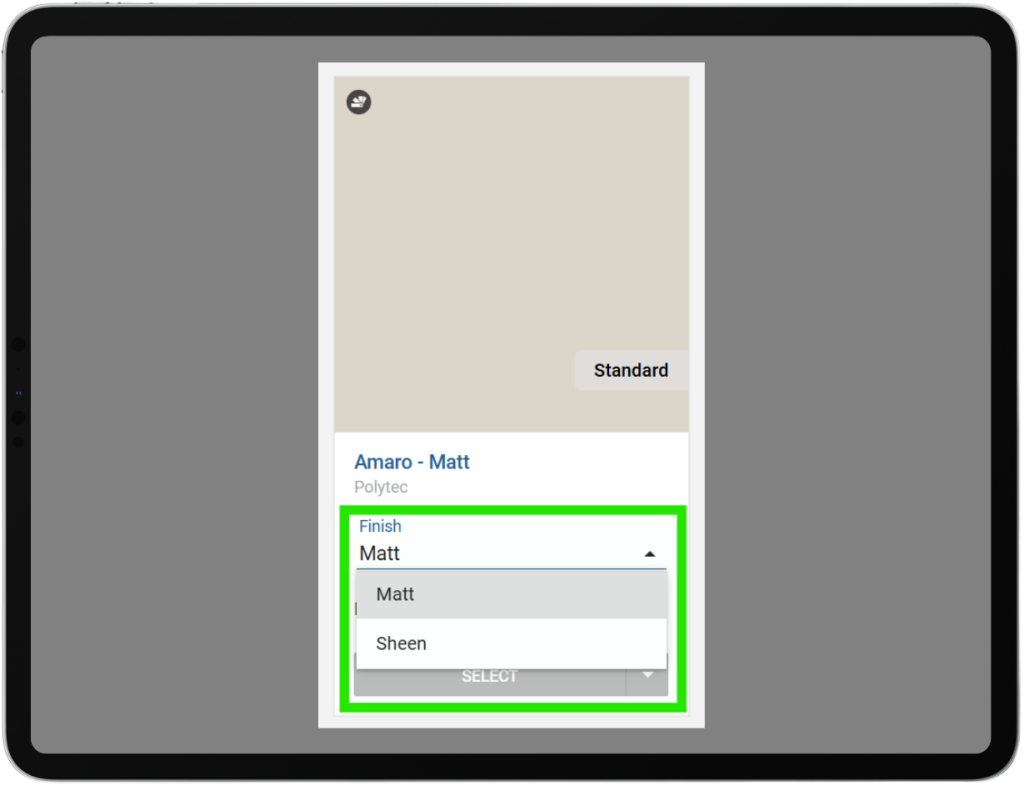
You can now group multiple related item choices into a single selection card instead of displaying them as separate items. For example, clients can select a profile first, then choose a finish from dropdown menus – all within one clear, connected card.
Grouping is driven by the Item Category, which defines the attributes used together.
A simple on/off setting is available on the selection template item to enable multi‑attribute grouping.
This results in a cleaner UI and a more intuitive selection flow for clients.
At this stage, multi‑attribute selections are enabled for the Item Category: Laminate Colours only.
We’ll continue expanding this functionality to additional item categories over time.
If you have categories you’d like enabled for multi‑attribute selections, please submit a support request with your suggested Item Categories so they can be prepared for this feature.
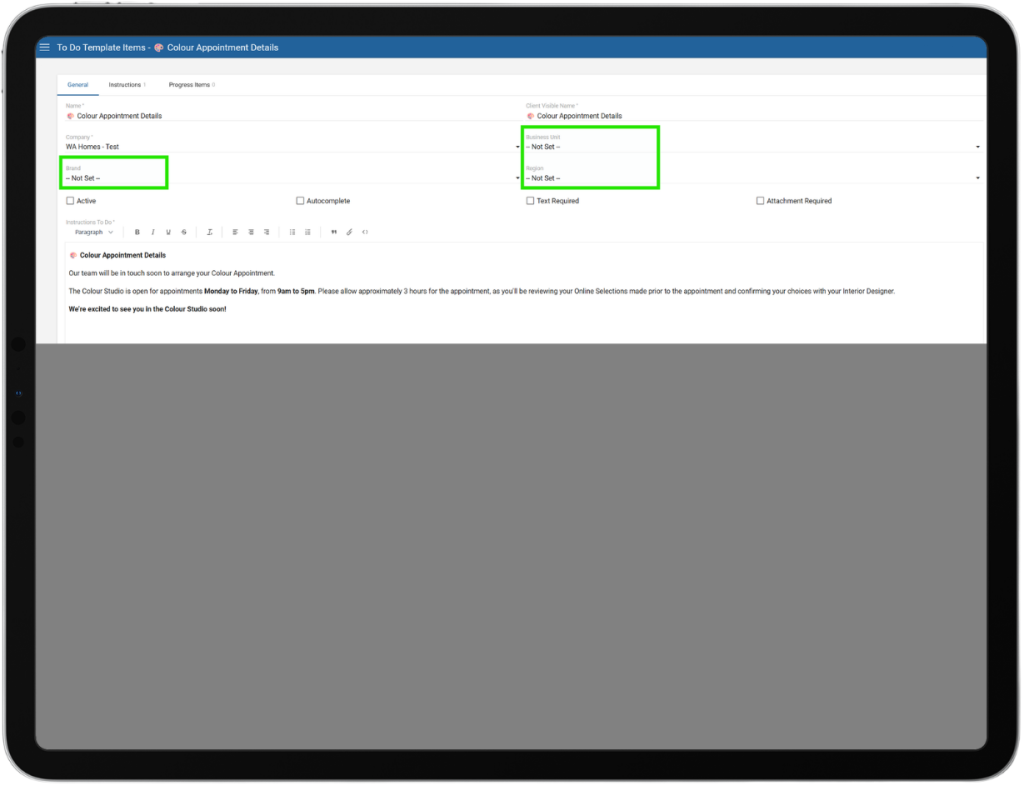
Brand/Region-Specific To Dos on Shared Progress Templates:
Inactive Flag Added to To Do Templates:
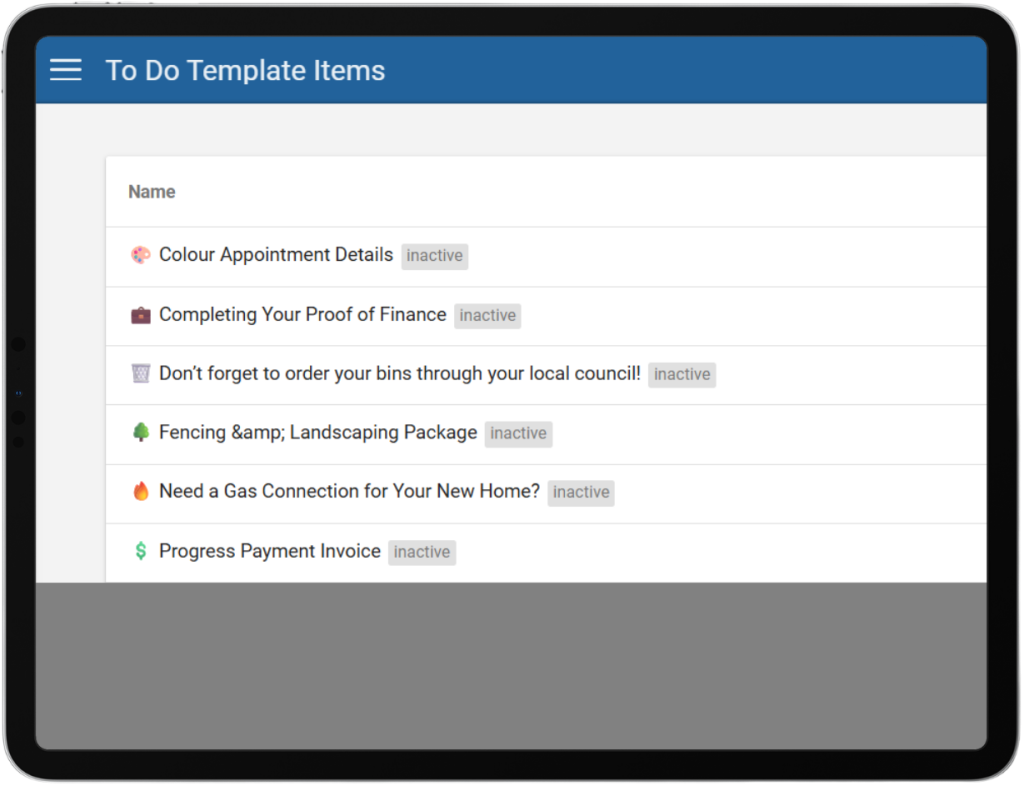
A new “Inactive” flag will appear on the To Do template screen to clearly identify To Do items that are not active, matching the same visual/status pattern already used on the Progress Emails and Surveys screens. This helps users quickly distinguish active versus inactive templates at a glance—especially in cluttered lists—reducing confusion, avoiding accidental use of inactive items, and making ongoing template management faster and more consistent across the product.
Self-Styler: Repositionable Login Box on Login Page:
Self-Styler will now support configuring the placement of the login box on the login page, enabling builders to move the login menu to approved positions (left, center/middle, or right) to better match their desired branding and layout. This removes the previous fixed-position limitation and gives teams more flexibility to create login experiences that align with their site design standards without requiring custom workarounds.
Maintenance Keep Deleted Items Visible (Greyed Out):
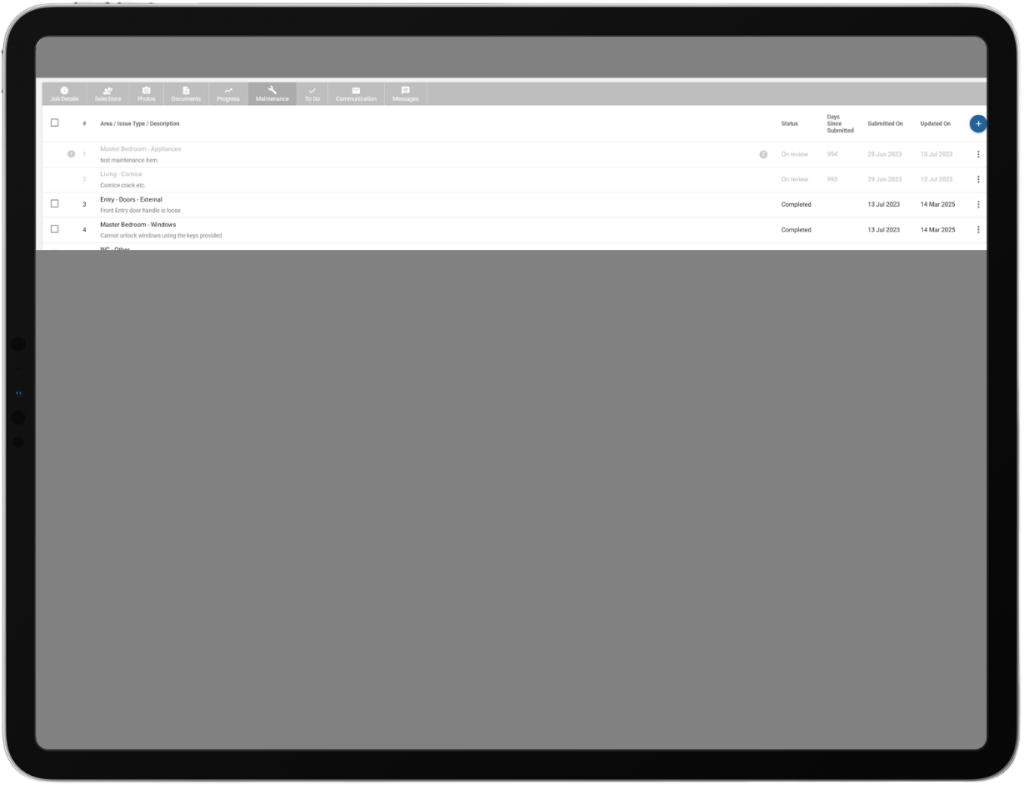
We’re improving the maintenance list so that when a maintenance item is deleted, it remains in the list in a greyed-out/blocked state (similar to how completed or rejected items appear) rather than disappearing entirely. This preserves item numbering and historical visibility for clients and teams, reduces confusion when referencing prior items, and provides clearer context around what was removed without reintroducing the item as active work.
FEATURE REQUEST: https://support.constructivesoftware.com.au/a/forums/topics/62000186614
Maintenance: Add Submitted/Created/Last Change Dates in Builder View & Job Details:
We’re enhancing Maintenance and Job Details for builders by displaying key date fields—Submitted On, Created On (or an aliased/hidden version if it matches Submitted On), and Last Change—across both list and detail views to better track, prioritize, and audit work. This adds much-needed timeline visibility for active maintenance requests and makes it easier to identify what’s newest, what’s been waiting longest, and what has changed most recently (with an optional “Days Since Submitted” indicator to quickly assess aging).
Maintenance Wizard: “Add Another” for Back-to-Back Defect Submissions:
We’re adding an “Add Another” button to the final step of the Maintenance defect submission wizard so clients can log multiple defects consecutively without leaving the flow. After a successful submission, users will be able to either “Finish” (existing behavior) or click “Add Another” to reset the wizard back to step one and start a new defect entry immediately (clearing the prior form fields while optionally retaining any shared context), reducing friction and speeding up multi-defect reporting without a page reload.
Improvement: Self-Registration Enabled for Jobs in Maintenance Status:
Self-registration will be allowed for maintenance-status jobs, ensuring customers can onboard or re-engage clients at the right stage of the lifecycle without needing manual registration workarounds. This avoids the scenario where clients could not self-register for jobs that are in a Maintenance status, blocking builders who rely on self-registration during the maintenance phase.
Added Video Import Support to Integration:
Added video support to the existing Photo Gallery so builders can include videos alongside photos via integration. Builders should be able to add videos, see them displayed within the same gallery layout as images, and play them directly from the gallery without affecting current photo functionality or performance. Existing photo galleries must continue to work unchanged, with videos clearly identifiable and supported across devices.
If you have any questions after reading the full release notes, or want help navigating the new features, our team is here to support you.