Product Updates

Constructive Update 5.22

Constructive 5.22 — Selections Reports Notes Titles, Item Suggested Changes, Item Suggested Discontinued

1. Selections Reports — Notes Titles
As a Builder admin, you can now customise Notes Titles for inclusion in Selections Reports. For example, you might configure the Notes Title to be Builder or Admin — or choose to have no Notes Title at all.

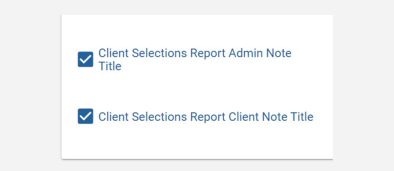
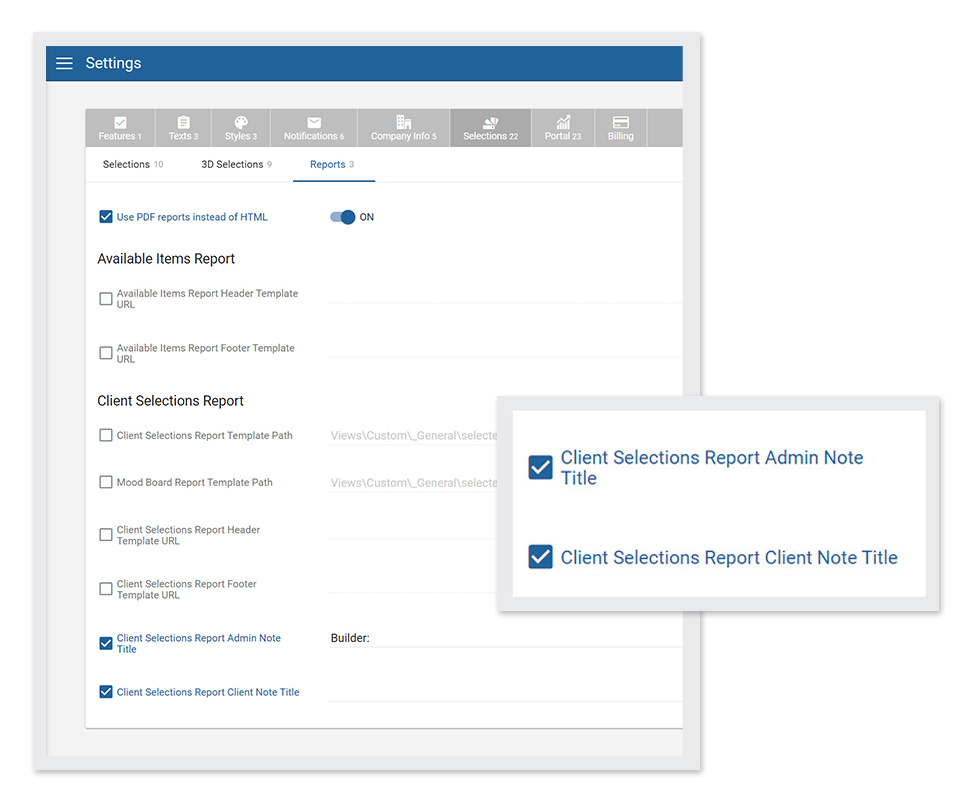
To ensure this Note Title appears on your Selections Report, navigate to Settings / Selections / Reports, and tick Client Selections Report Admin Note Title and/or Client Selections Report Client Note Title.

notes titles inclusion


2. Items — New actions: Suggested Changes and Suggest Discontinued

Previously, you would need to go through the Item Library or submit a support ticket to suggest changes to items or indicate their discontinuation.

Now, to speed up the process, you can suggest a change of image or information — or suggest an item has been discontinued — directly within your Selection template in Constructive.

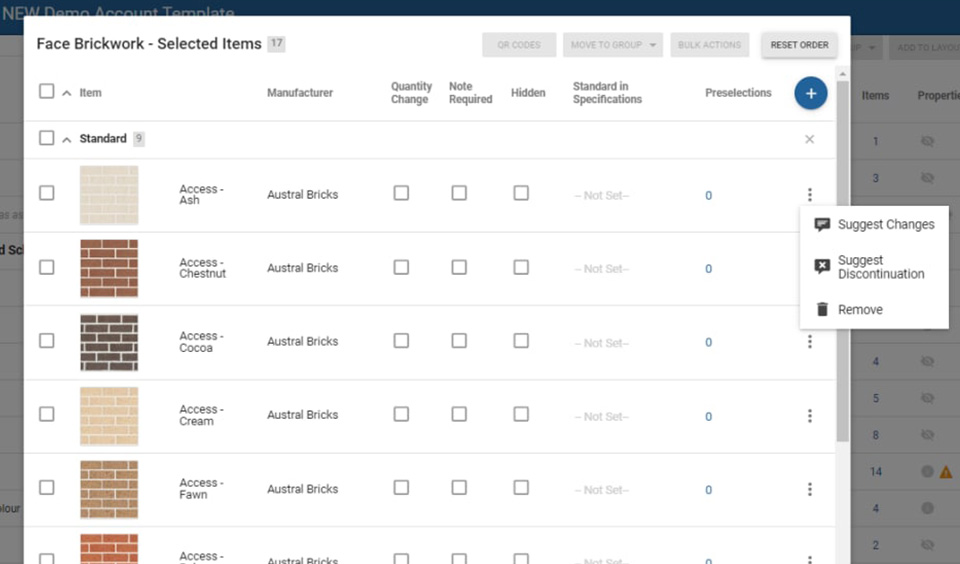
Click the 3-dot kebab menu on the right of an item’s line to select Suggest Changes or Suggest Discontinuation. Your suggestion will be delivered directly to your Client Success Manager for review.

items suggestions discontinued


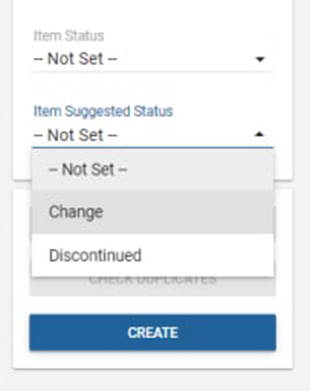
3. Items — New actions filter: Item Suggested Status

You can now filter items by Item Suggested Status to view by Change or Discontinued.

item status


4. Bug Fixes

Selections – Price Text Override: My Selections and Reports now display both the price (non-zero) and custom text.

Featured Post
Constructive Update 5.21

Constructive 5.21 — New Notifications Emails, House Type Dimension Ordering and Admin Improvements

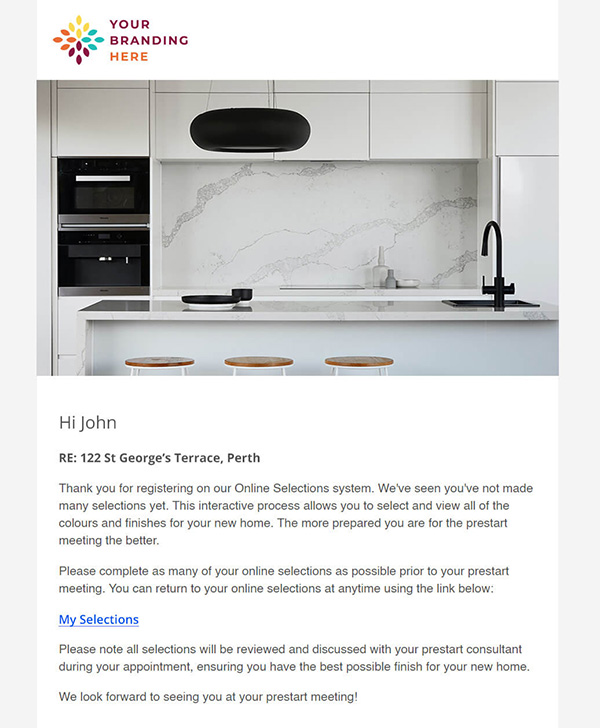
1. Notifications — Low Selections Reminder Weekly Email
Automate a weekly follow-up to keep your clients’ Selections process moving rapidly with the new Low Selections Reminder — a customised, branded email reminding clients to make Selections if they have less than 20 Selections chosen. The email goes out once a week on a Monday and can be toggled on or off.

selections-not-made-email-example


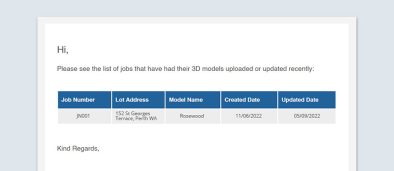
2. Notifications — New 3D Model Notification Daily Email
Keep track of what’s changed with the new 3D Model Notification email — a summary of new models as well as what has changed on existing models. The email is sent daily to Contract Administrators and can be toggled on or off.

3d model notification email example


3. House Type Admin — Dimension Ordering Within Areas and Dimension Order
You can now drag and drop Dimensions within Areas (reflected in Job Details Quants) to easily re-order to suit your workflow. This is especially useful when you have Selections in multiple Areas and you’d like to guide clients through these in a particular order. For example, selecting a benchtop first in the kitchen, then the laundry, then the bathroom.


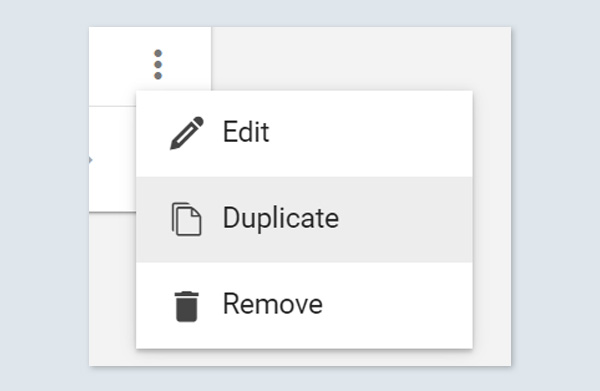
4. House Type Admin — Area Duplication
Quickly duplicate areas by clicking the 3-dot ‘kebab’ icon on the right and choosing Duplicate.

duplicate modal


5. Emails — Resend to a New Email Address
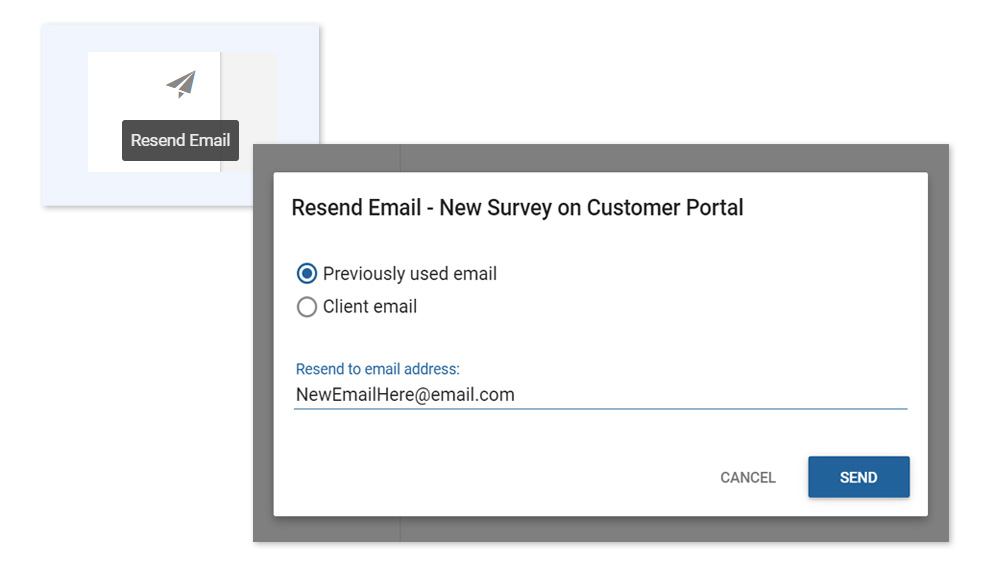
Need to re-send an email to a new email address not previously used? Now you can conveniently send on an existing email to someone new by clicking the re-send button and typing their email address into the new input field.


6. Job Contacts — New Construction Manager Job Contact
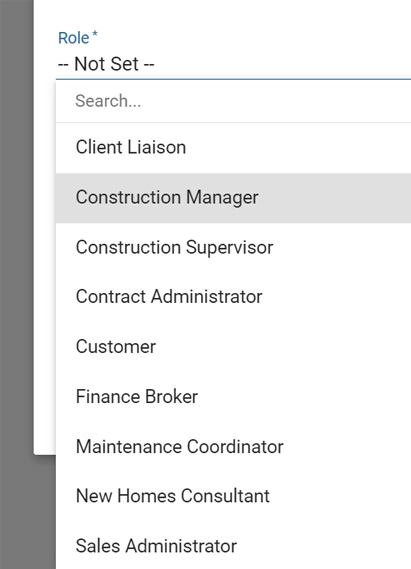
Construction Manager has been added to the Job Contact roles for your clients to communicate with.

construction manager role


7. Selection Reports — Available Items Report Pop-Up
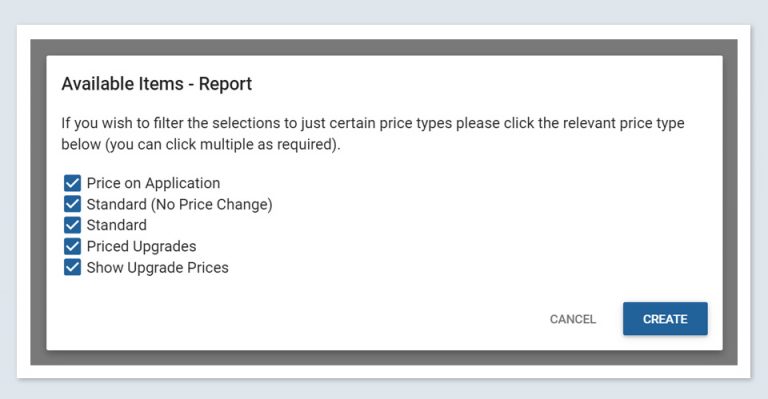
Customise your reports to suit your needs. The Available Items Report now shows a Pop-Up modal box where you can tick what price type(s) you’d like to include before generating the report.

Featured Post
Constructive Intelligence Analytics Update 1.7

Intelligence 1.7 — Selection History and Appointment Complete Filter

Intelligence 1.7 is focused on the new Selection History feature, a daily snapshot of the history of items chosen for a Selection, now accessible directly from Intelligence.

Has a Selection accidentally been chosen? Use Selection History to go back and find what the previous Selection was without having to contact your client — or your Constructive CSM.

Easily double-check any errors that come up on site by viewing the history of previous Selections.


1. NEW Selection History

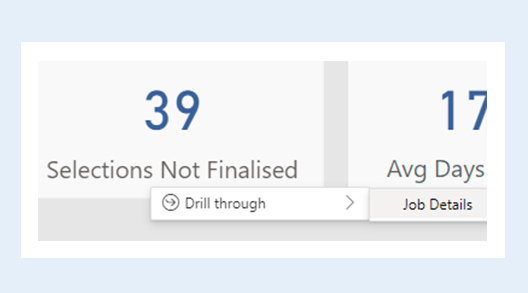
Drill through from Selection Detail to the new Selection History to view a daily snapshot of items chosen.

job history drill through
selection history

Please note the following Selection History limitations:

  • Selections which didn’t have an item selected in the most recent snapshot will not be available in the table; therefore, their history will not be available in the report.
  • History snapshots are taken each evening, so details of Selections made within a day are not available.
  • It’s not possible to determine who unselected an item.


2. NEW Selection Appointment Complete Filter

This new filter can be found on the Selection Detail page, allowing you to quickly view selections for jobs that have not completed their Selection appointment.

Note the default filter setting is “True” — unselect “True” to display Selections for all jobs.

If you don’t use the Progress module, or your progress template does not include a Selection Appointment task, this filter will instead filter jobs whose Selections are locked.

selection appointment complete filter


3. Other Updates

  • Added column Elevation to Job Details and Selection Detail.
  • Added column Price Override Text to Selection Detail table.
  • Added a Job filter to the Selection Detail page.


4. Bug Fixes

  • Fixed hover tooltip incorrectly displaying Price Overrides on multiple selections pages.
Featured Post
Constructive Intelligence Analytics update 1.6

Intelligence 1.6 — Price Overrides and Price Configuration

all prices configuration

Features: Price Overrides, Price Configuration

Intelligence 1.6 features two new pages:

Price Overrides, useful to identify items whose price is regularly overridden, (to a dollar figure or to standard), and may need their price configuration updated.

Price Configuration, allowing you to view, filter and export price configuration.

These pages will give you greater insight into the pricing manually entered during Selections and old pricing requiring updates. If any duplicate pricing exists, Constructive automatically alerts you via email.

We’ve also added an Overall NPS card to the NPS page and updated the Engagement page with a new date range filter to allow you to filter Page Views by Progress Completion and Module.


1. NEW Price Overrides

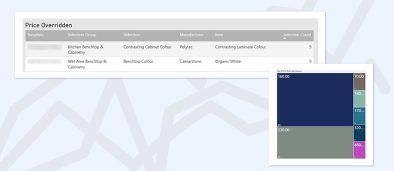
The new Price Overridden table highlights items that have been most often overridden to a dollar figure when selected.

price overridden table

Hover over a row in the table to see a tree map distribution of the override prices.

tree map

The Overridden to Standard table highlights items which have been most often overridden to $0 when selected.

overridden to standard table

Right-click in either table to drill through to the override selection detail.

drill through


2. NEW Price Configuration

View, filter and export price configuration. Hover over a row in a table to see the Template Selections the item appears in.

There are three views of price configuration available:

  • All Prices – Displays all current price configuration.
  • Duplicate Prices – Current item price entries where there is one or more identically configured price entry. Ideally, there should be no two price entries for an item with the same Business Unit, Brand, Region, Dimension Type and House Type combination.
  • Aged Prices – Current prices sorted by the number of months since they were last updated. Use the Price Age Months filter to view prices older than a specified number of months.


3. Other Updates

NPS page: Now features an overall NPS card.

Engagement page: We’ve added a Page View date range filter to allow you to filter Page Views by Progress Completion and Module.

Featured Post
Constructive Intelligence Analytics update 5.20

Constructive 5.20 — Price Override with Text, Saving Check, Multiple Reply To Email Addresses

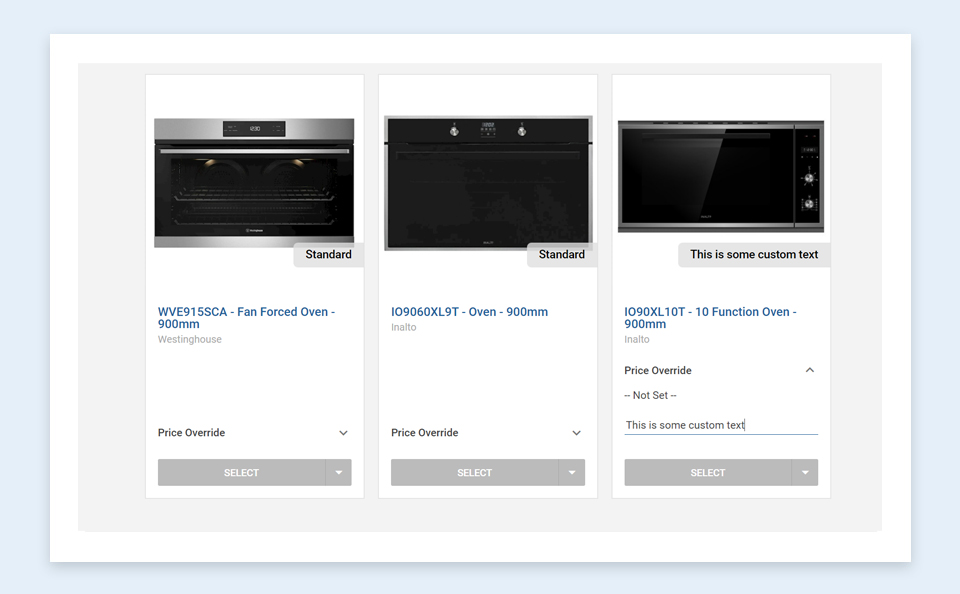
1. Selections — Price override with text
Previously, price overrides displayed a dollar value. You now have greater flexibility to create a price override containing your own, custom text.

price override with custom text


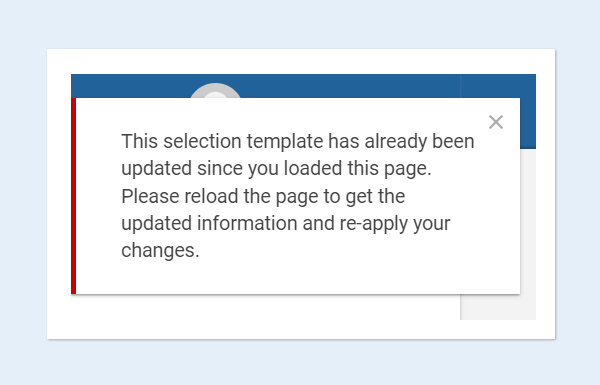
2. Job and Selection Templates — Saving check
When making changes to Job and Selection Templates, you’ll now be notified when another user has made changes concurrently and saved before you, ensuring you don’t erase their recently saved work.

selection template already updated dialogue box message


3. Messaging — Multiple Reply To email addresses
Clients can now set up multiple email addresses within their account settings. This means when you reply to a client’s message, your reply will be emailed to all the addresses listed in the client’s account.


4. User interface enhancements

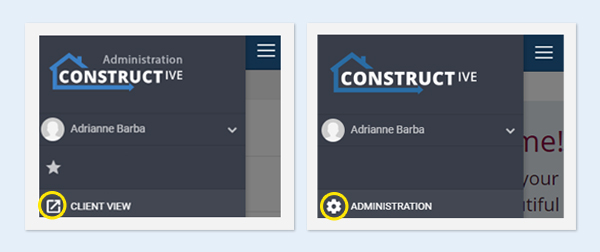
  • When you’re using Constructive from a mobile device, you can now easily switch between Admin View and Client View via the hamburger menu.
    client view admin view easy switch
  • Within Selections, various user interface enhancements have been made in Simple View.


5. Bug Fixes

  • 3D Model Editing Screen — You can now add 3D objects in Safari; shape highlight and selection, (when the object is in a group of nested objects), are now fixed.
  • Job Listing — When the unit number is blank, a child job no longer shows its own Job Number in the greyed-out section below.
Featured Post
Constructive Intelligence Analytics Update 5.19

Constructive 5.19 – Item Documents, Selections Report Improvement

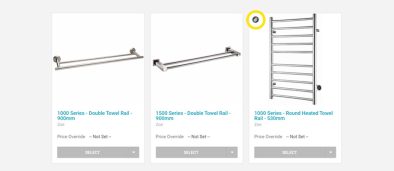
1. Item Documents — Attachment icon
When an item contains an attached document — such as a product brochure or a specification, an attachment icon now appears in the top left-hand corner.

item document attachment


2. Reporting — Selections Report improvement
Previously, when de-selecting a choice on a template with pre-selections, the item would still appear within the reporting paperwork. Now, if you de-select a choice that item will no longer appear in the report.


3. Bug fixes
House Type Areas Order now retains correct order after saving.
Job Listing — Selections now show as loaded on child jobs.
Internal 3D — Mirrors now obey displacement of model in client view.
Emails — Test setting is now the same as production.

Featured Post
Constructive Intelligence Analytics Update 1.5.2

Intelligence 1.5.2 — New Online Engagement KPIs

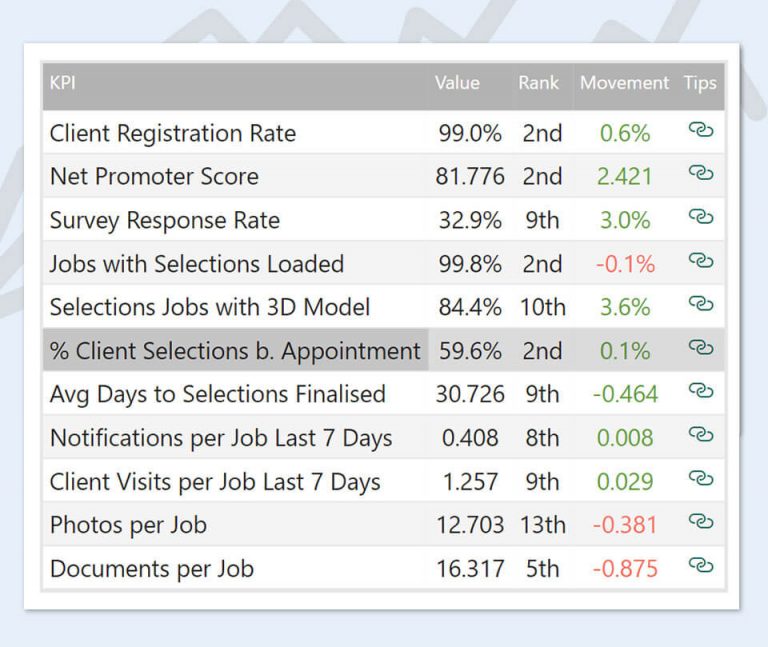
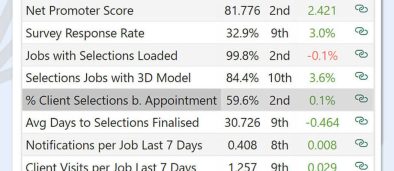
With the release of Intelligence 1.5.2, we’re bringing you some new Online Engagement KPIs to help you track the number of emails and client visits per job over the last seven days.

Online Engagement KPIs provide data insights to map your competitive position next to other builders using Constructive, as well as tracking how this position changes over time. You can use this as a tool to benchmark your online engagement, set goals and identify opportunities to improve your position with our expert tips on how to increase Notifications and Client Visits per job, (linked next to each KPI within the table).

We’ve also added two columns to the Job Details table to help you uncover more data around when clients are logging into their Portal.


1. Online Engagement Key Performance Indicators Additions

Notifications per Job Last 7 Days
Reports the average number of emails per job in the last seven days. Restricted to Sales, Preconstruction and Construction Jobs.

Client Visits per Job Last 7 Days
Reports the average number of days the client logged in per job in the last seven days. Restricted to Sales, Preconstruction and Construction Jobs.

constructive intelligence new online kpis screenshot


2. Job Details Table Additions

Total Logins (days)
Shows the total number of days the client has logged into their Customer Portal.

Logins Last 7 Days
Shows the number of days the client has logged in to their Customer Portal in the last seven days.

Featured Post
Constructive Intelligence Analytics update 1.5

Intelligence 1.5 — Online Engagement KPIs

Intelligence 1.5 focuses on Online Engagement KPIs, helping you identify how you’re tracking related to other builders using Constructive. This new page will help you understand where you’re improving and excelling over time, plus our expert tips explain exactly how you can improve your ranking within each metric.


1. NEW Online Engagement Key Performance Indicators (KPIs) Page

KPIs Ranking
View the following metrics and assess where you sit — both overall, and within each KPI — across builders using Constructive.

  • Client Registration Rate
  • Net Promoter Score (NPS)
  • Survey Response Rate
  • Jobs with Selections Loaded
  • Selections Jobs with 3D Model
  • Photos per Job
  • Documents per Job
online engagement kpis ranking constructive intelligence


Ranking History
Hover over an individual KPI to see the recent change and history, (earliest available history from 6 April 2022).

online engagement kpis ranking over time constructive intelligence


Tips
The tips column contains links to best practise, expert recommendations to improve your rankings for each KPI.


2. Job Details

Has 3D
Flags if a 3D model has been loaded to the job.

Featured Post