This release introduces a range of enhancements and fixes designed to make selections, reporting, and job management more flexible and user-friendly. Highlights include the ability for selections consultants and builders to easily customise “Other” selection items with bespoke images and labels, improved template and reporting options with new pricing display controls, and streamlined management of To Do templates and progress ordering. Several improvements have been made to search functionality, parent-child job toggling, user interface clarity, and mobile usability. These updates aim to provide a smoother and more efficient experience across the platform, catering to the specific needs of both builders and clients.
JOB Editable “Other” Selection Items:
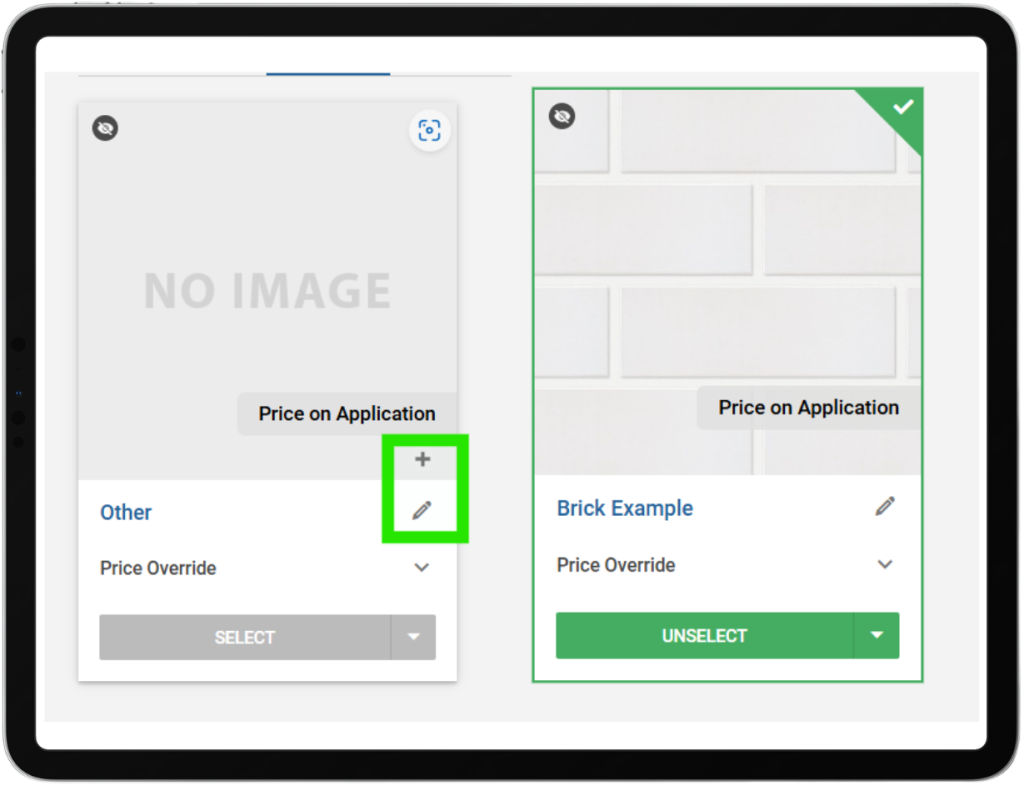
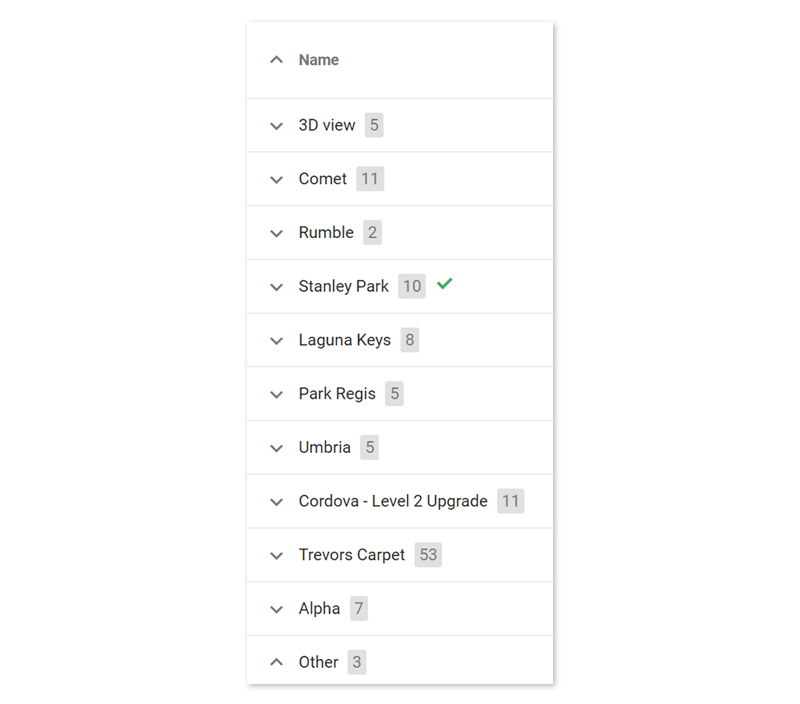
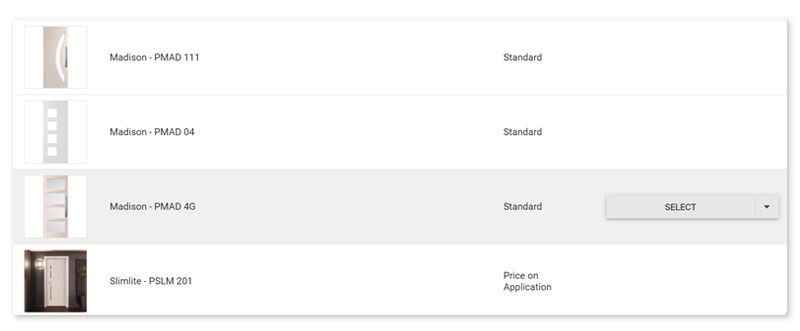
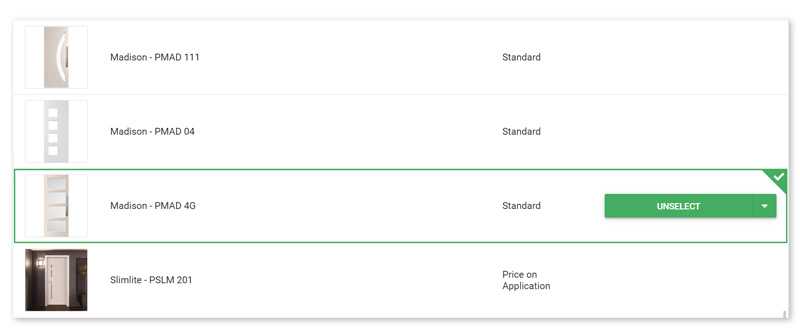
Selections consultants can now customise “Other” choices at the job level by assigning an image directly onto the item and overriding its display name. This allows builders—especially smaller ones without full library coverage—to quickly add bespoke items with their own images and labels. The uploaded image is saved against the job’s selection choice and used throughout the UI and reporting, making job selections more flexible and accurate.
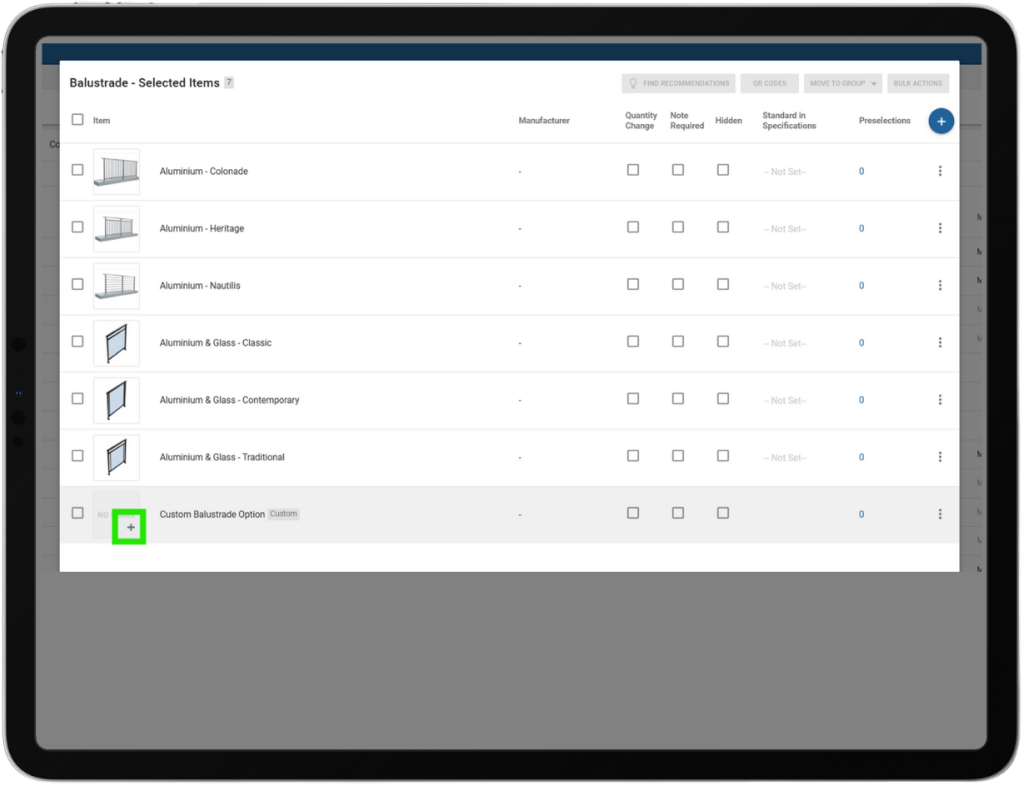
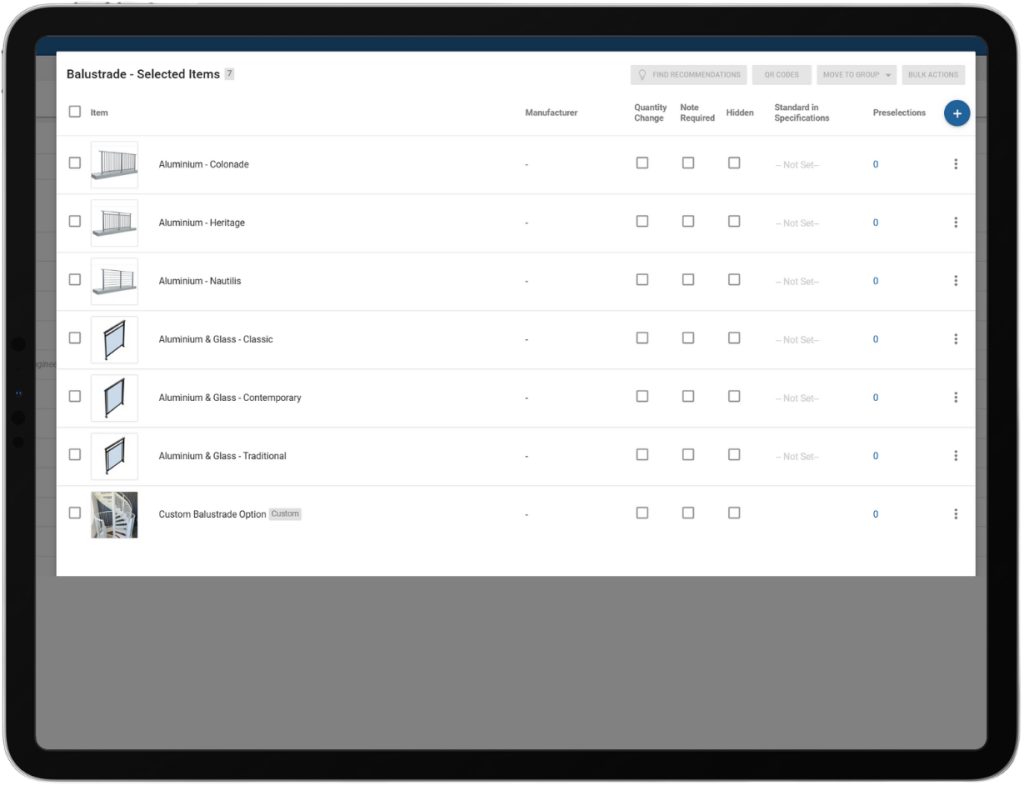
Builders can assign images to their own custom items directly within their selection templates. This allows builders to include unique options—such as staircases or cabinetry—that are specific to their projects without adding them to the main item library. The uploaded images are automatically processed and linked to the custom item, making it easy to visually represent these options in selections while keeping the item library clean and manageable. Note: Custom items can still not be priced.
Reports – Addenda – Prices Displayed Option:
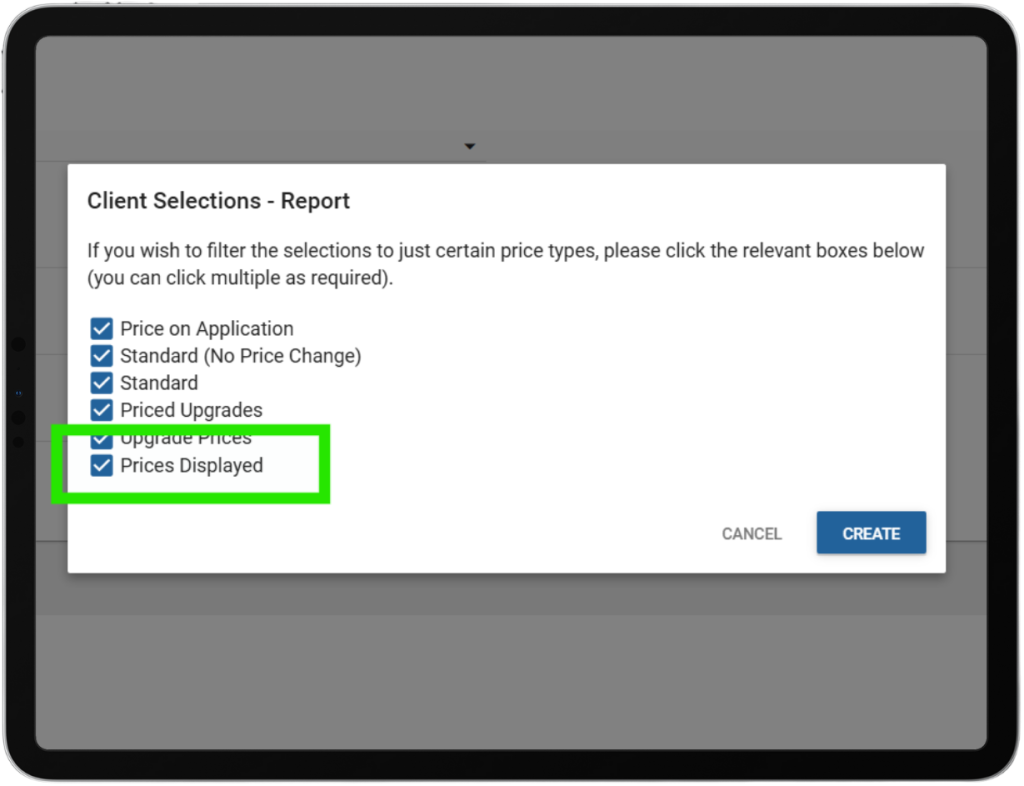
A new “Prices Displayed” checkbox has been added when generating addenda, allowing users to choose whether pricing is included in the document. This removes the need for multiple templates and manual oversight, enabling faster and more flexible addenda creation for internal use, subcontractors, or suppliers, all from a single template.
Prices Embed Report & Intelligence Menu Update:
A new Prices report has been added to the Intelligence menu. The menu has also been reordered for improved usability, with the new sequence: Engagement, Jobs, Messages, To Do, Surveys, Photos, Documents, Selections, Selections Log, Pricing, and Maintenance.
To Do Template List – Ordering & Linked Progress Items:
Admins can now organise To Do template items using drag-and-drop ordering, ensuring items appear in the intended sequence rather than alphabetically. This ordering is managed exclusively in Admin and is applied automatically when templates are used in jobs. Linked progress items now display in the same order as defined in the Progress Template, making setup clearer and more intuitive.
To Do – Progress View Ordering:
Fixed an issue where linked progress items in the To Do view appeared in the wrong order; they now display in the same sequence as defined by the Progress Template ranking, ensuring stages like Sales appear in their intended position.
Selections Improvement – Search for Items in Packages:
Users can now search for product codes and item names when adding them to packages within a selection template. This enhanced search functionality aligns with the main selection template, making the process smoother and more consistent.
Jobs Improvement – Parent-Child Job Toggle:
Builders can now seamlessly toggle between parent and child jobs when both jobs are linked. This improved functionality allows users to access and switch between both jobs as expected in parent-child job setups, enhancing workflow efficiency and ease of use.
Package Selection Popup Wording – Updated:
The selection confirmation pop-up has been updated to display clearer, more user-friendly wording. It now reads: “You are making a selection outside of your package. Do you wish to continue?” for any choices, improving clarity for users.
Additional Improvements:
Message tab comments now reliably show to clients after 17 comments.
3D decorations, lights, and cameras are correctly reset when using the Clear function, providing a consistent workspace.
Mobile users can now smoothly exit the email preview, streamlining navigation and user experience.
If you have any questions after reading the full release notes, or want help navigating the new features, our team is here to support you.
Delivering excellent customer experience
We integrate with workflow systems
"Double-handling of client and construction data is a thing of the past. Constructive Software seamlessly integrates into key data points of BusinessCraft, enabling us to communicate in real-time to our clients: Documents, photos, Milestones and more."
The Constructive 2025.8 release delivers a range of practical enhancements and fixes designed to streamline platform management and improve user experience. With updates to selections, maintenance notifications, and pricing, this version focuses on usability, visibility, and consistency. Users will benefit from refined features such as simplified pricing options, improved navigation, and more reliable maintenance tools, ensuring smoother and more efficient workflows across the board.
Maintenance Enhancement – [LOCKED] Email Tag.
A new [LOCKED] tag has been introduced for Maintenance emails, usable in both inbound and outbound messages. The tag functions like the existing [URGENT] tag, triggering specific handling for locked requests while ensuring it is removed from the final email content sent to users.
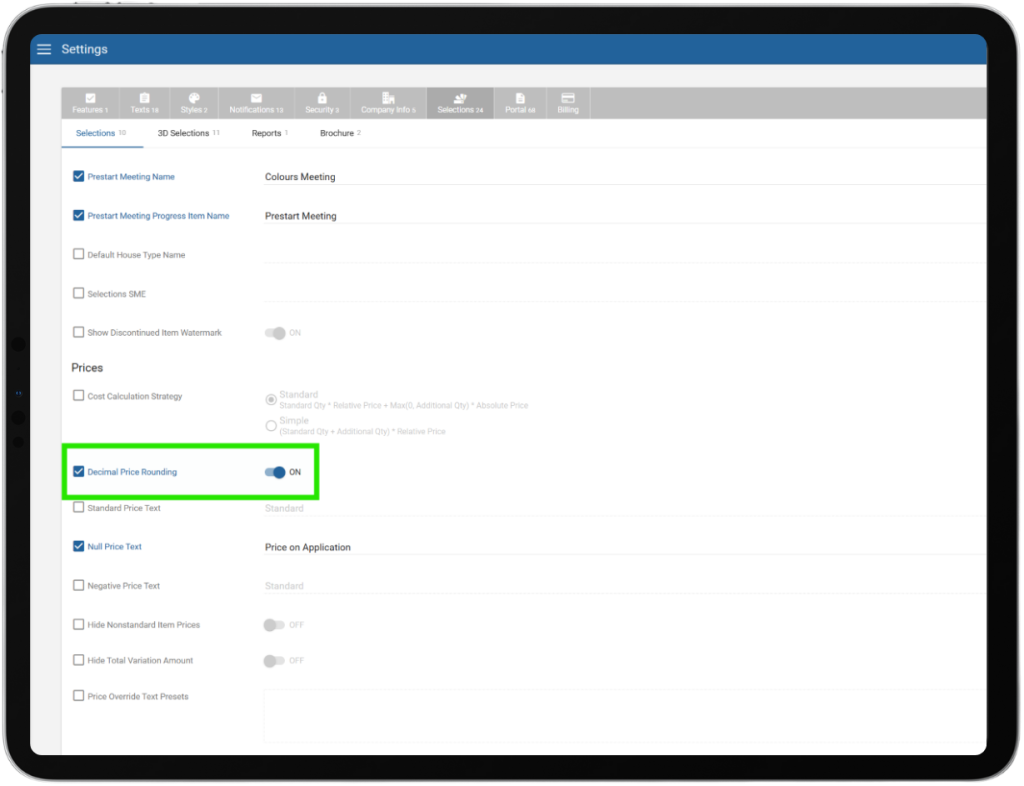
Pricing Enhancement – Round to Nearest Dollar.
A new setting has been added to round final prices to the nearest dollar, ensuring that calculations involving quantities do not result in decimal prices for clients.
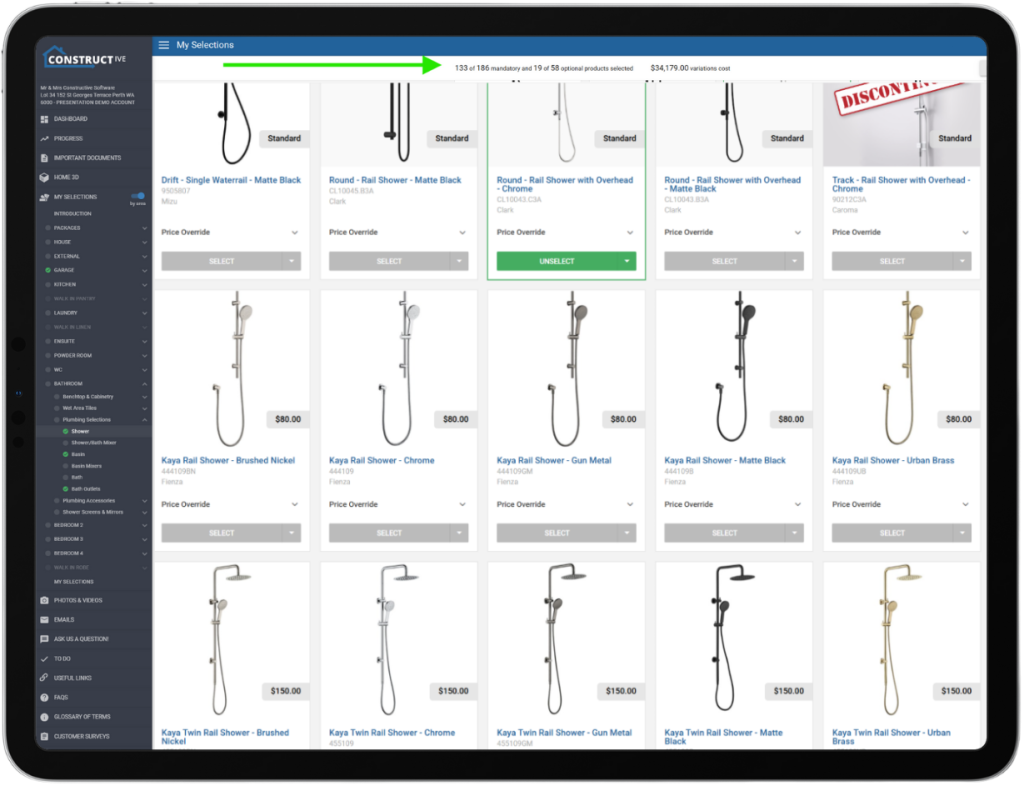
Selections Enhancement – Sticky Variation Header and Navigation Bar.
The Variation total bar and NEXT/BACK buttons on the Selections screen are now sticky, remaining visible while scrolling through long lists of selections. This enhancement improves usability by keeping totals and navigation controls accessible at all times.
If you have any questions after reading the full release notes, or want help navigating the new features, our team is here to support you.
Delivering excellent customer experience
We integrate with workflow systems
"Double-handling of client and construction data is a thing of the past. Constructive Software seamlessly integrates into key data points of BusinessCraft, enabling us to communicate in real-time to our clients: Documents, photos, Milestones and more."
Say Goodbye to Email Chaos—Embrace the Power of Tracked Messaging!
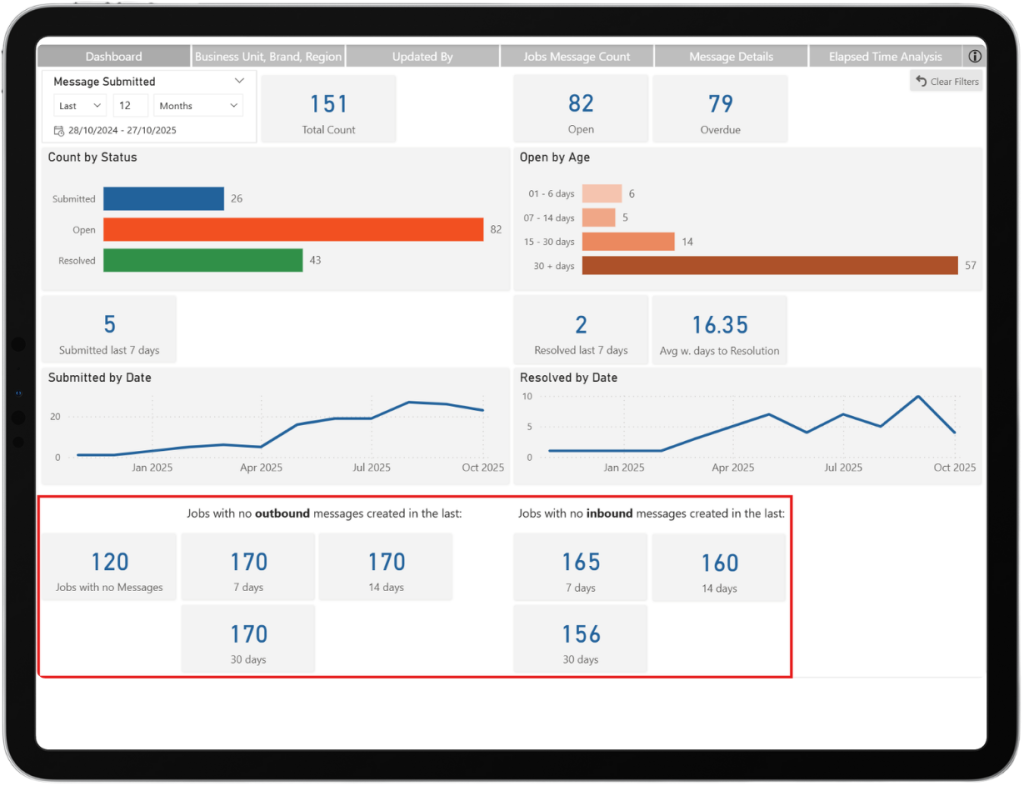
We’re thrilled to bring you an Intelligence Release that is designed to put you back in control of communication, clarity, and client satisfaction. Ever felt weighed down by scattered emails, endless client calls, and complaints like “We have too many queries coming in” or “I can’t keep up”? Well, we heard you. That’s why with Constructive Software, Builders can now remove the anecdotal fiction and see the facts about inbound and outbound communication through the Messages function and reporting.
When utilising Constructive Messages, Builders will now have a real-time overview of inbound and outbound messages in this new, well-designed, easy-to-read dashboard, available directly within Constructive embedded reports.
Builders see the truth using these features:
Message-Only Client Communication: This is a first step towards ditching the messy email inbox! Move all client interactions into a single, streamlined messaging channel. (Face-to-face and calls are still welcome, of course!)
Outbound Message Tracking: Instantly spot which jobs aren’t getting proactive updates. Make sure every client hears from your team—before they ever need to ask.
Comms Audit & KPIs: No more he said/she said. Instantly check historic messaging if a client claims they’ve been left in the dark. Use real data to support staff performance reviews and keep your team accountable.
Inbound vs Outbound Balance: Get a crystal-clear view of all messages. If inbound queries are outpacing your outbound updates, you’ll know right away—and can fix it fast!
Data-Driven Management: For the first time ever, access hard stats on client communication volume, response times, and individual staff activity. No more guesswork. Just facts.
This is not just another tool – it’s your ticket to proactive, transparent, and measurable client service. Put an end to confusion, boost trust, and use these tools to manage your business well.
If you’re not a Customer Portal user, please Contact Us so that we can ensure you enjoy these benefits too.
If you have any questions or want help navigating the reports, our team is here to support you.
Delivering excellent customer experience
We integrate with workflow systems
"Double-handling of client and construction data is a thing of the past. Constructive Software seamlessly integrates into key data points of BusinessCraft, enabling us to communicate in real-time to our clients: Documents, photos, Milestones and more."
We’re thrilled to announce a fresh round of improvements designed to make your experience smoother, smarter, and more responsive than ever! This update brings practical enhancements that directly address your feedback, delivering better communication and reliability across the platform. Dive in to explore what’s new and see how these changes will boost your workflow and client satisfaction.
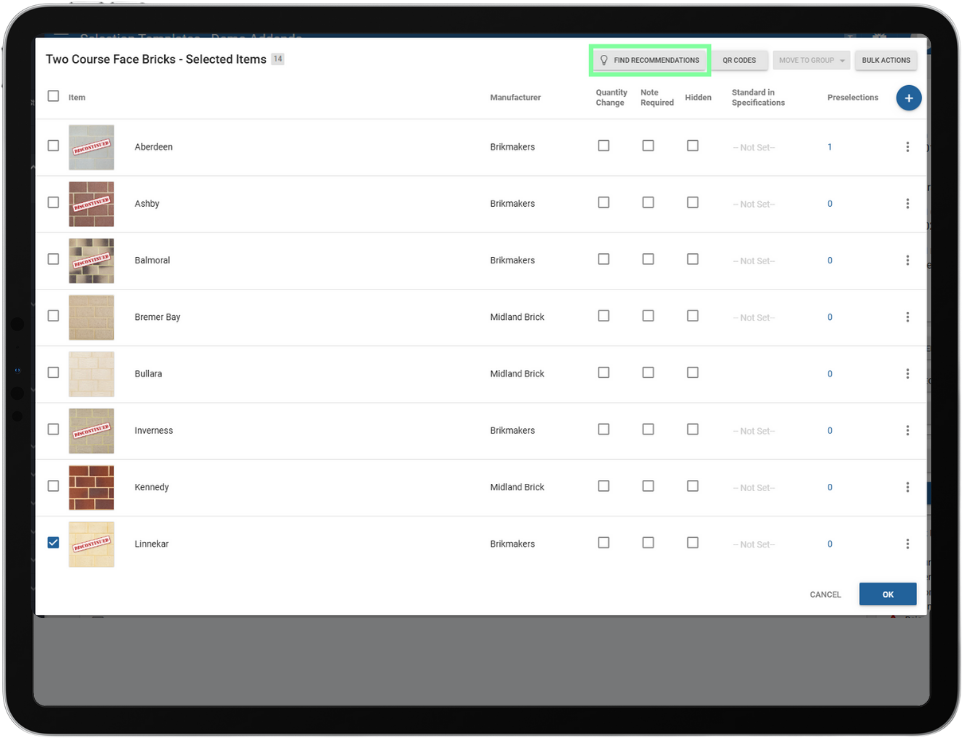
Amplified selection template recommendations.
The Find Recommendations feature now suggests relevant choices for Selection Template items. This helps builders create Selection Templates faster by providing compatible and previously unconsidered options, saving time and showcasing Constructive’s expertise in Selections methodology.
Clearer pricing for enhanced transparency.
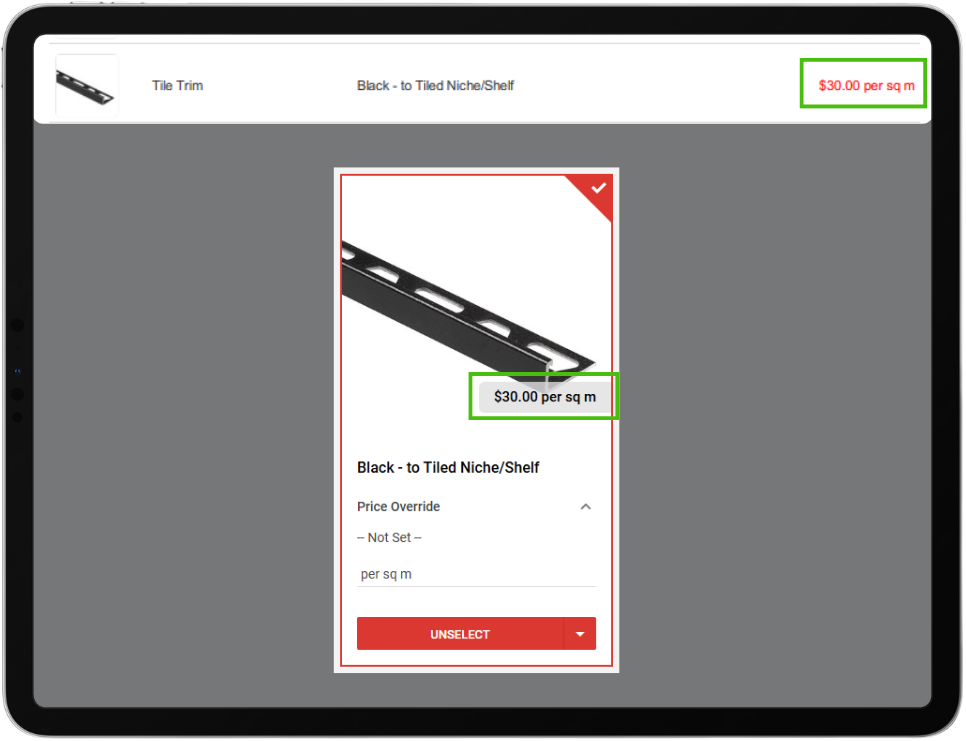
The Price Text field will now display after the price value (e.g., 120.00 per sq/m). This allows builders to use the field for contextual indicators, such as per sq/m or per unit, improving clarity in cases where quantities are not editable or not captured on a job.
Streamlined registration notifications for sales representatives.
Sales representatives will now only receive the initial registration email. They will no longer be included in subsequent registration reminder emails by default, reducing unnecessary notifications.
Clients stay organised with To-Do reminders in activity emails.
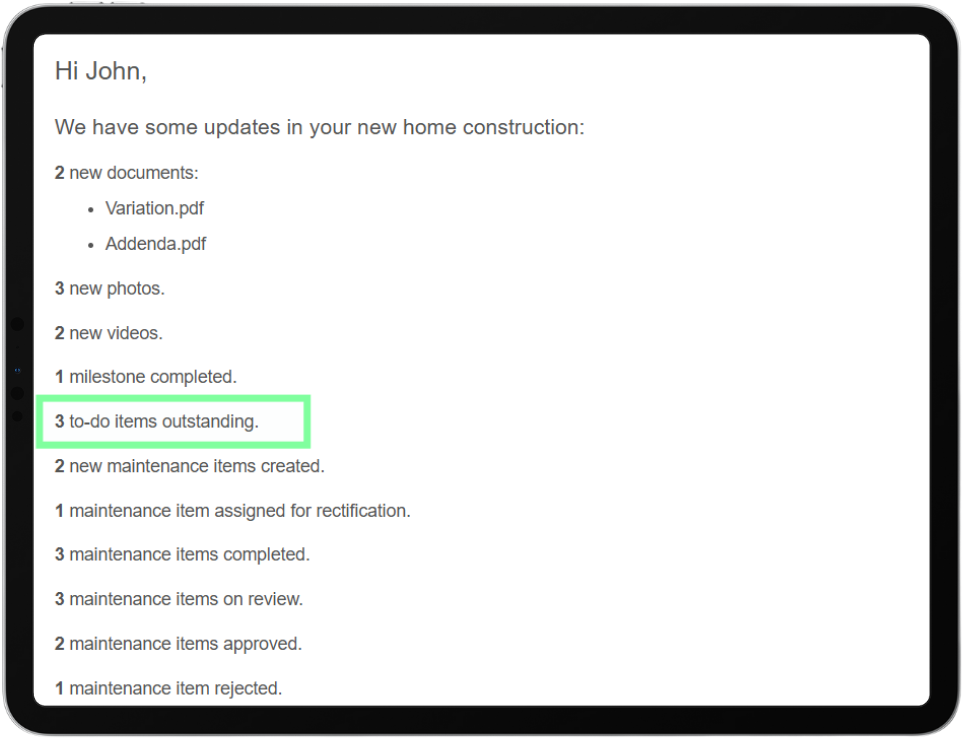
Activity emails now include a reminder showing the number of uncompleted To-Do tasks remaining on a client’s portal, similar to existing survey reminders.
Centralised custom text box management for better usability.
All instructional custom text locations have been moved to the ‘Texts’ page/tab for improved usability and consistency.
Improved clarity with consistent permission terminology.
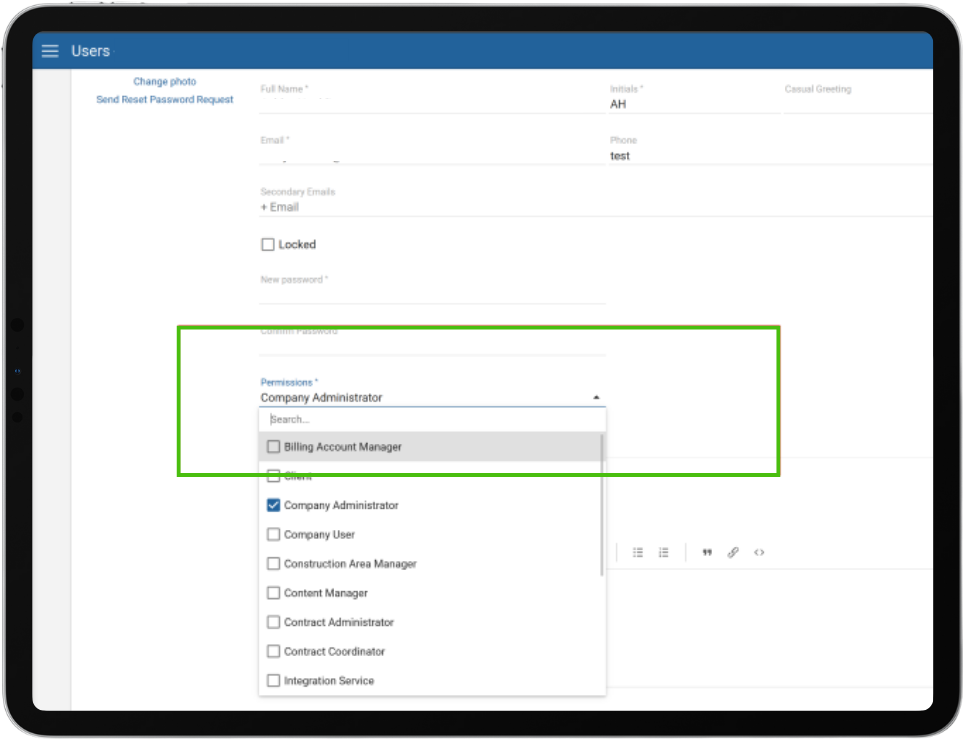
All instances of the user field/label “Role” have been updated to “Permission.” This change ensures consistent terminology across the application.
Note: Job Contact Role is a different field and will continue to be referred to as Role. This enhancement clearly separates the concepts of Role (for job contacts) and Permission (for user access), reducing confusion for builders.
Expanded Intelligence report visibility.
Access to Intelligence reports in Constructive has been broadened to include most user permissions, making insights more widely available across teams. Sales Consultants remain excluded from report visibility as per current preferences.
Clients are now empowered to mark Maintenance items as completed, helping builders.
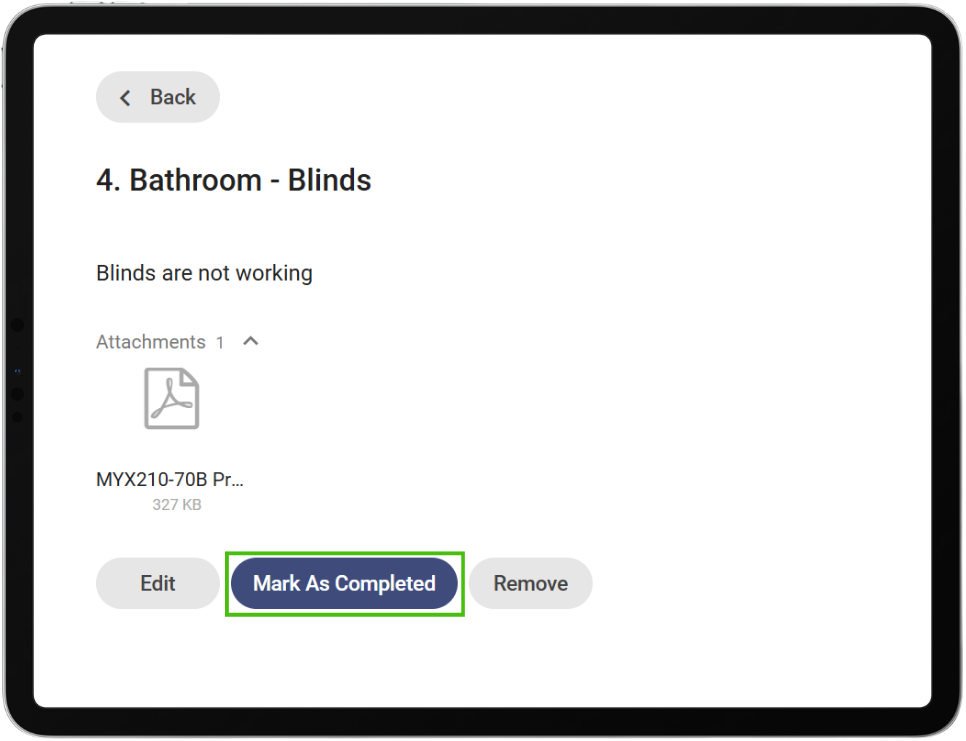
Clients can now mark maintenance issues as completed directly in the Constructive Portal.
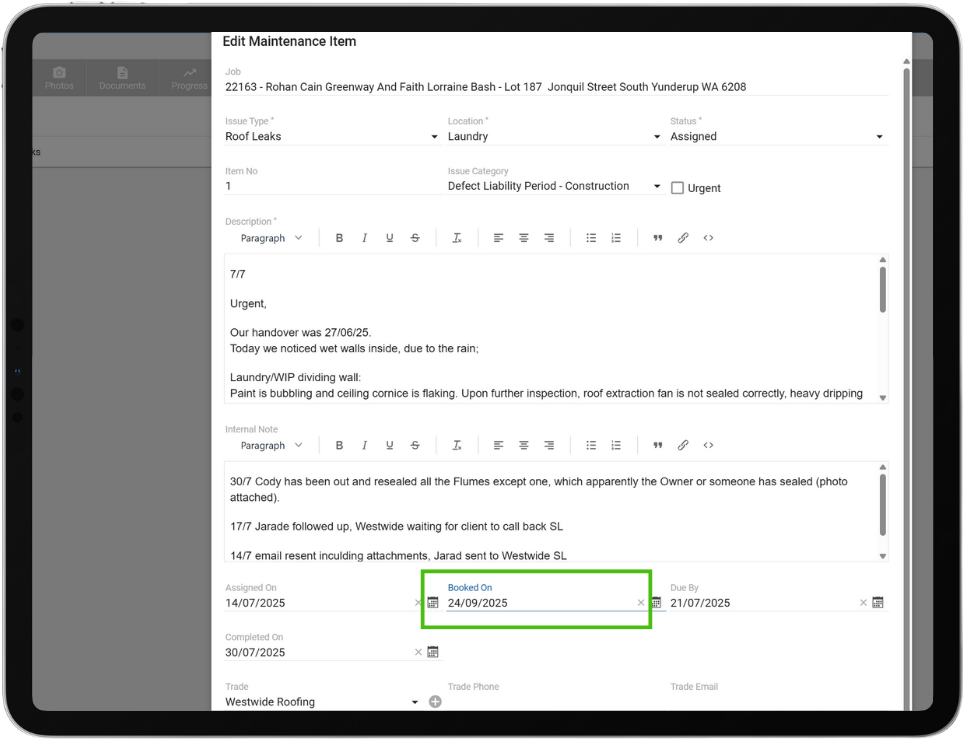
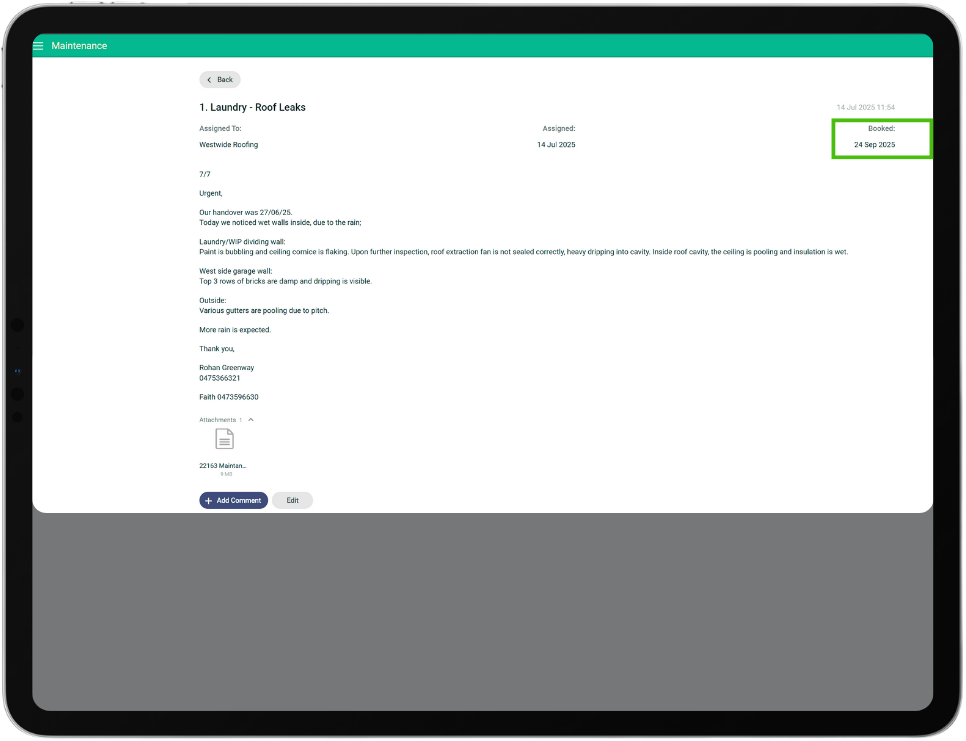
New Maintenance ‘Booked Date’ to improve client transparency while keeping internal deadlines private.
The due date of maintenance items will no longer be displayed to clients. A new field, Booked Date, will be shown to the client if a date is available, providing a clear schedule without exposing internal due dates.
Streamlined user management – Refined client linking to avoid duplicates.
Company Admins can now attach existing users to a job that don’t already have a user record. This allows Builders the ability to assign existing user accounts for their known repeat clients, mitigating an additional registration process for those users.
Timely client updates for after-hours progress.
Progress emails triggered by tasks completed outside business hours will now be sent the following morning, instead of the following evening, reducing delays in client communication.
Construction progress percentage improvement in the client view.
An issue was resolved where the construction progress in the client view was not updating. Progress now correctly reflects completed construction tasks.
Disabled emails improvement.
Registration reminder emails will not be sent to jobs with disabled emails turned on.
If you have any questions after reading the full release notes, or want help navigating the new features, our team is here to support you.
Delivering excellent customer experience
We integrate with workflow systems
"Double-handling of client and construction data is a thing of the past. Constructive Software seamlessly integrates into key data points of BusinessCraft, enabling us to communicate in real-time to our clients: Documents, photos, Milestones and more."
In this product update, your software is being enriched with a range of enhancements designed to simplify your user experience and improve operating performance. The key highlights include a new Product Updates modal (via the gift icon) that keeps you effortlessly informed with real-time improvements within your software, expanded job management capabilities for Contract Administrators, improved pricing and item search features, enhanced compatibility with ArchiCAD 27+ models, and more flexible email task options. These updates aim to make your experience more intuitive, efficient, and responsive to your needs.
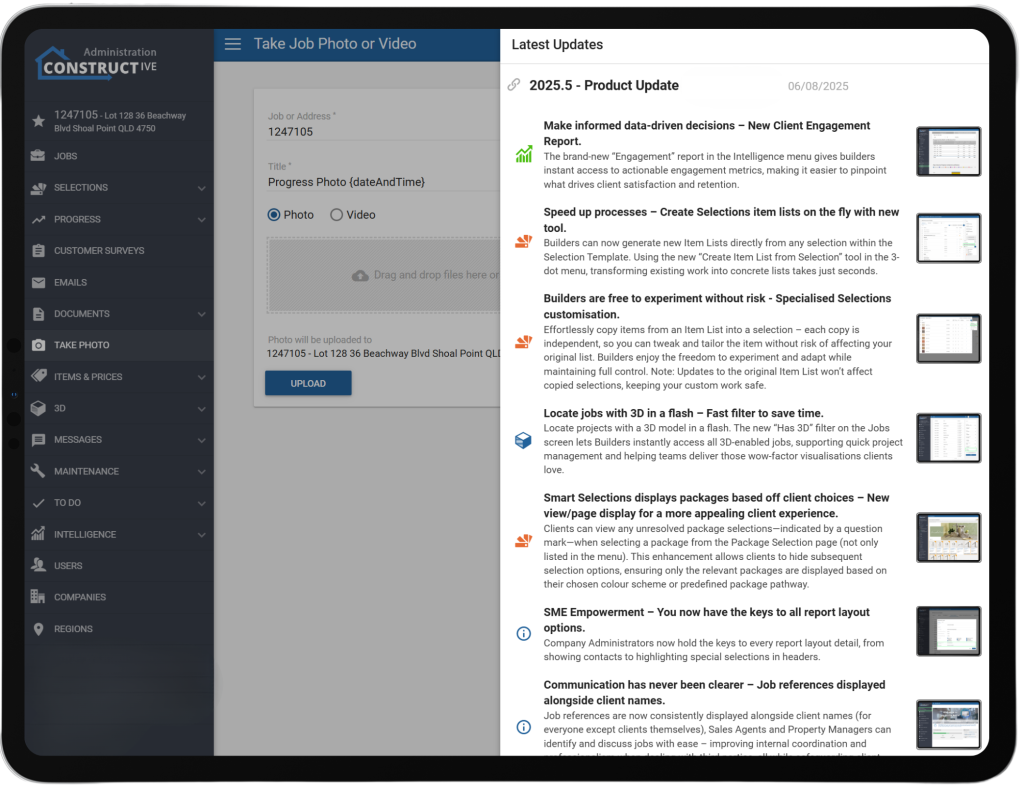
Product update notes are now visible within your Constructive Software.
We’ve added a new Product Updates section to your software, allowing any staff member with admin access to stay easily informed about new features or fixes as they are deployed. A notification indicator (red dot) will prompt users whenever new product updates are available. The product release notes open in a modal window with a summary and link to the full details on our website, making it simple for you to keep up-to-date without interruptions or pop-ups.
Users – Contract Administrators Can Now Create Jobs.
Permissions have been expanded so that Contract Administrators can now create jobs, not just edit them. This update enhances job management efficiency by reducing dependency on Company Administrators, while aligning with the existing responsibilities of Contract Admins (such as editing jobs and loading selections). This change enhances the workflow for builders by enabling Contract Admins to handle end-to-end job setup directly, thereby speeding up processes and reducing bottlenecks.**Creating a job generates a charge for a job, as does calculating selections and uploading a model.
Email – Option to Skip Specific Progress Tasks in Update Emails.
We’ve added a new option that lets builders mark certain progress tasks as “Skip Activity”, so they won’t trigger activity records or appear in client/stakeholder update emails.
This feature helps reduce unnecessary notifications (e.g., duplicate milestone reminders) and ensures that only relevant updates are communicated, improving the clarity and efficiency of email communications.
Pricing – Specification and Area Now Visible in Price Table.
The Price Table has been improved by adding ‘Specification’ and ‘Area’ as visible columns. This makes it easier to compare and differentiate between multiple price entries without needing to open each one individually. This enhancement improves visibility and usability, helping users review and manage pricing more efficiently.
Items – Improved Item Search.
The item search has been enhanced so that results now include items from subcategories under a parent category, making it easier for clients to find what they need.
3D IFC Import – ArchiCAD 27+ Compatibility Fix.
We’ve fixed an issue where IFC models from newer ArchiCAD versions (27+) weren’t importing correctly due to a change in attribute naming. This enhancement ensures attributes like outside face surfaces are now picked up properly, restoring full compatibility with the latest ArchiCAD versions.
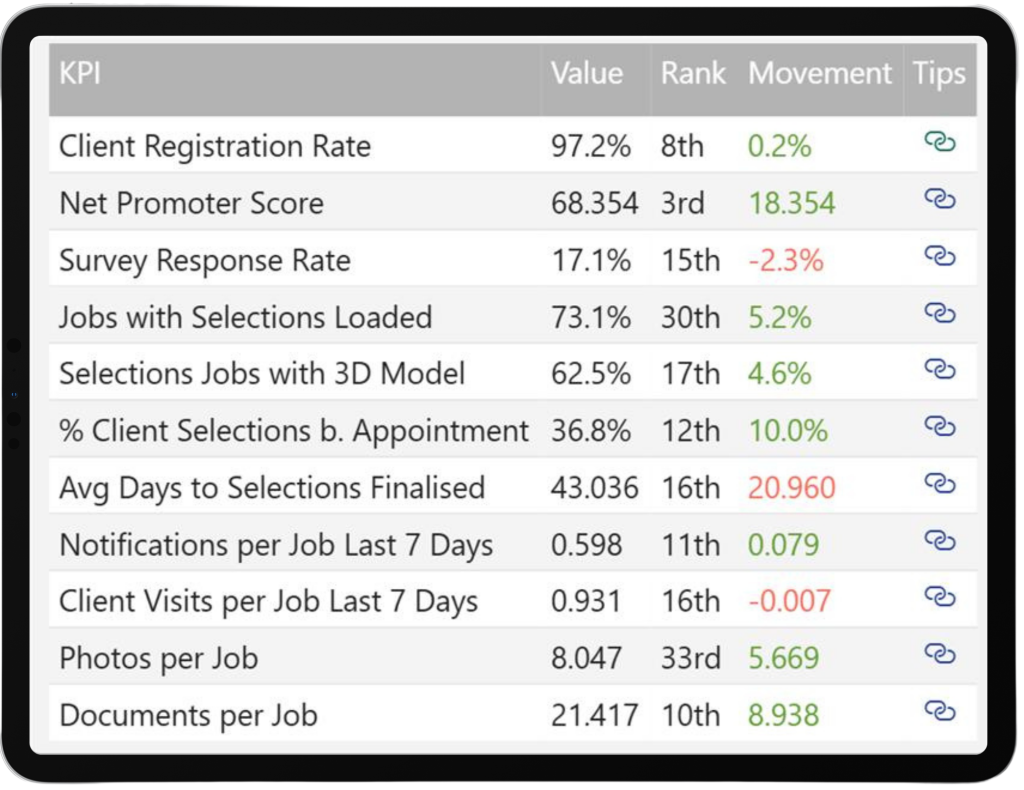
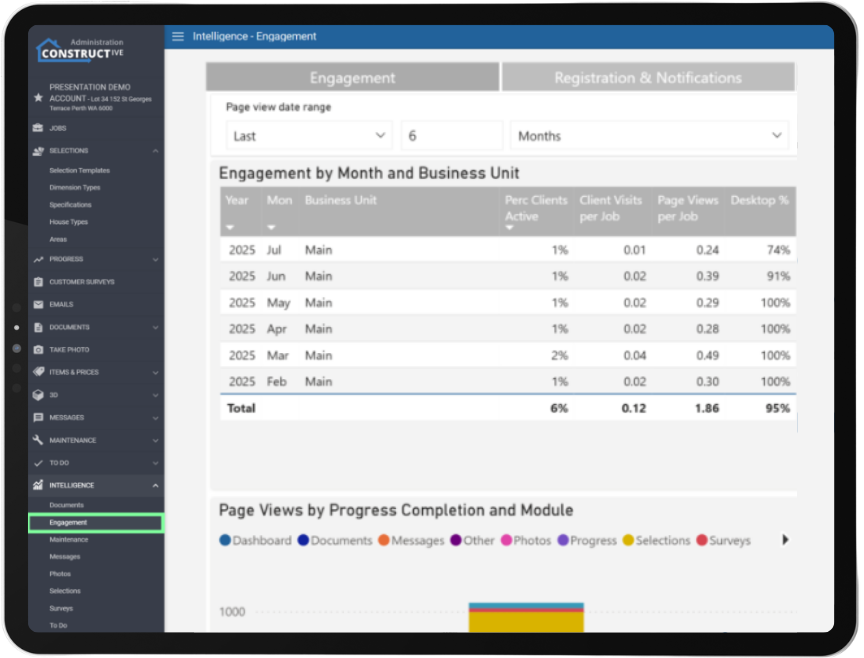
KPIs added to the Engagement report.
See how effectively you are using Constructive with this set of KPIs. Includes your rank compared to all builders using Constructive builders and KPI value tracking over time.
New Jobs Report.
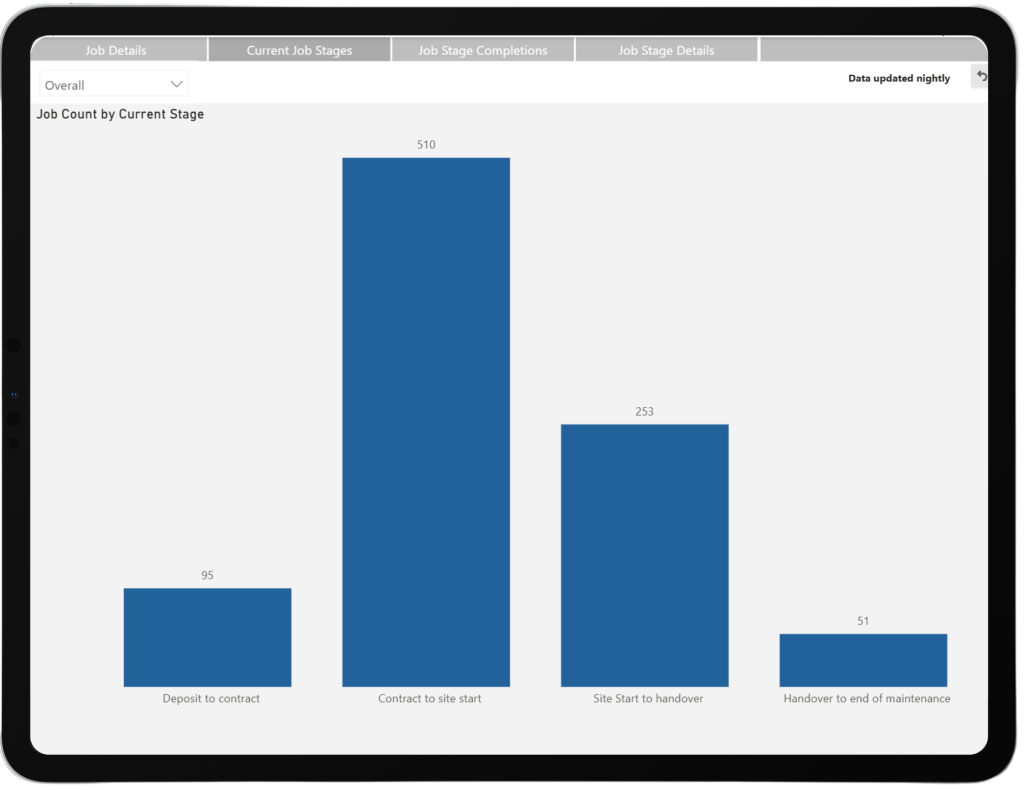
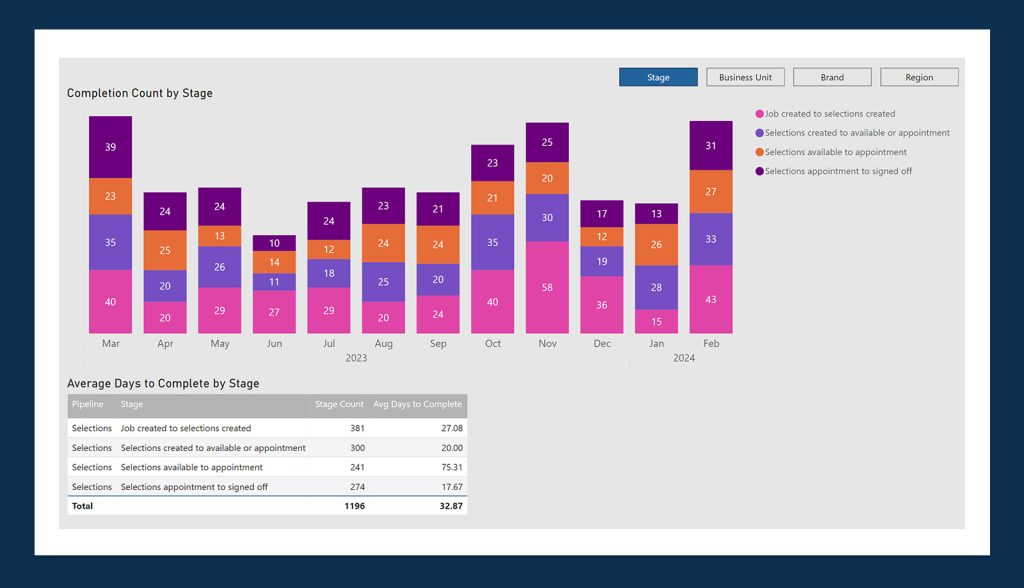
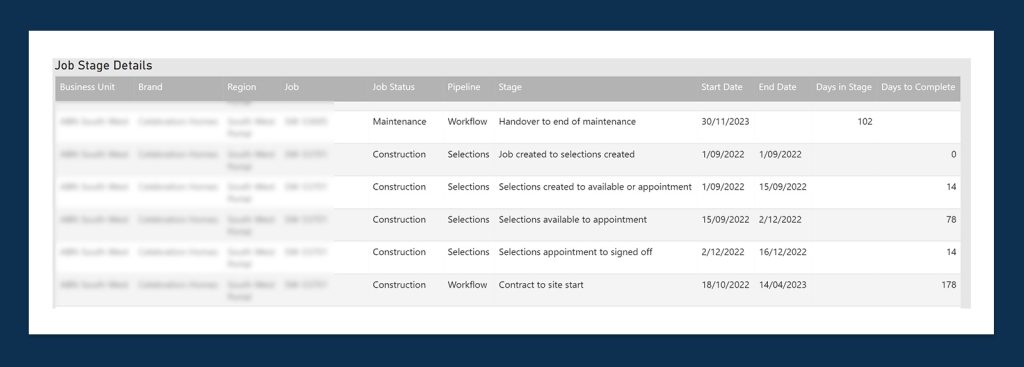
View and export a detailed, filterable list of jobs. Track job progress at scale with Current Job Stages and Job Stage Completions over time.
Selections Log Report.
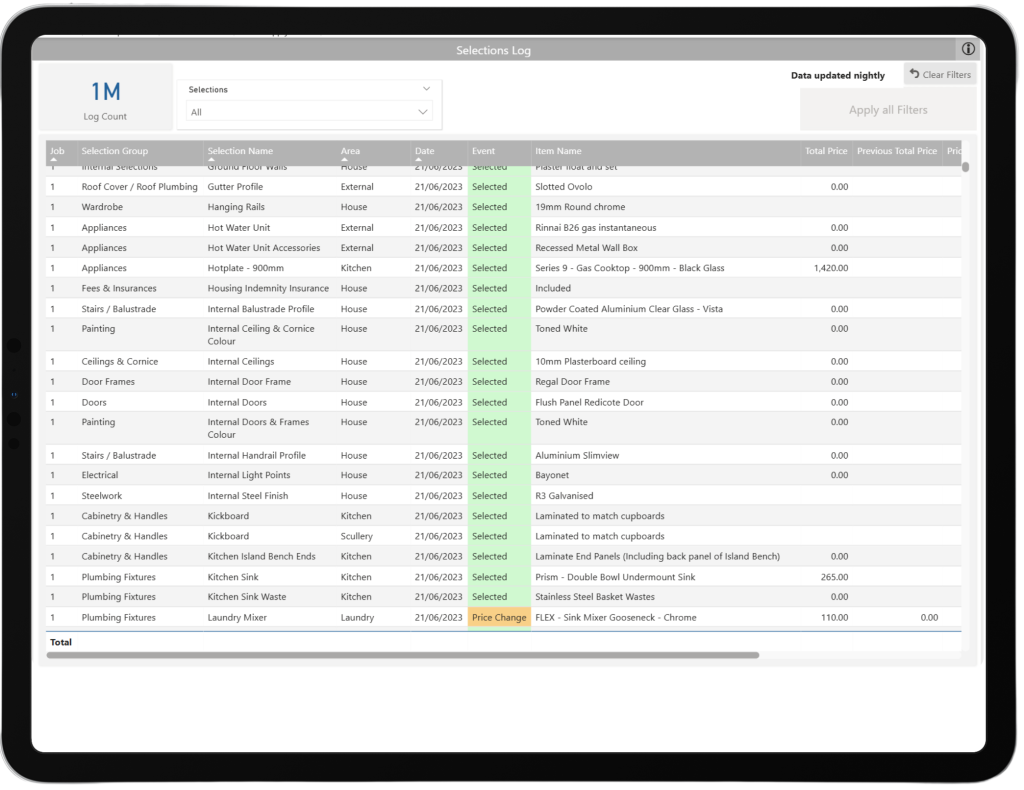
See a log of job selection activity based on daily selections snapshots.
If you have any questions after reading the full release notes, or want help navigating the new features, our team is here to support you.
Delivering excellent customer experience
We integrate with workflow systems
"Double-handling of client and construction data is a thing of the past. Constructive Software seamlessly integrates into key data points of BusinessCraft, enabling us to communicate in real-time to our clients: Documents, photos, Milestones and more."
We bring you an abundance of useful enhancements designed to make your building projects faster, smarter, and more flexible. This release brings streamlined report layouts, instant 3D job filtering, intuitive package selections, clear job referencing, and robust platform stability—plus new dynamic tools for item list creation, and client engagement insights for clever decision making. Experience seamless, personalised workflows and elevated efficiency at every step, ensuring builders and clients alike enjoy the best the online building process has to offer!
Make informed data-driven decisions – New Client Engagement Report.
The brand-new “Engagement” report in the Intelligence menu gives builders instant access to actionable engagement metrics, making it easier to pinpoint what drives client satisfaction and retention. Helpdesk : Constructive Software
Speed up processes – Create Selections item lists on the fly with new tool.
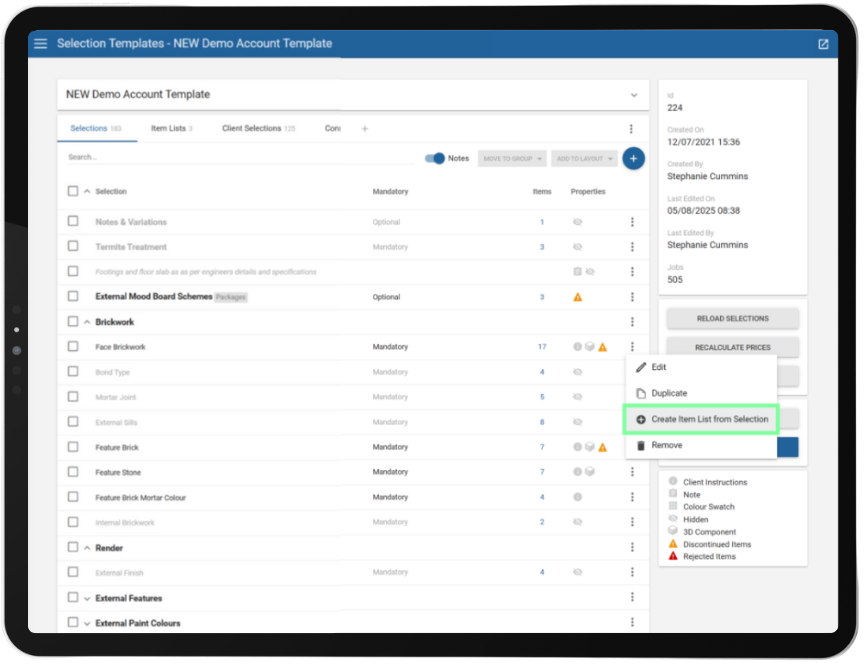
Builders can now generate new Item Lists directly from any selection within the Selection Template. Using the new “Create Item List from Selection” tool in the 3-dot menu, transforming existing work into concrete lists takes just seconds – saving time, reducing admin, and improving the performance of your selection templates through streamlined Item Lists.
Builders are free to experiment without risk -Specialised Selections customisation.
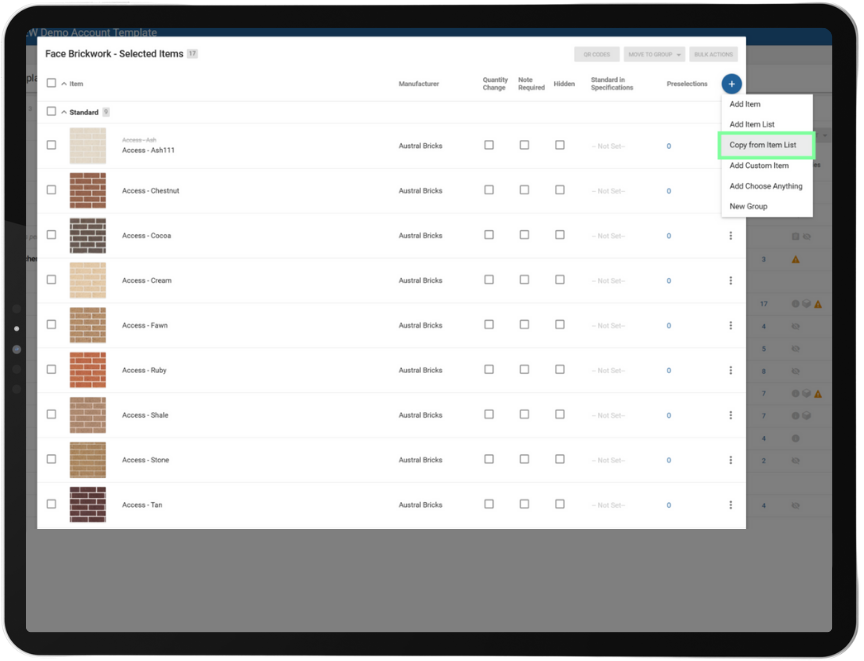
Effortlessly copy items from an Item List into a selection – each copy is independent, so you can tweak and tailor the item without risk of affecting your original list. Builders enjoy the freedom to experiment and adapt while maintaining full control. Note: Updates to the original Item List won’t affect copied selections, keeping your custom work safe. How to copy items from Item Lists : Constructive Software
SME Empowerment – You now have the keys to all report layout options.
Company Administrators now hold the keys to every report layout detail, from showing contacts to highlighting special selections in headers. No waiting on support tickets – just pure, instant configuration power to suit your business workflows.
Locate jobs with 3D in a flash – Fast filter to save time.
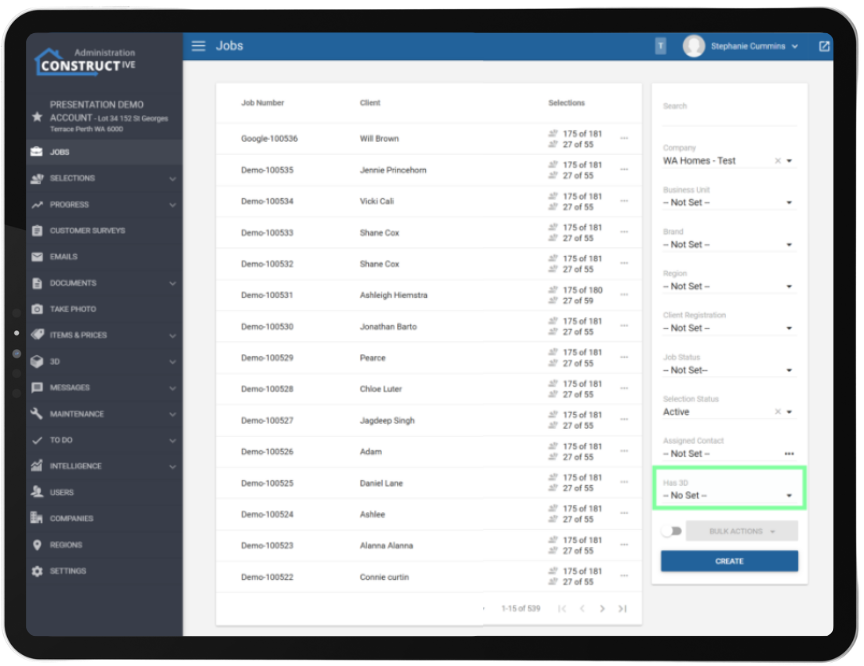
Locate projects with a 3D model in a flash. The new “Has 3D” filter on the Jobs screen lets Builders instantly access all 3D-enabled jobs, supporting quick project management and helping teams deliver those wow-factor visualisations clients love.
Communication has never been clearer – Job references displayed alongside client names.
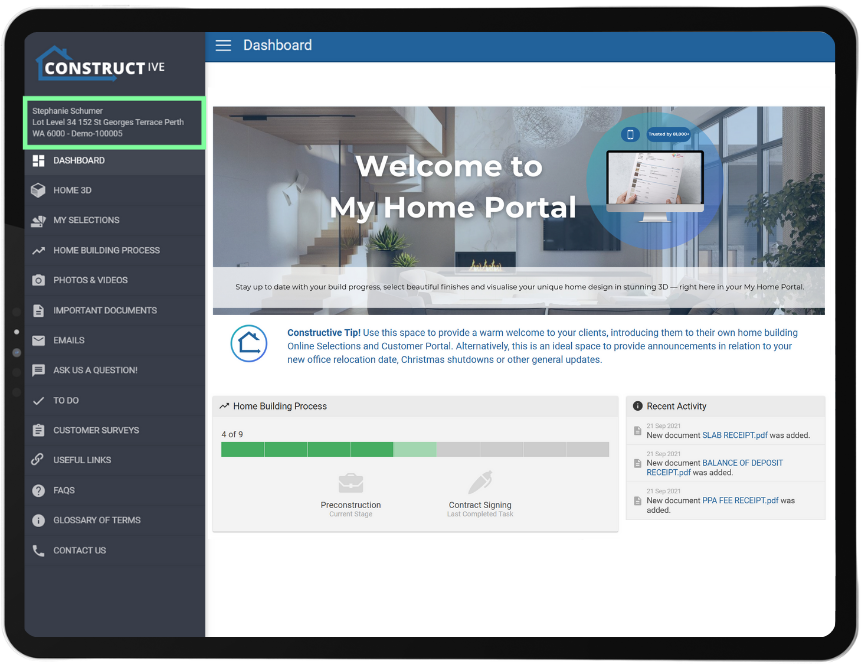
Job references are now consistently displayed alongside client names (for everyone except clients themselves), Sales Agents and Property Managers can identify and discuss jobs with ease – improving internal coordination and professionalism when dealing with third parties, all while safeguarding client privacy.
Smart Selections displays packages based off client choices – New view/page display for a more appealing client experience.
Clients can view any unresolved package selections—indicated by a question mark—when selecting a package from the Package Selection page (not only listed in the menu). This enhancement allows clients to hide subsequent selection options, ensuring only the relevant packages are displayed based on their chosen colour scheme or predefined package pathway. Note: 3D functionality limits our screen space and therefore the client will need to close 3D to see the full card view to resolve the package choices.
If you have any questions after reading the full release notes, or want help navigating the new features, our team is here to support you.
Delivering excellent customer experience
We integrate with workflow systems
"Double-handling of client and construction data is a thing of the past. Constructive Software seamlessly integrates into key data points of BusinessCraft, enabling us to communicate in real-time to our clients: Documents, photos, Milestones and more."
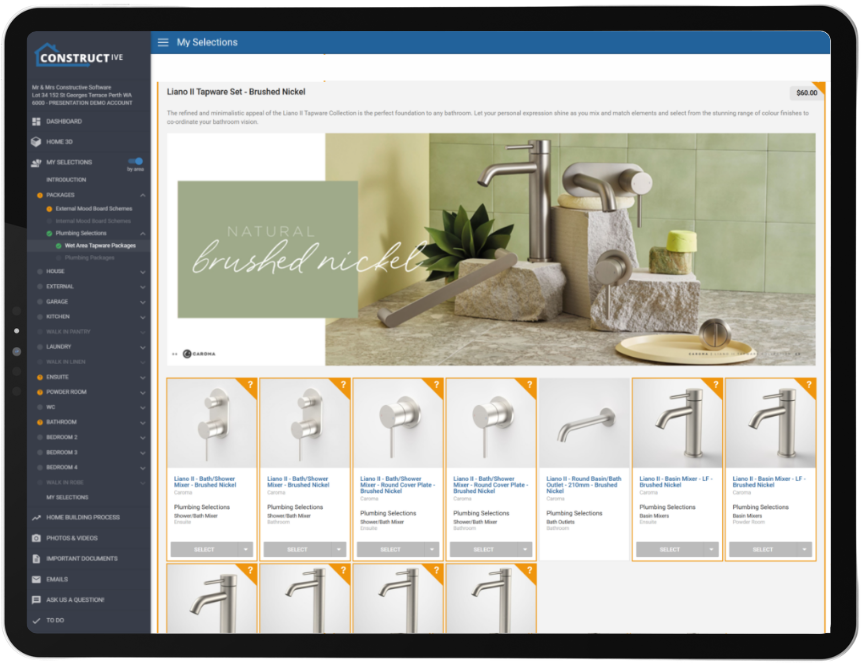
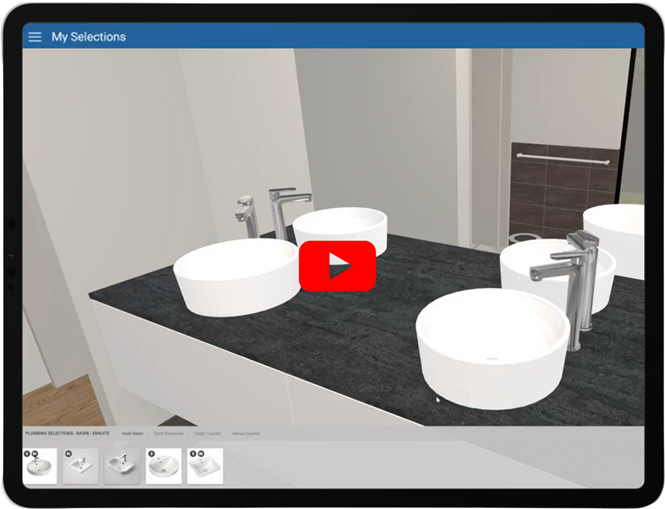
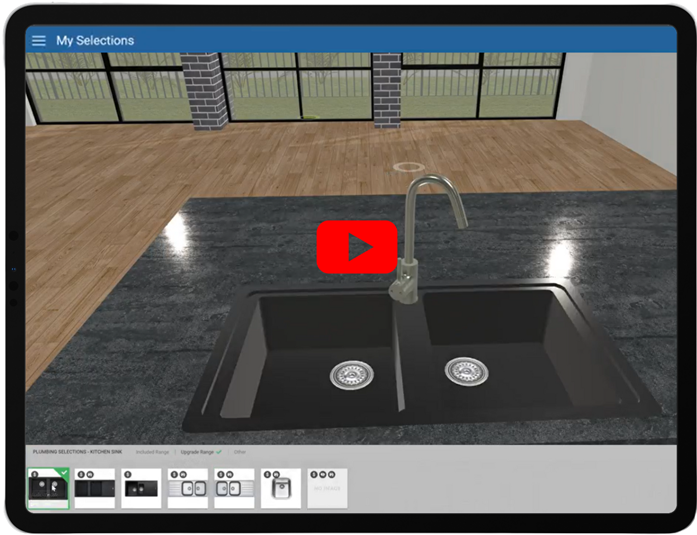
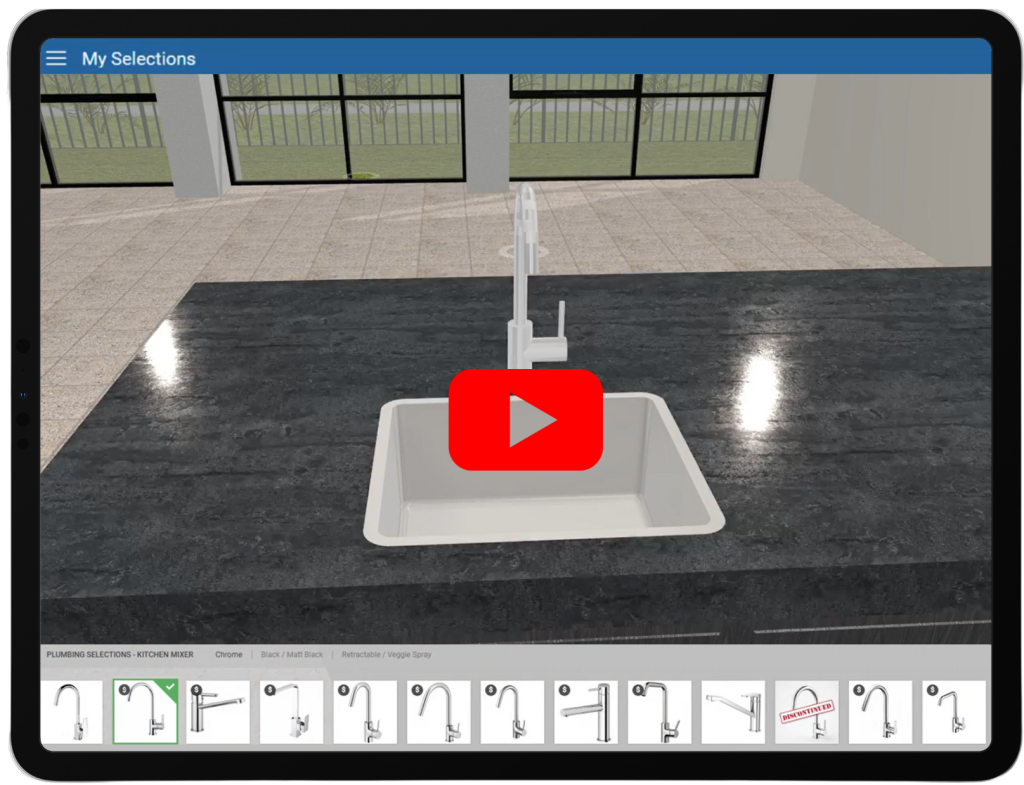
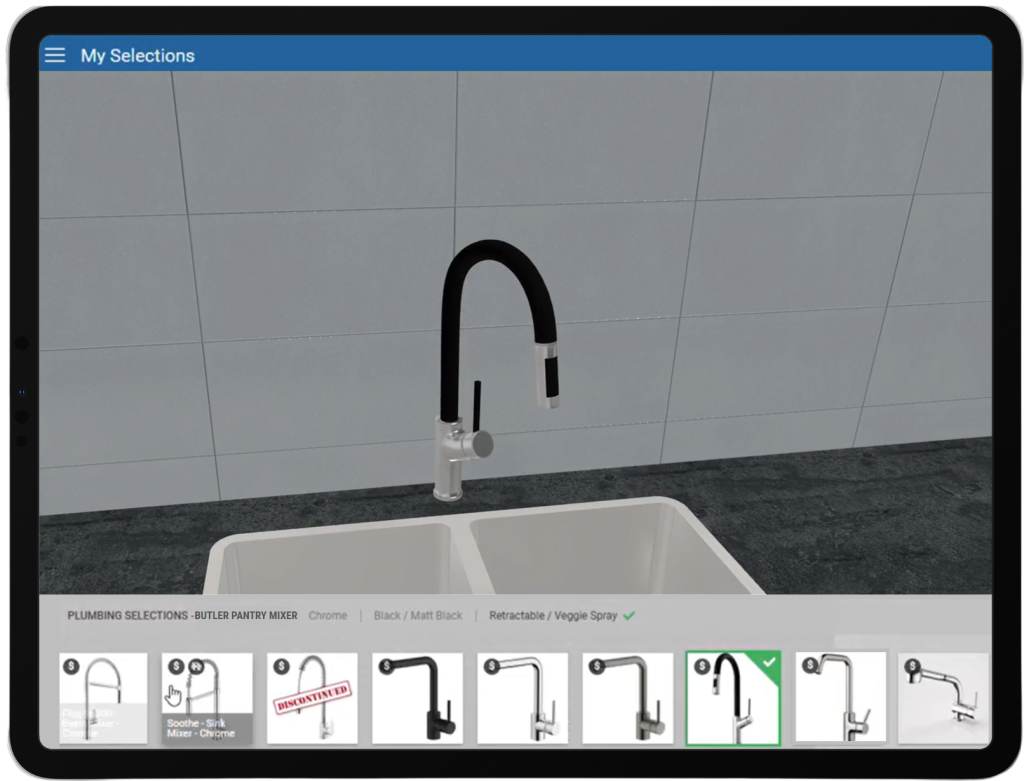
Prepare to be amazed as basins and sinks transform before your very eyes! With our latest breakthrough in 3D selection technology, you can now immerse yourself in a vibrant world of choices, with an expansive array of basin and sink models springing to life in stunning 3D detail. Say goodbye to static CAD mockups—clients are now empowered to explore mixers for kitchens, bathrooms, ensuites, and laundries in real time, choosing exactly what fits their vision without ever needing to guess the outcome or see the physical product. This game-changing update streamlines decisions, speeds up selections, and turns design dreams into brilliant, digital reality—all at the click of a button.
Experience it firsthand – Effortlessly customise selections and make confident decisions with unmatched precision.
“When building a new home there is a lot of decisions to be made by our customers, the Constructive Online software allows our customers to make those important decisions like what fittings, style and colours to name a few to choose from the comfort of their homes – online. This software has improved the preparation needed for our staff for when they meet the customer in the prestart meeting.”
Pep Oliveri, Chief Technology Officer – JWH Group
32,000+ people thrive in 3D Online Selections during new home builds – A customer experience enhanced by Constructive’s leading technology.
“We compared 2 of our builders with a similar brand type, The builder with 3D+ Online Selections has an increase of 46.4% of selections made before appointment in comparison to the Builder who only has Online Selections”
James Salt – CEO – Constructive Software
Performance Enhancements
Single Sign-On (SSO) Improvements: SSO has been improved with clearer login messages, easier setup for new users, and the option to now include custom details like avatars and phone numbers directly from Entra ID. Builders can now control what user info is visible, and bulk account creation is supported by sourcing contacts from Entra ID and pulling through to Constructive. Bugs were also fixed to make onboarding of Single Sign on smoother. To setup the automatic sync of all relevant Entra ID users please reach out to support (stop manually creating users in Constructive).
User Management & Access Control: User management has been improved by automatically removing users from cancelled or resigned jobs (when the setting option for remove user on cancelled job is set to yes), ensuring user accounts are not auto locked when linked to a cancelled or resigned deal.
Enhanced Secondary Emails: Secondary emails are better handled to ensure clients receive important updates (excluding registration and password resets). Email support or your CSM to discuss upgrading your integration to pull through secondary emails from your source system).
More Accurate 3D Model Displays: We have resolved an issue where internal 3D models, such as kitchens or interior rooms, could not be shown unless an external model (like a house facade) was also present. Now, clients can view detailed internal models even if an external model hasn’t been applied, ensuring a smoother and more accurate design review experience.
Product and Item Management: We have addressed an issue where Subject Matter Experts (SMEs) were not receiving email notifications when items in their assigned lists were discontinued. With this update, SMEs will now receive timely alerts whenever an item they manage is marked as discontinued. This ensures key stakeholders are promptly informed, reducing the risk of outdated selections remaining active and eliminating the need for manual follow-up.
Intelligence Reporting: Continuing the migration of reports to be directly inside Constructive, we’ve added Document upload metrics to assist you with managing customer experience and digital engagement. We’ve also added the most important Selections report – Discontinued items so that you can see what discontinued products have been selected across your jobs, filtering to stage of build and/or manufacturer to help you manage your supply chain before it becomes a problem onsite.
Client View Photos: We’ve now added the ability to put banner text on the photos page, to help with education of the clients. Talk to support to help you set this up.
Branding: We have enhanced the client view to show a custom Favicon in the browser window. Please talk to support about setting this up.
General Fixes and System Testing: Numerous refinements across user management, notifications, and system behaviours were implemented along with comprehensive testing of all updates to ensure stability and reliability for the 2025.4 software release.
If you have any questions after reading the full release notes, or want help navigating the new features, our team is here to support you.
Delivering excellent customer experience
We integrate with workflow systems
"Double-handling of client and construction data is a thing of the past. Constructive Software seamlessly integrates into key data points of BusinessCraft, enabling us to communicate in real-time to our clients: Documents, photos, Milestones and more."
See the tap/mixer change in front of your eyes. We bring you the latest advancements in 3D selection technology, as clients will now have access to a diverse range of mixer models displayed in vivid detail in 3D. They are no longer restricted to viewing the default mixer model derived from the CAD designs prepared by draftees. This innovative feature allows clients to make more precise choices about mixers for their Kitchen, Bathroom, Ensuite, Laundry, and beyond—all without ever needing to see the physical product speeding up the decision-making process.
See it for yourself – Effortlessly customisable & empowering decisions with precision
“32,000+ people thrive in 3D Online Selections during new home builds – A customer experience enhanced by Constructive’s leading technology.”
James Salt – CEO – Constructive Software
No more guesswork. Clients can now visualise their fittings instantly, experimenting with colour and material combinations to create harmony in the kitchen and wet areas. This technology helps clients make decisions with confidence and precision – turning their dreams into digital reality.
“It used to be so hard to show our clients where colours were going on their visuals — most couldn’t visualise it. 3D Selections is a great visual aid, giving clients a better customer experience!”
ABN GROUP
Your Design Toolkit is About to Become Even More Powerful: Adjustable Sinks & Basins Coming Soon…
We’re getting ready to further elevate clients design capabilities with the highly anticipated next deployment of changeable 3D objects. The upcoming rollout will introduce dynamically adjustable sinks and basins, marking a new benchmark in the world of 3D modelling and object customisation. Stay tuned -more innovation is coming your way soon!
Selection Report: Now Accelerated
To make the Selections embedded report faster, with sharpened accuracy and enhanced reliability the following changes have been made:
‘Selection Count’ in ‘Top Selected Items’ and ‘Top Selected Groups’ now counts every selected item, even selections for the same item in an area. Previously ‘Selection Count’ was a distinct count of the item per job and area.
The ‘Selection Log’ page has been removed due to its very large size; this will make the ‘Selections Report’ faster with enhanced reliability. ‘Selection Log’ will be available in the next release as a stand-alone report.
If you have any questions after reading the full release notes, or want help navigating the new features, our team is here to support you.
Delivering excellent customer experience
We integrate with workflow systems
"Double-handling of client and construction data is a thing of the past. Constructive Software seamlessly integrates into key data points of BusinessCraft, enabling us to communicate in real-time to our clients: Documents, photos, Milestones and more."
Get ready for a game-changing update to your Constructive Intelligence Analytics…
We’re thrilled to bring you powerful new insights and reports that will revolutionize the way you manage your operations. All levels from Senior Management to Supervisors can now unlock efficiencies, track and improve customer service, and track supplier and staff KPIs confidently. All data and reports are integrated into your admin interface with one login (no more multiple log ins or platforms), updated nightly for accuracy. Simply hover over the ‘i’ icon in the top right corner of the reports for more information—your path to good data, good decisions and success starts here!
Take Action: We encourage all builders to add the following roles as ‘Users’ in Constructive Customer Portal: Supply Chain Managers, Procurement Managers, Subject Matter Experts, Workflow Managers, Building Managers, Operations Managers, Selections Consultants, Showroom Managers, and Pre-start Managers. Giving these roles access to these reports will empower them and their reporting teams to make data-driven decisions, optimize processes, monitor and reward performance, and improve customer experience which is good for business.
Unlimited Access: Selections Reports
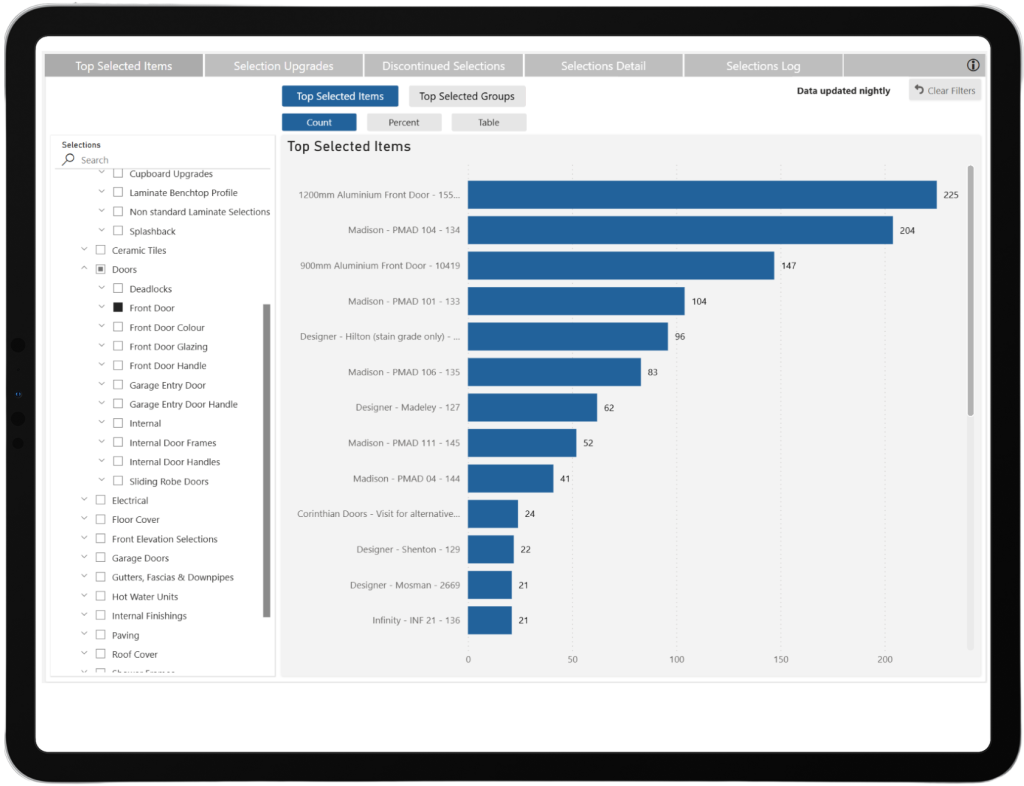
Top Selected Items and Top Selected Groups reports the most popular selections: Gain insights into client preferences for strategic planning and inventory decisions.
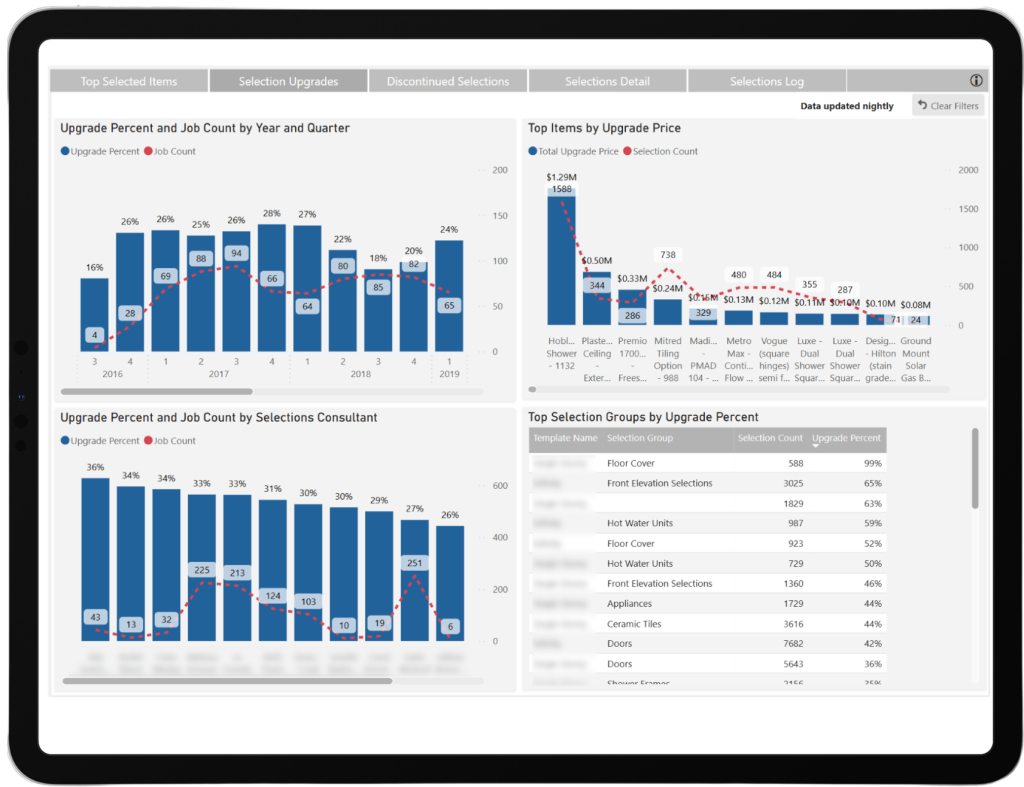
Selection Upgrades tracks the percentage of selections made that are upgrades, categorized by Selections Consultant and Selection Group: Identify standout staff performers and suppliers, optimize upgrade pricing, and enhance future selections.
Discontinued Selections highlights items marked as discontinued in the Constructive item library: Prevent build delays by notifying clients to reselect items and streamline project progress.
Selections Detail offers a filterable and exportable table of selections made, with drill-through capabilities for selection history: Ensure accurate data management and detailed tracking for seamless operations.
Selections Log provides a transparent log of selection events, including selected items, price changes, and unselected items, with name and date details: Resolve misunderstandings effectively and maintain accountability in all selection processes.
Popularity metrics: Analyse top selected items and groups to uncover trends in client preferences.
Track which Selections Consultants generated the most upgrade revenue during pre-start. Use these reports to drive sales performance and reward top contributors.
Measure the average time taken to finalize selections for a client: Benchmark colour selections to the point of finalising sign off. Tracking this time will help with identifying areas for efficiency to streamline client satisfaction workflows and save you time to progress the build faster.
“Reporting on Selections data with Constructive Intelligence Analytics has had a huge impact on the business and assists our product management space immensely”.
Steph Crossman – Product Release Manager – ABN Group VIC
Unlimited Access: Client Experience Metrics Made Simple with Survey Reports
Automated surveys: Triggered by milestones, these tools ensure timely feedback collection and improve response rates with integrated reminders.
Follow-up tracking: Identify uncompleted surveys and engage clients to capture satisfaction data effectively.
Detailed survey insights: View response rates by survey, business unit, and brand to assess service delivery and performance.
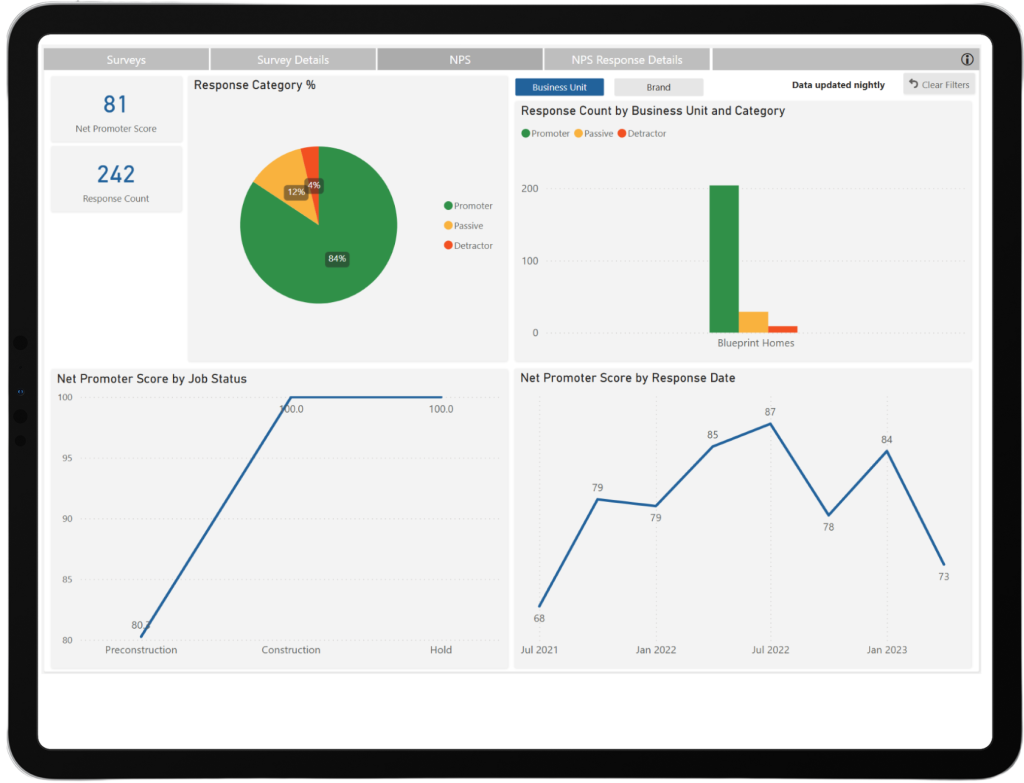
Net Promoter Score (NPS): Track lifetime NPS changes across jobs and departments to enhance customer experience and benchmark against industry standards.
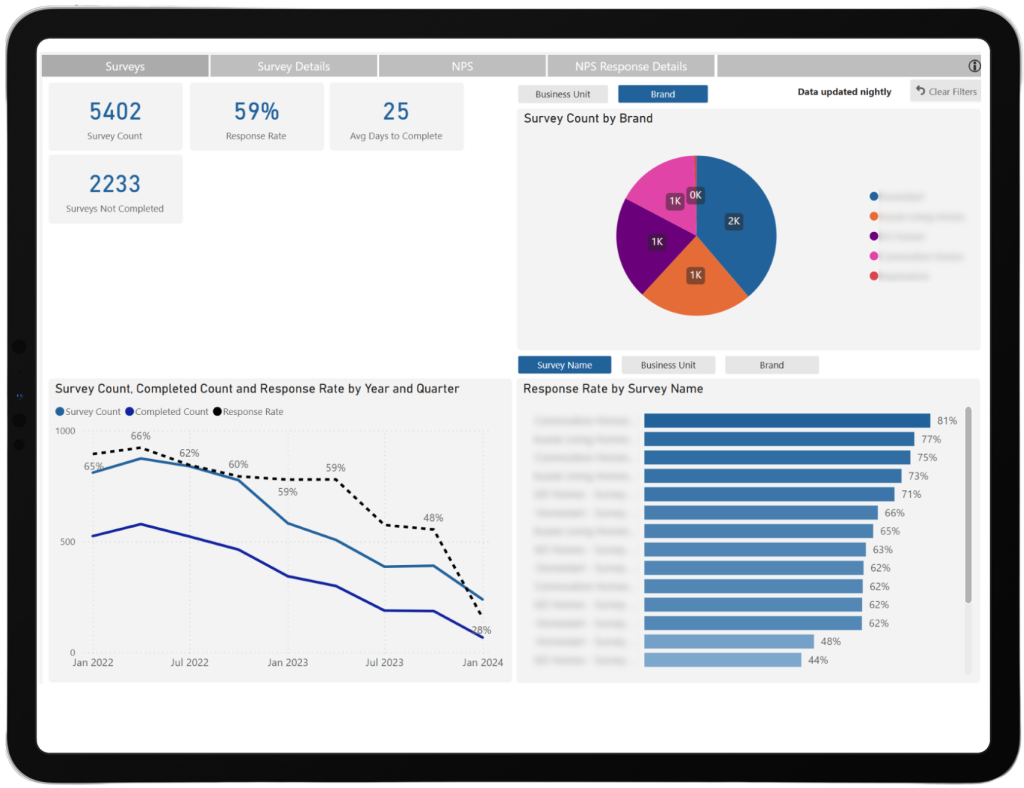
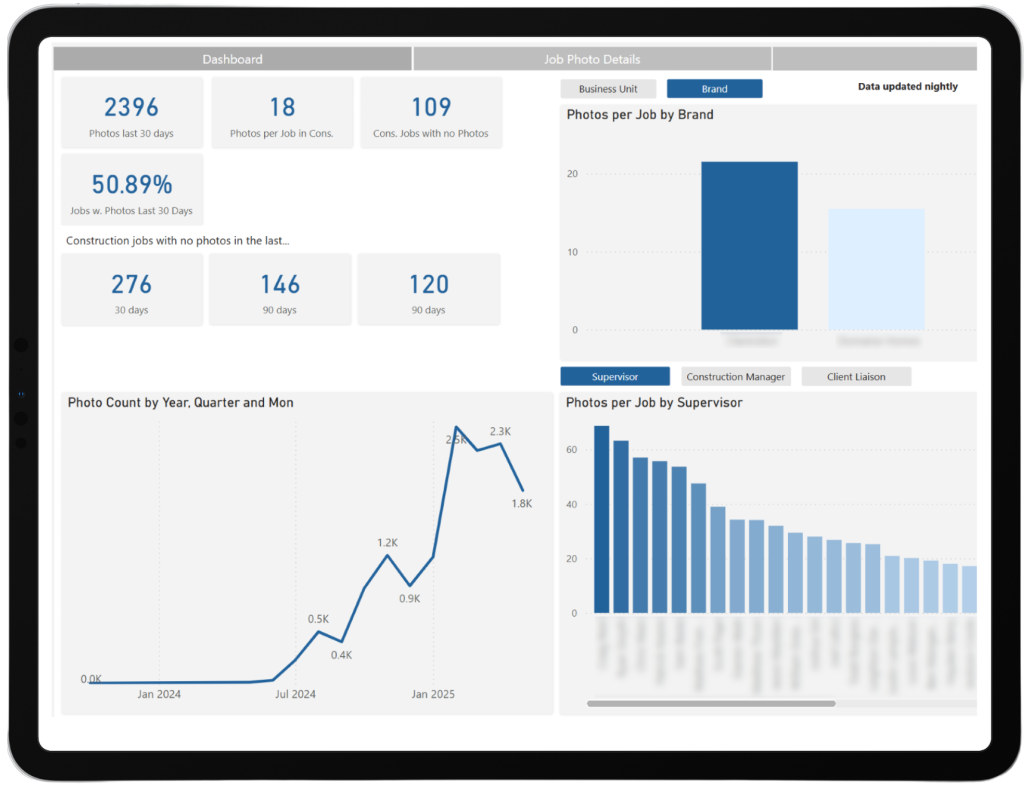
Photo Metrics for Jobs in Construction: Track photo uploads as a KPI for supervisors, showing how increased uploads correlate with higher customer satisfaction ratings, such as NPS.
“Constructive’s top performing NPS builder has 24 uploads per job. The data shows a direct correlation between high customer engagement and great client ratings.”
James Salt – CEO – Constructive Software
Visibility and Tracking of Construction Jobs Without Photos: Identify and address jobs lacking photo uploads to ensure better client engagement and fewer inbound queries.
Comprehensive Photo Upload Tracking by Supervisor: Enable builders and supervisors to benchmark performance, self-manage goals, and improve client satisfaction through consistent photo updates.
Photo Metrics by Business Unit and Brand: Provide detailed insights into photo uploads, progress trends, and their impact on customer satisfaction for management and staff.
Drill-Through Access to Job Lists with Photo Details: Centralized portal access to photos and job details streamlines operations by eliminating separate logins.
Accessible Metrics for Construction Managers and Client Liaison Roles: Empower construction managers and client liaisons to track photo-related KPIs and engage clients visually through progress updates.
Photo Count Over Time: Monitor trends in client satisfaction over time using actionable data to enhance communication and service quality.
Self-Management Tools for Staff: Foster accountability and improvement with tools allowing team leaders, managers, and staff to track performance, set targets, and benchmark against peers.
No Additional Licensing Fees for All Levels of Management: Ensure cost-efficient oversight by granting portal access to upper management, including General Managers, without licensing fees. We therefore encourage all builders to add the following roles as ‘Users’ in Constructive Customer Portal: Supply Chain Managers, Procurement Managers, Subject Matter Experts, Workflow Managers, Building Managers, Operations Managers, Selections Consultants, Showroom Managers, and Pre-start Managers.
If you have any questions or want help navigating the reports, our team is here to support you.
Delivering excellent customer experience
We integrate with workflow systems
"Double-handling of client and construction data is a thing of the past. Constructive Software seamlessly integrates into key data points of BusinessCraft, enabling us to communicate in real-time to our clients: Documents, photos, Milestones and more."
We’re excited to share the latest updates in Constructive 2025.2! This performance-boosting release comprises of saving builders time through a Sales Agent/ Building Partner/ Reseller and Property Manager self-serve functionality. User enhancements like adding intelligence reports to all users inside Constructive Admin pages (watch this space for more coming soon). Under the hood, we’ve done big improvements to 3D, we’ve improved how images are displayed in reports, and upgraded the back-end of how materials are mapped against objects. See the details below.
Your Constructive Software systems have now been automatically updated to the latest version.
New Property Manager Role
Keeping the client experience front of mind, with investors and building partners, we are empowering builders to load Property Managers as a new role against the job which will facilitate them running the service and warranty section of the job on behalf of the clients, and allow a single Property Manager to manage many jobs at once.
This will reduce the inbound queries to the builder’s team from agents because agents can log in and see all of the jobs they are assigned to (via Job Contacts – like a sales agent). A Property Manager role can also switch between the jobs using the new ‘Select Job’ menu item. Property Managers can easily self-serve information by automatically receiving notifications instead of the client, viewing past photos, and progress information. They can also easily log maintenance defects, reducing delays and updating clients with real-time data.
Control remains in the hands of the builder as agents cannot see the majority of the documents or the Selections screen, they can only see documents in the following four categories; Warranty, Service & Warranty Information, Maintenance, and Maintenance Item Documents.
Bonus for clients: With this improved navigation, clients who have multiple jobs/builds can now easily search and locate jobs, eliminating time consuming scrolling in the old drop-down.
Important note: As soon as the Property Manager is assigned to the job, they will take over receiving the client updates (activity emails, defect notifications, surveys, etc).
Sales Agents ‘Select Job’ Navigation
We’ve added the ‘Select Job’ button to the Sales Agent view, bypassing the ‘Admin’ screens altogether – much easier.
3D Model Component Upgrade
We’ve streamlined how 3D models are structured by converting existing Dimension Types into Components. This makes working with models more efficient, especially in:
Materials Edit Screen
Model Editing Interface
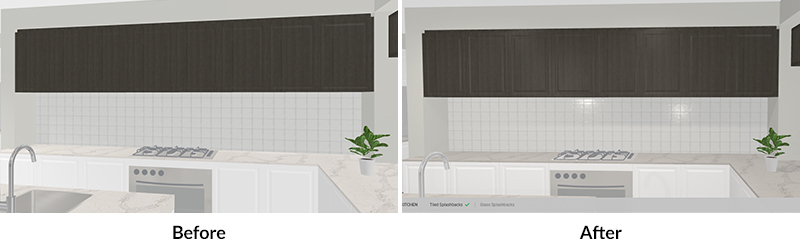
Previously, each dimension type was treated separately in the 3D model. Now, those dimension types are grouped under unified components, improving performance and usability.
Previously, each dimension type was treated separately in the 3D model. Now, those dimension types are grouped under unified components, improving performance and usability.
Before:
This release:
Selectable Components via Selection Templates:
With this update, when using Selection Templates, you’ll now see which Component Category a dimension type belongs to.
For example: All dimension types related to the main Flooring, like (Flooring – Main, Flooring – Laminate, Flooring – Tiles, Flooring – Vinyl Plank, Flooring – Timber, Flooring – Vinyl, Flooring – Engineered Timber, Flooring – Hybrid, Floor Tile Visualiser, Flooring, Polished Concrete) will now be grouped under a single component called ‘Floor – Main’ in the 3D model.
This makes it easier to manage, filter, and interact with model elements.
Making changes to components in the Selections Template are LIVE changes for all 3D models. If you want to change these, we suggest you initially discuss this with your CSM/support team.
When printing reports with images enabled, items without an image will no longer display an empty image placeholder. The image section will be omitted entirely, resulting in a cleaner and more professional report layout.
See example below of External Sills and Internal Brickwork:
Item Library Update Alert:As a result of improvements to image handling in reports, we’ll be making changes to the “Other” and note-type items by removing their associated icons. This update will help streamline your reports and reduce visual clutter, as these placeholder icons are now redundant and no longer necessary.
Intelligence Reporting in Constructive
We’re bringing the power of intelligence reports to all users inside Constructive Admin pages and have started by shifting the existing reports for ease of access, see below. Stay tuned for the significant benefits of this new feature – coming soon.
Performance Enhancements
As always, we’ve resolved several bugs to improve overall performance and stability.
3D – Improved 3D Walkthrough Controls and navigation.
Contract Administrators can now complete To Do tasks without receiving an “Access Denied” error.
You can now duplicate (copy/paste) a 3D model
Clients have the ability to duplicate (copy/paste) a 3D model.
Removed an unnecessary click to improve efficiency – the ‘Reload Selections’ screen will default to untick of ‘Recalculation of Prices’
All To Do’s can be completed from the ‘Edit’ Screen with fewer clicks to load/save, and the ability to put the same date for ‘completion’ and ‘submitted’ fields has been added.
If you have any questions or want help navigating the new features, our team is here to support you.
Delivering excellent customer experience
We integrate with workflow systems
"Double-handling of client and construction data is a thing of the past. Constructive Software seamlessly integrates into key data points of BusinessCraft, enabling us to communicate in real-time to our clients: Documents, photos, Milestones and more."
In this update of Intelligence Analytics, we’ve improved the Top Item Choices page with information on items selected via Choose Anything and enhanced the Photos page with detail to help you better review and monitor photos per job.
1. Top Item Choices
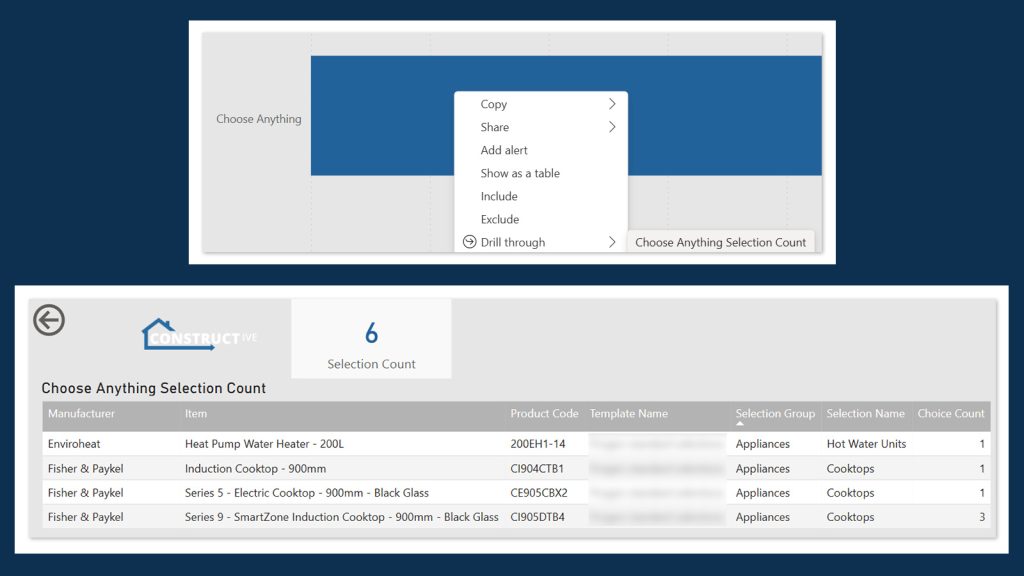
You can now see items selected via Choose Anything with their Selection Count, accessible via a new drill-through from Choose Anything Choice Count to Choose Anything Selection Count.
2. Photos page enhancementsand fixes
We’ve added two new metrics to the Photos page:
Percentage of Construction jobs with photos added in the last 30 days
Photos per job in Construction by Construction Manager
We’ve also fixed a bug on the count of jobs with no photos in the last 30 days, 90 days and 180 days.
After listening to your feedback and feature requests, we’re happy to announce several optimisations to our Maintenance product, including the new Maintenance Item Numbering, to improve your experience and allow you to process maintenance issues more quickly and easily.
1 — Maintenance Bulk Actions notifications
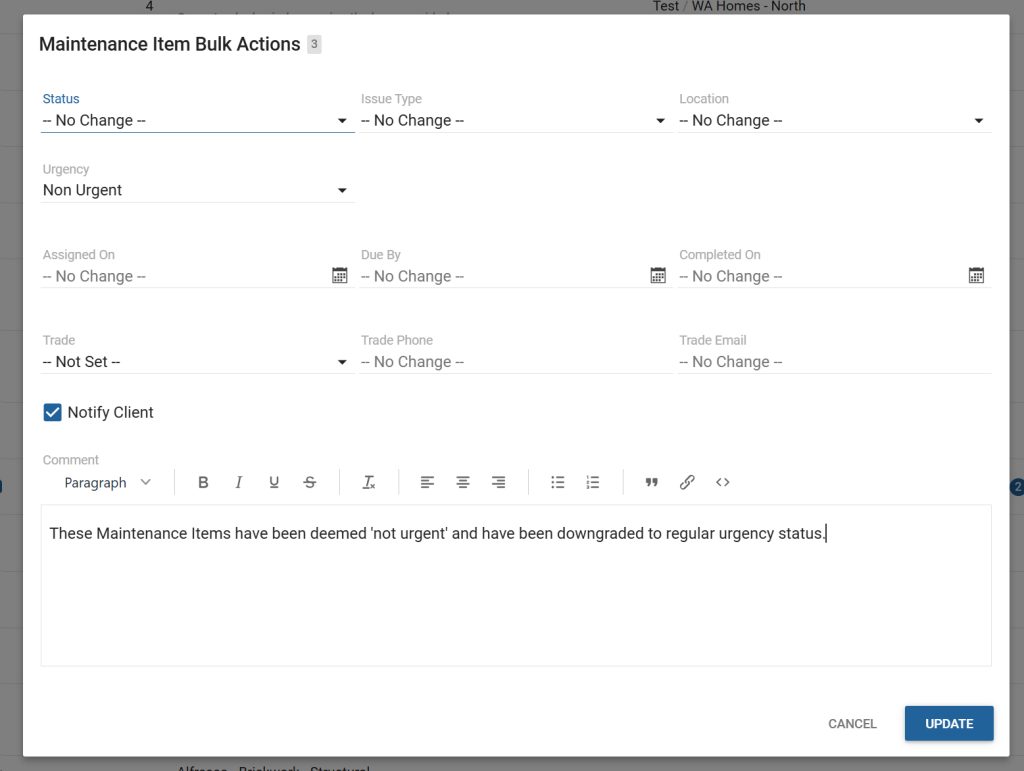
You can now bulk action multiple Maintenance Items in one go and choose to send a notification to the client.
For example, if you wanted to downgrade several Maintenance Items from an ‘urgent’ to a ‘non-urgent’ status in one go, you could select the checkbox next to each Maintenance Item you wish to downgrade from the Maintenance Items screen, click the Bulk Actions button in the right-hand panel and then choose ‘non-urgent’ from the Urgency drop down list.
If you’d like the client to receive a notification about these items you’ve bulk actioned, simply tick the ‘Notify’ checkbox and enter a single message in the text-editor that appears that is relevant to all the Maintenance Items you are downgrading, for example, “These Maintenance Items have been deemed ‘not urgent’ and have been downgraded to regular urgency status.”
Constructive will add this message to the Activity Update with the Maintenance Items affected linked underneath. You can customise your email notification template under Settings → Portal → Maintenance → Client Notifications → Maintenance Items Bulk Updated Email Content.
Please note, no comments will be added to individual Maintenance Items; the message will appear in the Activity Update only.
2 — Create Maintenance Items from Job Details screen
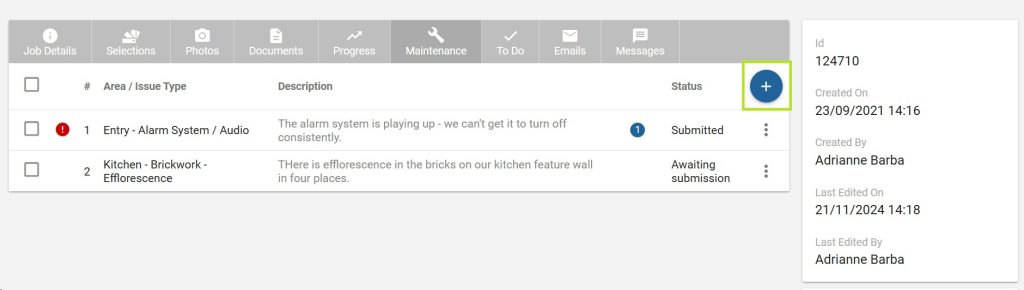
Previously, Roles Maintenance Coordinator and Maintenance Supervisor could only view Maintenance Items that had already been raised in Job Details → Maintenance.
Now, they can easily create Maintenance Items for the Job directly from this screen via the circular blue + button.
3 — NEW: Maintenance Item numbering
Previously, the Maintenance Report generated a numbered list of Maintenance Items, organised by area.
However, it was difficult to cross-refer to a number on the Maintenance Item screen when communicating with a client. For example, ‘Item 3’ on the Maintenance Report was different from the third item in the list on the client’s screen.
Now, you and your clients can refer to a Maintenance Item Number that will be the same on the Reportand the Client View screen and feel assured you are referencing the same defect.
Constructive will now auto-generate a number every time a Maintenance Item is created against a Job, starting with ‘1’.
Once a Maintenance Item Number is auto-generated, it will never change, even if the item is rejected or deleted. Instead, the next Maintenance Item will follow-on from this number.
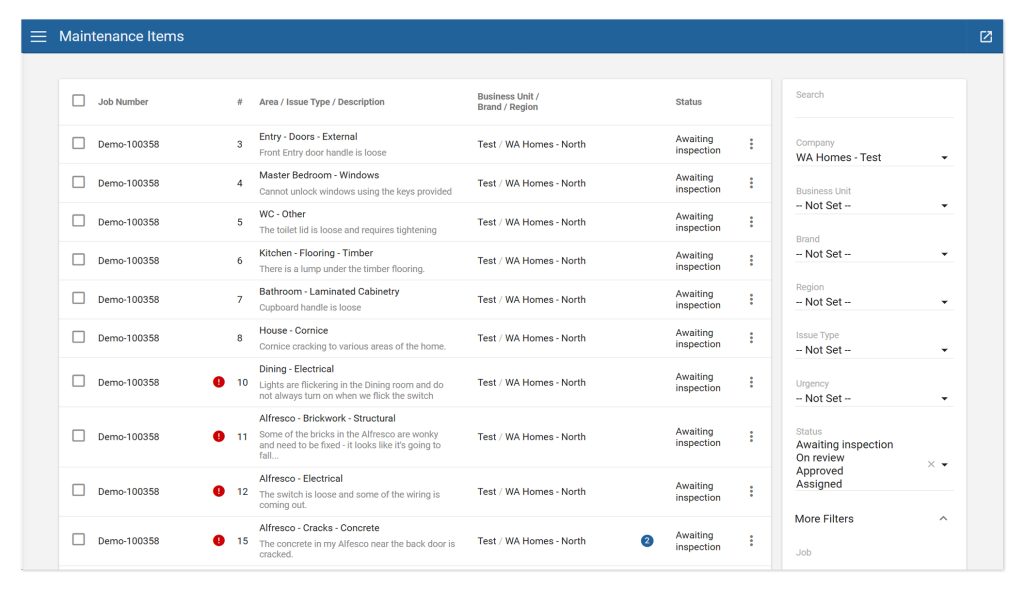
The auto-generated number is displayed in a new column in the Maintenance Items screen for both Client and Admin View.
Please note, the previous Report numbering has now been removed.
4 — Maintenance Items – New column ‘Item No’ and column position relocations
For consistency with the Job Details screen, the Maintenance Items – Admin View now has the following changes applied:
The existing Job Number column position has been relocated to column 1.
We’ve added a new column titled Maintenance Item Number (see 3 — NEW: Maintenance Item numbering above) positioned at column 2.
Clicking on a Maintenance Item Number will open the Maintenance Item.
The column previously titled Name is now more accurately titled Area / Issue Type / Description and is relocated to column 3.
5 — Maintenance Items — Previous and Next buttons
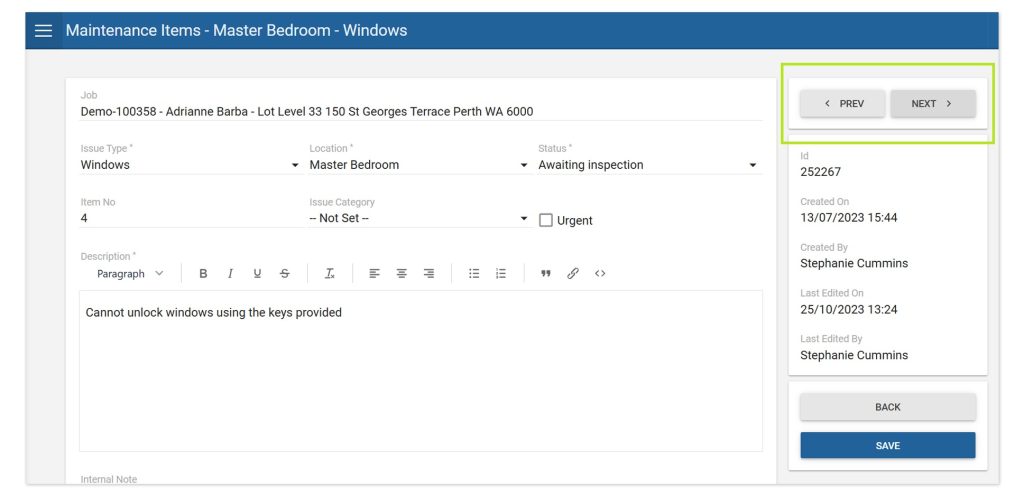
We’ve introduced new ‘Previous‘ and ‘Next’ buttons on the individual Maintenance Item screen to help you more easily navigate between items.
Please note, the ‘Previous’ and ‘Next’ buttons will abide by any filter(s) and sort(s) you have applied.
6 — Allow Unlocked Issue Types to be notified to builder after Maintenance Locked Date
Unlocked Issue Types are now notified to builders after the Maintenance Locked Date.
7 — NEW setting: Display ‘Maintenance Ends On’ date to client
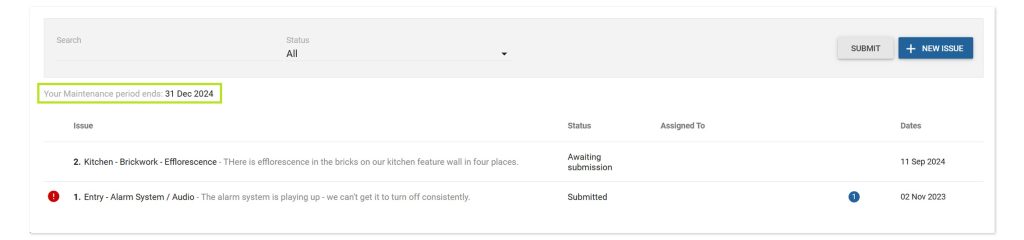
Constructive now displays the Maintenance Ends On date to clients to improve the customer experience and reduce incoming calls and emails from clients asking when their Maintenance deadline is.
The Maintenance Ends On date display is defaulted on and can be toggled on/off in Settings → Portal → Maintenance (Display Maintenance Ends On Date).
Note the Maintenance Ends On date will remain on the Client screen beyond the Maintenance Ends On date.
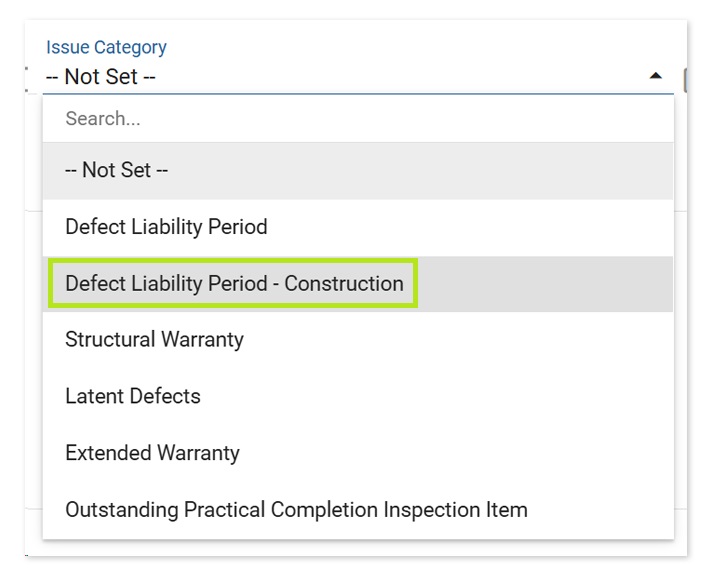
8 — Additional Issue Category: Defect liability period — Construction
We’ve added an additional Issue Category named ‘Defect liability period – Construction’ for use when handover is complete, but defects are still being handled by a building Supervisor rather than the Maintenance department during this period.
9 — Additional Maintenance Areas
While Maintenance Areas link to the House Type (where available), there are sometimes areas that are not represented.
To address this, Constructive now has the following additional standard rooms in the House Type Areas allowing them to be selected within Maintenance:
Dining
Living
Theatre
Hall
Other
10 — Allow Client to delete a Maintenance Item
Previously, Clients could edit, but not delete a Maintenance Item.
As there are occasions where a Maintenance Item is no longer relevant, or they have accidentally reported it twice, clients can now delete a Maintenance Item they have raised that has not yet been submitted, (Unlocked Maintenance Items that are awaiting submission).
Please note, ‘urgent’ defects cannot be deleted as these are submitted immediately.
11 — Maintenance — When ‘More Filters’ are used, display expanded
When any filters are applied under ‘More Filters’, Constructive will now display this as expanded, making it easier to see if there are any items filtered here.
12 — Show Job name and address to Maintenance Coordinator in Maintenance Item screen
Constructive now shows the Client Name and Address in a Maintenance Item — along with the Job Number that was already shown — for the Maintenance Coordinator role, so they are aware of who and where the Maintenance Item is for to coordinate inspections and trades.
13 — Settings email label updates
We’ve changed the email field labels in Maintenance Settings for greater clarity as follows:
Builder Notifications
• New Maintenance Item Created (Urgent) previous: Notify Builder of New Maintenance Item via Email (Urgent)
• New Maintenance Item Created (Non Urgent) previous: Notify Builder of New Maintenance Item via Email (Non Urgent)
• New Maintenance Item Created Email Content previous: Notification Email Content
Screen no longer retains description using ‘Create Another‘ twice when creating a Maintenance Item.
On Save, the Maintenance Wizard Template now correctly refreshes the Last edited on and Last edited by details without the user needing to manually refresh the page.
We’re excited to introduce two new features this release: A new integration with Qualtrics surveys and the ability to add — and custom name override — additional Stages and Sub-stages to your Customer Portal Progress Template.
1 — NEW: Qualtrics surveys integration
Constructive can now integrate your surveys in Qualtrics with your Customer Portal (in addition to Survey Monkey surveys). Please get in touch with your Client Success Manager if you’d like to set up Qualtrics surveys.
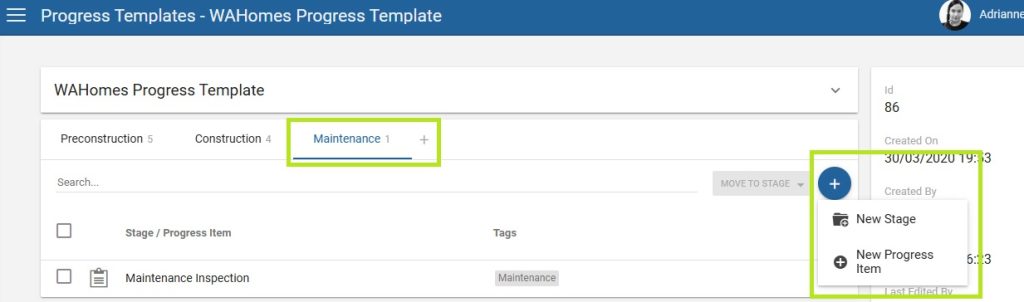
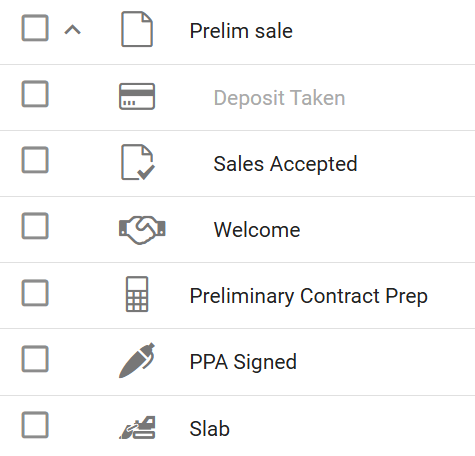
Previously, we had the Stages Preconstruction and Construction within the Progress Template. Now, if you wish, you can include more Stages — for example, Sales before Preconstruction, or Maintenance after Construction.
Stages can be name overridden to your own custom, preferred names.
Select an icon to represent each Stage (visible from the Dashboard widget representing the stage the Job is in).
Each Stage will link back to a core job status (Sales / Preconstruction / Construction / Maintenance / Closed) for reporting.
Easily move Progress Items from one Stage to another by ticking the checkbox next to the Progress Item and then clicking the MOVE TO STAGE button drop-down.
New — Progress Template Sub-stages
To allow further break-down to the Stages, you can now add Sub-stages to your Progress Templates, allowing multiple milestones to form part of a Sub-stage. For example, you may have multiple appointments that form part of your Selections / Colours process, or several events that take place in your Sales phase.
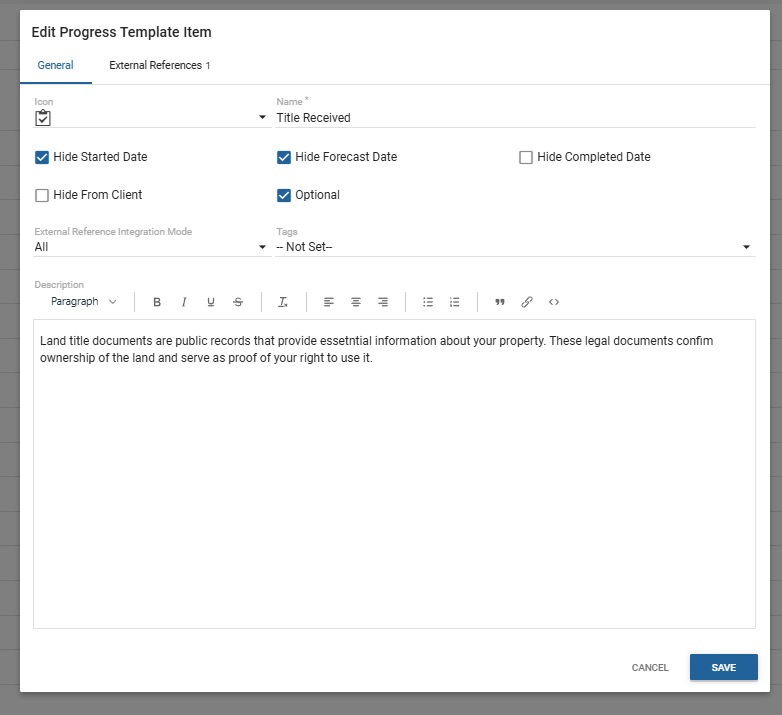
Progress Template Item UI update
The description is now displayed in the same modal pop-up window (previously displayed in a separate tab). Note any empty tabs are not displayed in the modal window.
3 — Users — Allow Company User to see hidden items
We’ve updated the permissions to allow Role: Company User to see hidden Items so they are no longer concealed in the Selections Report.
4 — Bug fixes
Items — Hiding an item no longer incorrectly excludes it from a Package.
In this update of Intelligence Analytics, we’ve enhanced the Messages Report to reflect the Customer Portal Messages feature recent updates and give you greater insight into Message Status History and Elapsed Time Analysis, as well as filter and drill-through improvements.
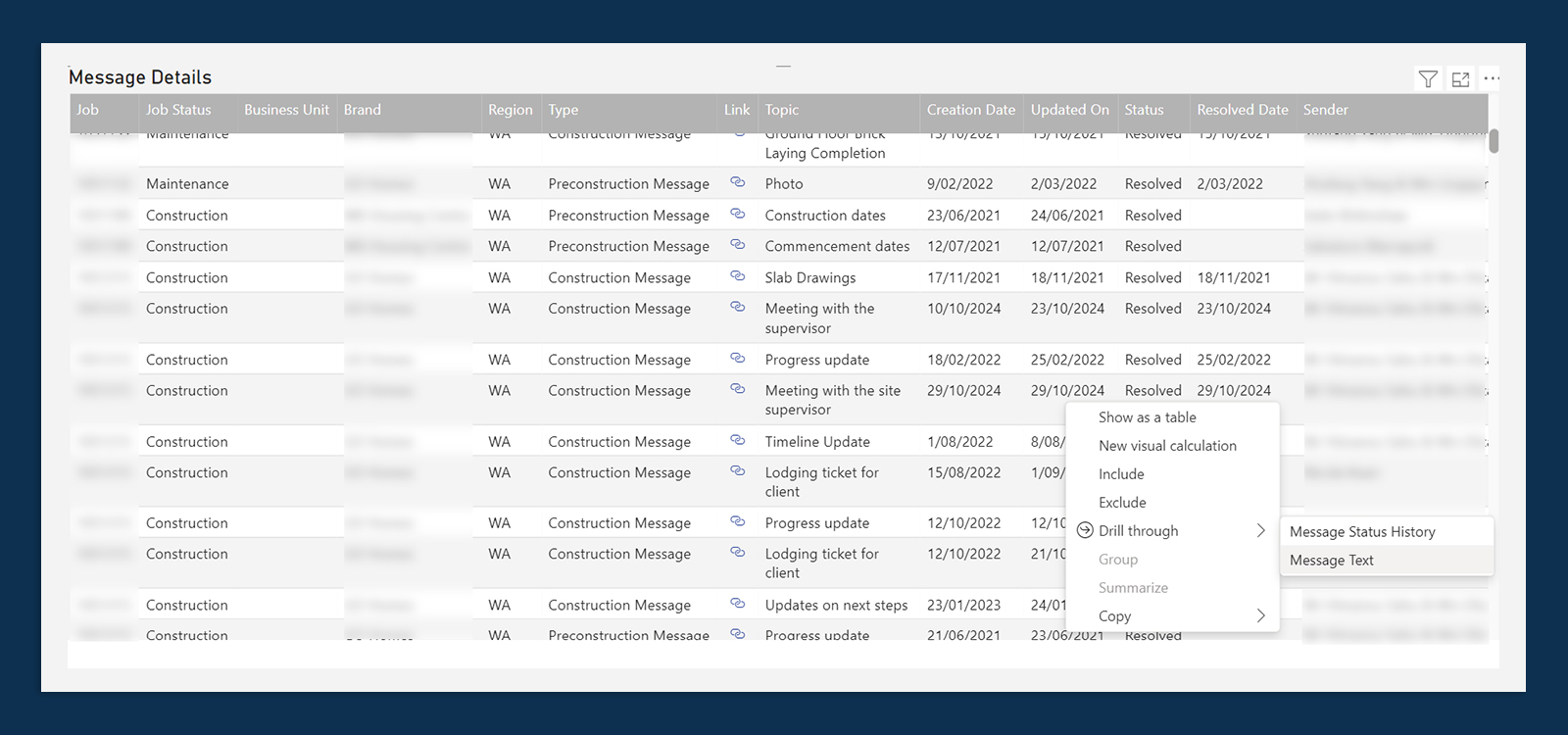
1. Message Status History drill-through
A new Message Status History drill through has been added to the Message Details table.
Please note: Message Status History is available for message status changes on, or after, 9 October, 2024.
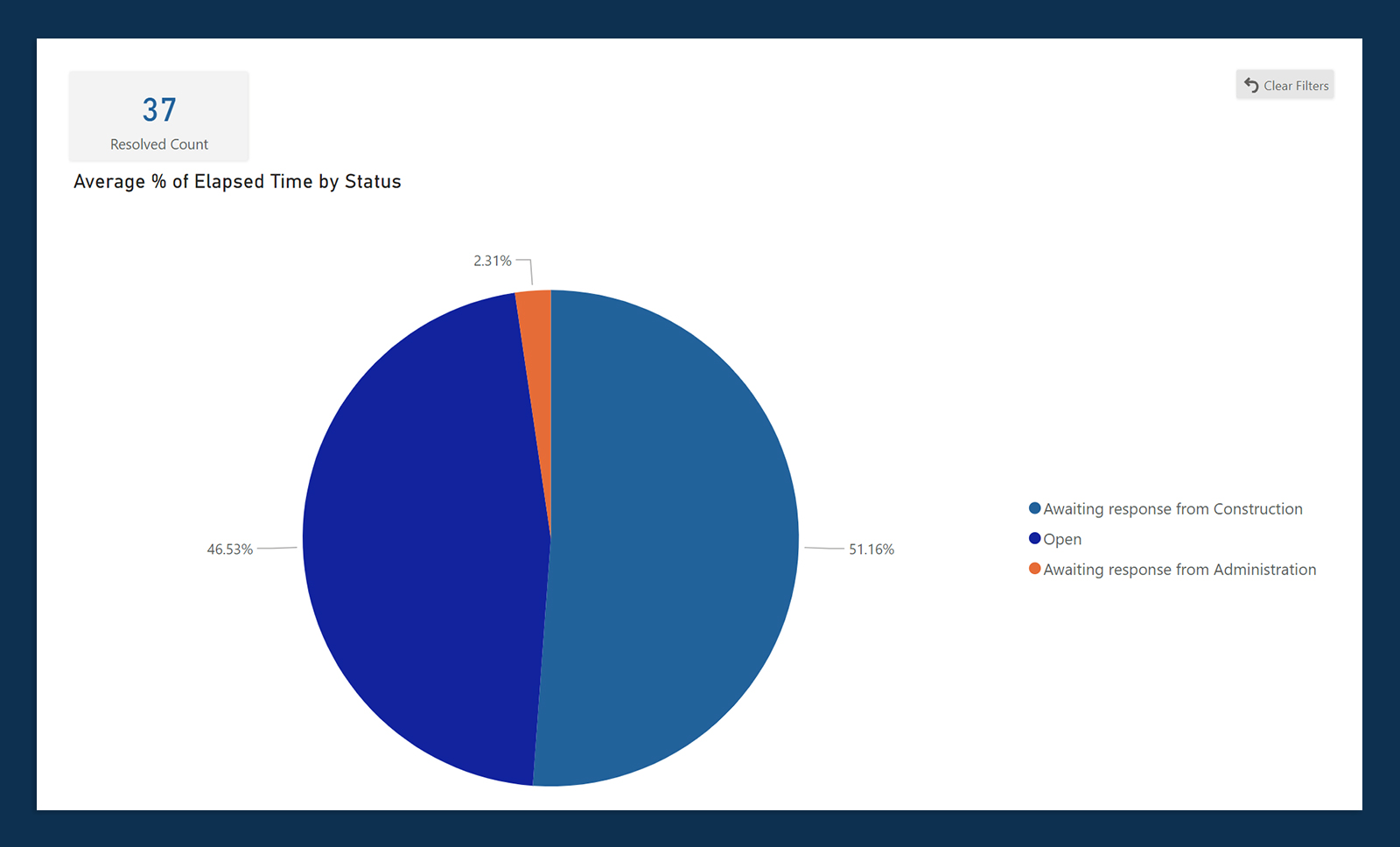
2. Elapsed Time Analysis page
A new page, Elapsed Time Analysis, has been added, displaying the percentage of time elapsed in each Status, averaged across Messages.
Please note: Includes resolved Messages which were created on, or after, 9 October, 2024.
3. Job filter — Jobs Messages Count & Message Details
Job filter has now been added to the Jobs Message Count and Message Details pages.
4. Message Text
Message Text has been removed from the Message Details table and is now available via right-click, Drill Through from a message row.
In this release, we’ve made many improvements to our newest module, To Do List, to make your workflow more intuitive and efficient.
We’ve also introduced NULL Prices and Price Text to give you more flexibility and display better information to both your clients and internal staff.
There are several popular feature requests included, such showing the Product Code below the Item Name, customising Low Selections Reminder notification conditions and locking Dimension Types on live Selection Templates.
1 — To Do List enhancements
Auto-complete To Do Item on Progress Task complete
Previously, there was some double-handling to complete a workflow task in both your back-end software, and in To Do List within Constructive. Now, for efficiency, many To Do Items can be auto-completed when Progress Task is completed.
To Do Item Template – ‘Active’ checkbox
We have a new checkbox field in the To Do Template Items called ‘Active’ (similar to Surveys) with the default being un-ticked. Constructive will now not create To Do Items until the ‘Active’ checkbox field is ticked.
When the ‘Active’ checkbox is ticked, To Do Items will be generated for Jobs from the current stage of the job.
This allows you to set up To Do Items whilst not affecting active Jobs. Once you’re ready to turn it on for future task completions, then tick ‘Active‘.
New Client Visible Name field
You now have a separate Client Visible Name for To Do List Items and To Do List Item Templates (similar to Surveys), visible next to the Internal Name, so you can easily differentiate between different brands. Please note, clients do not see your internal naming conventions.
New stylesheet configuration — Status colours
You’re now able to customise your To Do Now, In Review and Completed colours — for both Client and Admin views — within your Company level stylesheet. Please contact your Client Success Manager for set up.
To Do Item Template auto-complete checkbox
Previously, marking To Do Items as complete was managed manually via clicking the 3-dot kebab menu and choosing ‘Complete’. Constructive can now (optionally) automatically mark To Do List tasks as Complete once a client clicks ‘I’ve Done It’ → ‘Submit.’
Please note: No notifications of the task being completed will be sent. Constructive will automatically add the item as ‘Completed’ to the Activity Update email.
You can turn this option on by ticking the ‘Autocomplete’ checkbox on each To Do Item Template and/or To Do Item task.
This should be used for To Dos that don’t need any office interaction — for example, Google Reviews.
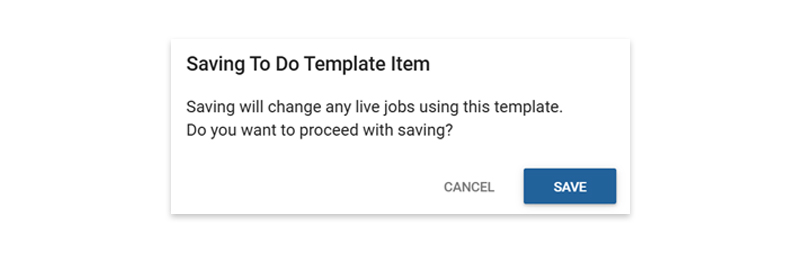
Warn user when editing and saving a To Do Item Template
Constructive will now warn you when editing an (un-customised) To Do Item Template with a pop-up checking you are happy to save — and therefore change — any live jobs that are using that particular template.
2 — NEW: Pricing — Upgrade (NULL) Prices and Price Text
NULL Prices
Constructive now supports NULL Prices. You now have the flexibility within pricing to price items as NULL (no price).
For example, at a Company level, an item may be priced at $200, but at a Business Unit it may be NULL (has no price as it is an Upgrade or Price on Application).
Another example is to save you time from individually pricing Regions one by one. Eg: Regions 1 – 4 may have a price set at the top level, but Region 5 is set to Upgrade (NULL).
Price Text
Similar to Price Override Text, Price Text is a price descriptor to present more information to both your clients and staff: a generic text field for when you don’t want to display an exact price.
For example, you may wish to enter text such as: ‘To be confirmed’, or a range, ‘$100 – $200’ as your Price Text.
It’s useful for pricing items such as bricks, or tiles, where you may have several categories for pricing.
For example:
Category 1 and 2 = Price Text:Included
Category 3 = Price Text: Upgrade (Null price: These upgrades have no price. The estimator must look up a price for these choices).
Please note:
Price Text does not control the price. The Price and the Price Text are separate entities.
Constructive will always display a Text if it is there, and will look for a value to display via the following hierarchy:
Price Override Text Price Override (if Price Override > 0)
PriceOverride
Price Text Price (if Price > 0)
Price
If you don’t want to display your Price Text for any reason, you can enter a full-stop (.) character in Price Override to override your Price Text.
3 — Selections enhancements
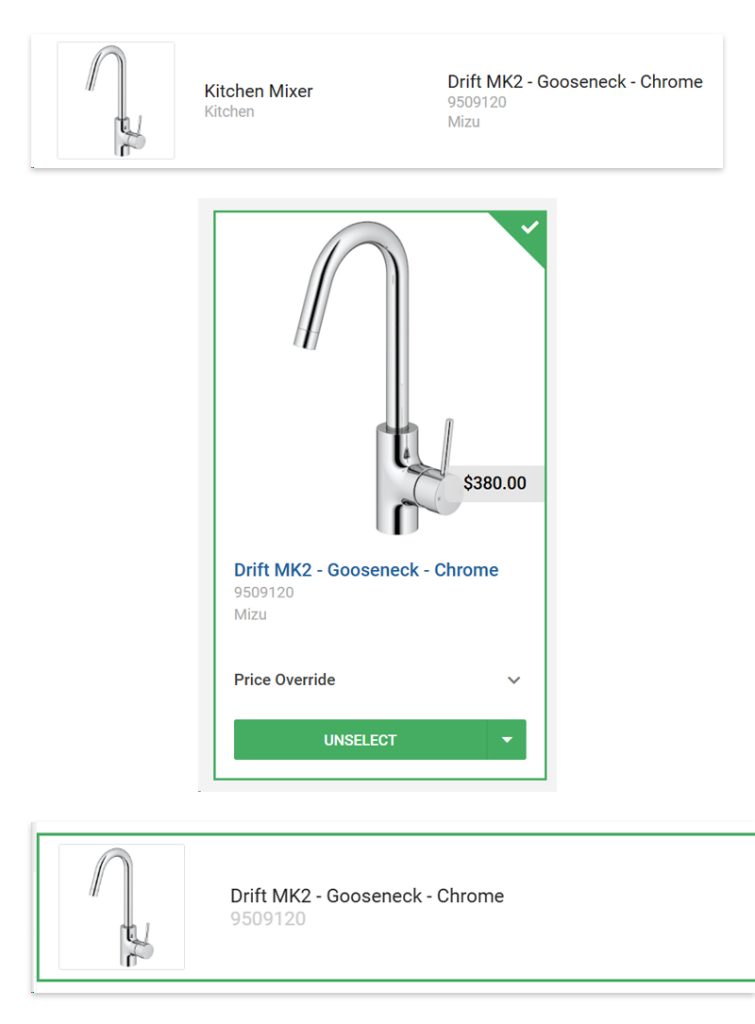
Items — Show Product Code below Item name
Constructive now displays the Product Code below the Item name in the Item Card, My Selections screen and Selections Admin screen for convenient reference.
Please note the Product Code is not shown in 3D view due to space in the user interface. In the instance of working in 3D, please toggle 3D view off to view the Product Code in the Item Cards.
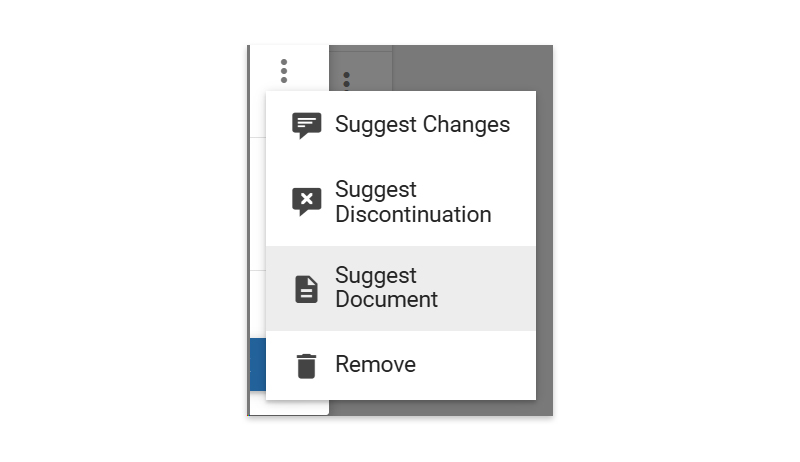
Items — Suggest Documents
To make your workflow more efficient, you can now suggest a Document directly within Constructive from an individual Item (via the right-hand panel) or in your Selection Template (via the 3-dot kebab menu) by selecting ‘Suggest Document.’ A pop-up modal will allow you to upload and submit relevant documents you wish to suggest.
Selection Template — Lock Dimension Types on existing selections when ‘Live’
Previously, it was possible to change Dimension Types in a selection without realising the ramifications for existing Jobs. Now, Constructive will ‘lock’ Dimension Types within a Selection Template once the Selection Template is live, (via the new checkbox at the Selection level). Note you are still able to create a new selection and can nominate a Dimension Type on creation.
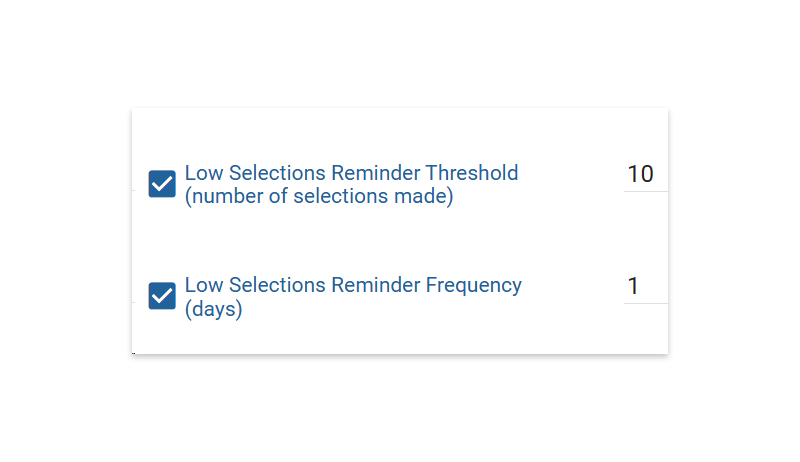
Previously, the Low Selections Reminder email was triggered by less than 20 selections made. Constructive now allows these conditions to be customised with two new settings:
Low Selections Reminder Threshold (number of Selections made)
Low Selections Reminder Frequency (days)
The settings will apply where the Selections Appointment task in the Progress Template is not complete to jobs that satisfy the conditions, and are no older than 1 year in age.
The trigger logic for the Low Selections Reminder is now from ‘Selections Visible’, rather than ‘Selections Created.’
4 — Reports —Special Selections in Report header
Previously, the selection needed to be manually typed in to appear on the right-hand side of the Report heading. Now, the selection name appears on the left column in bold of the report header, and a pre-identified, or custom item, appears in the right.
For example: BAL Rating: BAL40
However, if a Note is required, Constructive will display: Item Name: Note
5 — 3D—Mirrors
We’ve improved and enhanced how mirrors appear in 3D Selections.
6 — Bug fixes
Fixed incorrect Dimension Type name for Bricks (previously incorrectly named Electrical).
When using a negative price on an item, the price in Admin View no longer shows ‘No Price Change’ in the price list and instead displays the price so staff can easily view it.
In this release, we’re excited to introduce several significant enhancements to the Customer Portal Messages module: Messages are now visible in Job Details and you can now reply to a Message directly within Constructive.
We’ve also introduced a new role — Contract Coordinator — perfect for staff who perform job coordination-type tasks only, but should not have permission to edit Users, Jobs or Selections.
1 — NEW: Messages enhancements
Messages Tab
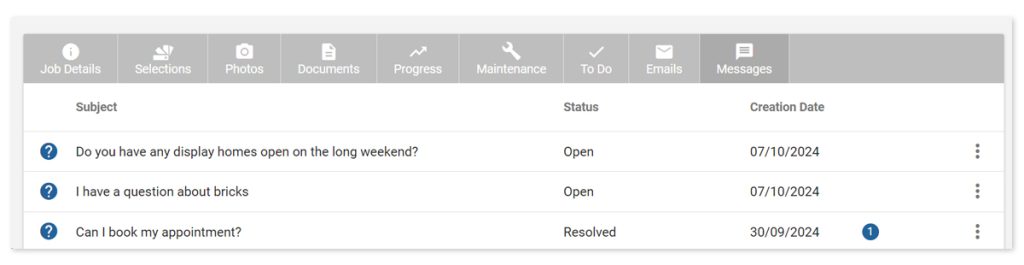
We’ve introduced a new Messages tab in Admin View under Job Details. Here, you can see a list of Messages for the Job including the status and creation date.
Message Reply
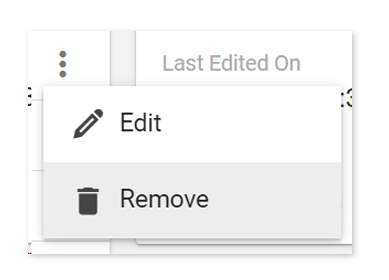
You now have the ability to reply to a Message. Click the three-dot kebab menu on the far right of each Message and select ‘Edit’ and then the blue + Add Comment button. You have the option to include an attachment. Once sent, this will trigger an email notification to the client and your response will be visible as a reply under the original message.
Clients can now also add their own comments and replies to Messages — both of which will trigger an email notification to you (builder). You can disable this function under Settings / Portal / Messages.
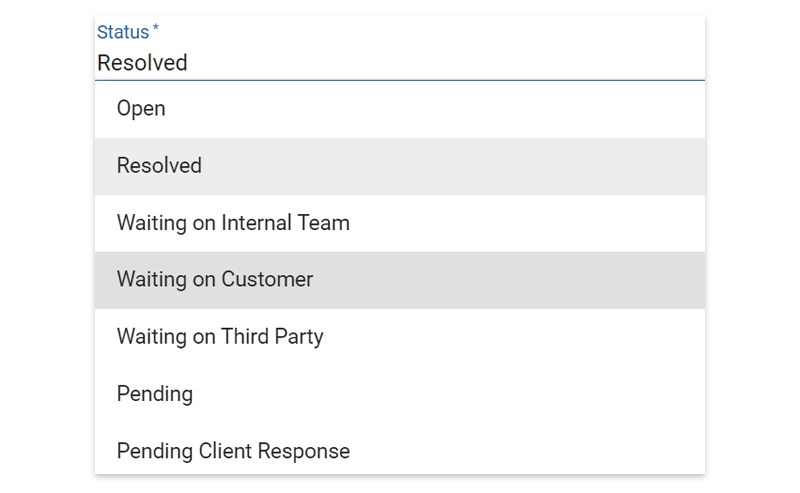
You can also update the Status of the Message from this screen via the Status drop-down menu. When you mark a Message as ‘Resolved‘, Constructive will automatically populate the Resolved On Date.
Remove a Message
Roles System Administrator, Company Administrator, Contract Administrator and Contract Coordinator can now remove a Message from a Job by selecting ‘Remove’ on the Message via the three-dot kebab menu in the Job Details / Messages screen.
Clients cannot remove a Message.
⚠️Important — please note: Despite removing a Message, an email notification will have already been sent and delivered to the client. The removal function is for when you don’t want the Message to remain stored in the client’s Portal.
2 — New Role: Contract Coordinator
This new Role is for staff members performing Job coordination-related tasks only, for example: adding or commenting (replying) to client Messages, adding Progress Items, Photos, Documents, To Do Items and Maintenance Items.
The Contract Coordinator Role is similar to the Contract Administrator Role, but with reduced permissions.
Contract Coordinator can: ✅ See all Jobs ✅ See (but not edit) selections on a Job ✅ Add new Messages ✅ Comment (reply to) on Messages ✅ Add photos and documents ✅ Add, and edit, Progress Items ✅ Add, and edit, To Do items ✅ Add, and edit, Maintenance Items
Contract Coordinator cannot: ❌ Create new Users ❌ Create new Jobs ❌ Edit Selection Templates ❌ Edit Selections ❌ Edit 3D Models
3 —Selection Template & Report Layouts — Preserve Groups’ collapsed state on Save
Previously, when you opened or saved a Selection Template or Report Layout, Groups defaulted to ‘expanded’ which could be fiddly to navigate.
Now, when you open a Selection Template or Report Layout, Groups are defaulted to be collapsed.
On Save, Constructive will preserve whichever Groups were open or collapsed, so you will retain your context and can continue working where you left off when you pressed ‘Save.’
Navigating away, and then back to the Selection Template or Report Layout resets the Groups’ states to be collapsed.
4 —Bug fixes
Name Override on an Item within an Item List in a Selection Template now correctly updates the name in Selections Admin.
Constructive now prevents duplicate items from being added into a selection, including from Item Lists, Selections, or both. This eliminates client confusion, and allows clarity and accuracy in reports and pricing.
For this release, we’ve listened to your feedback and requests and introduced several new enhancements to make both your Selections and Jobs admin more efficient, as well as introducing a new embedded Intelligence Analytics Report for To Do List so you can access your data directly within Constructive’s Admin View.
1 — Selections Admin — Copy/Hide/Lock/Clear by Area
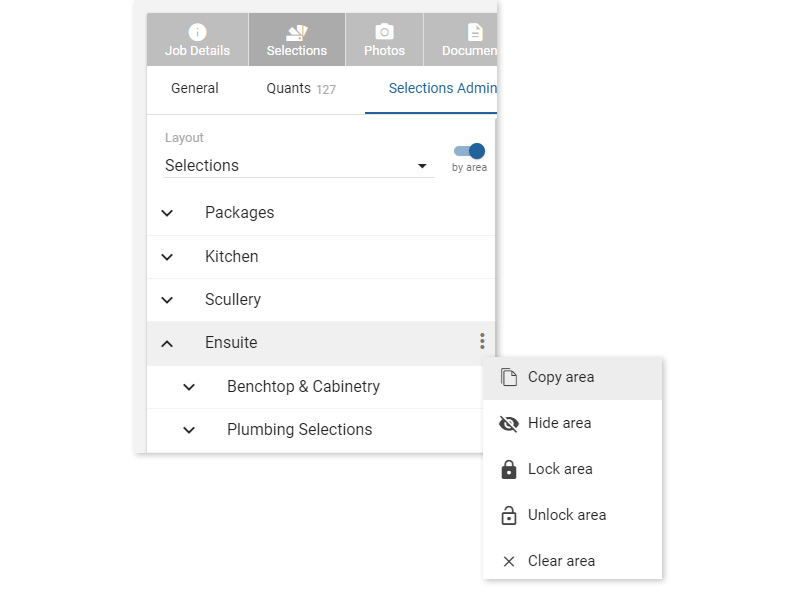
You now have the ability to Copy, Hide, Lock or Clear by Area in Admin View.
Navigate to Job Details / Selections / Selections Admin. After toggling on ‘By Area’, clicking the 3-dot kebab menu on an area will display a drop-down of choices: Copy Area, Hide Area, Lock Area , Unlock Area or Clear Area.
2 — To Do List embedded Report
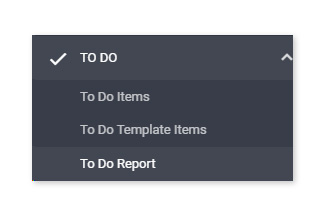
The To Do List embedded Intelligence Analytics Report is now visible directly in Admin View under To Do / To Do Report for Roles: System Administrator, Company Administrator, Company User, Contract Administrator, Maintenance Coordinator, Construction Area Manager.
Here, you can review data by Business Unit, Brand or Region including: Jobs with Open Items, Jobs with Submitted Items, Open Count and Submitted Count, as well as general Job To Do Count and Job To Do Details.
3 — Users — Secondary email address
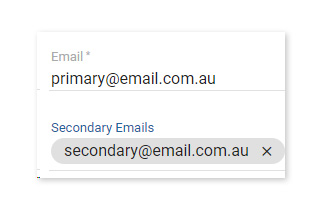
On User creation, Constructive can now auto-populate any existing secondary email address field from your source system. Please note that registration emails and reminders continue to only be delivered to the one, primary email address.
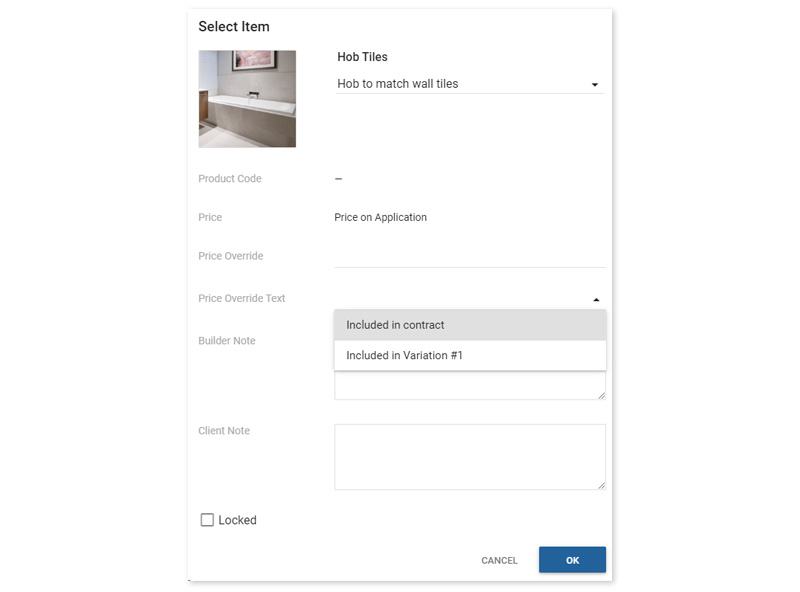
4 —Items — New Price Override drop-down with pre-set text options
Within Client View Items, My Selections and Selections Admin, you now have the ability to choose a pre-set text option from the drop-down menu list, saving you time from typing the same text over and over.
The options for the pre-set texts are configurable in your Company level of Settings under Selections / under the Prices heading. Toggle on Price Override Text Presets and enter your drop-down options, with one option per line, for example:
Included in contract Included in Variation #1
— and then save your Settings. Once saved, your can edit the pre-set text option in place when editing an Item.
5 — Bulk upload Documents to Jobs by Job Status
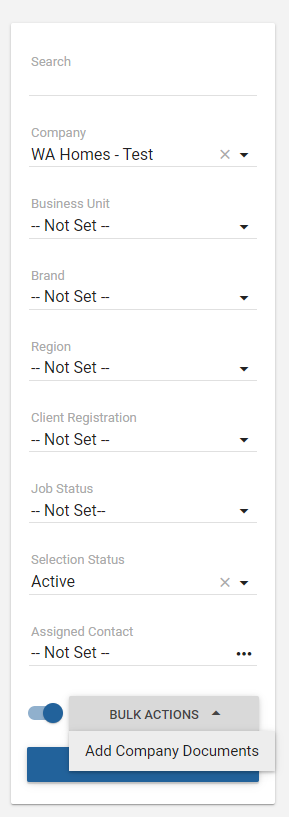
You can now save time by bulk uploading a Document to many clients at once via Job Status.
First, add your document(s) via Documents / Company Documents as per usual.
Next, on the Jobs list screen, toggle on the Bulk Actions switch to make the Bulk Actions feature active. Choose the required Status in the left-hand filters and select the jobs you wish to add a new document(s) to. Clicking the button will give you the option to add Company Documents to these jobs.
Tick the ‘Notify client’ box to send a notification to each client whose Job has Document(s) added.
6 — Bug Fixes
Custom Items in Packages not showing — Custom Items in Packages will now appear correctly.
Selection Status ‘Not Created’ to include ‘None’ — The ‘Not Created‘ filter was incorrectly ignoring ‘None”. This filter now also includes ‘None‘.
Progress top bar displaying incorrect stage — The Progress screen was occasionally defaulting on some Jobs to show Pre-Construction despite being 100% complete. This has now been fixed.
Selections displaying in a different order to Selection Template — In some cases, Selections were incorrectly ordered in Client View in comparison to the Selection Template order. This has now been corrected.
Deleted House Type names unavailable and displaying an error message that the House Type name already exists — Deleted House Type names are now available for use.
Introducing Item Lists, a new way for you to quickly apply the same collection of products to multiple selections.
Item Lists contain many time-saving benefits: ordering, grouping, naming and name-overrides are all retained across selections, avoiding double-handling and making selections set-up smooth and efficient!
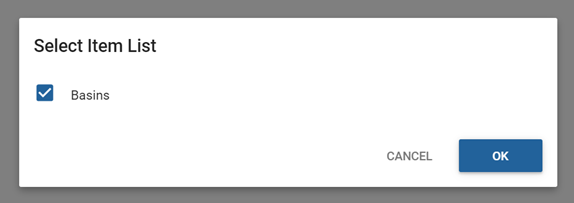
As an example, imagine you want to offer clients the selection of the same basins across a main bathroom and two ensuites.
Selection Template Lists
In the Selection Template, you can either import a Constructive master list(s) or create your ownlist(s) just for this template. Once you import an Item List, it is independent and does not update from the master list.
Note: Company Administrators can view only master lists from the left-hand navigation, under Items & Prices / Item Lists.
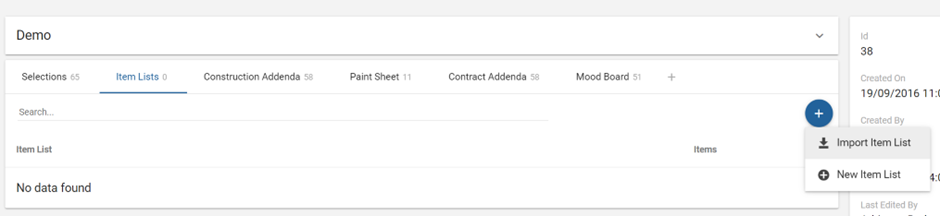
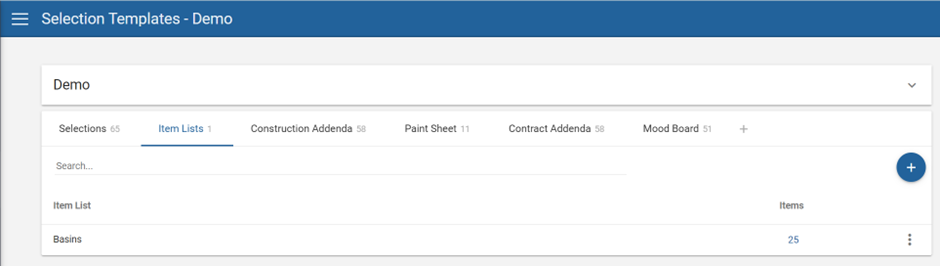
From the Item Lists tab, click the blue, circular ‘+’ button and choose ‘Import Item List’, eg, “Basins” and save.
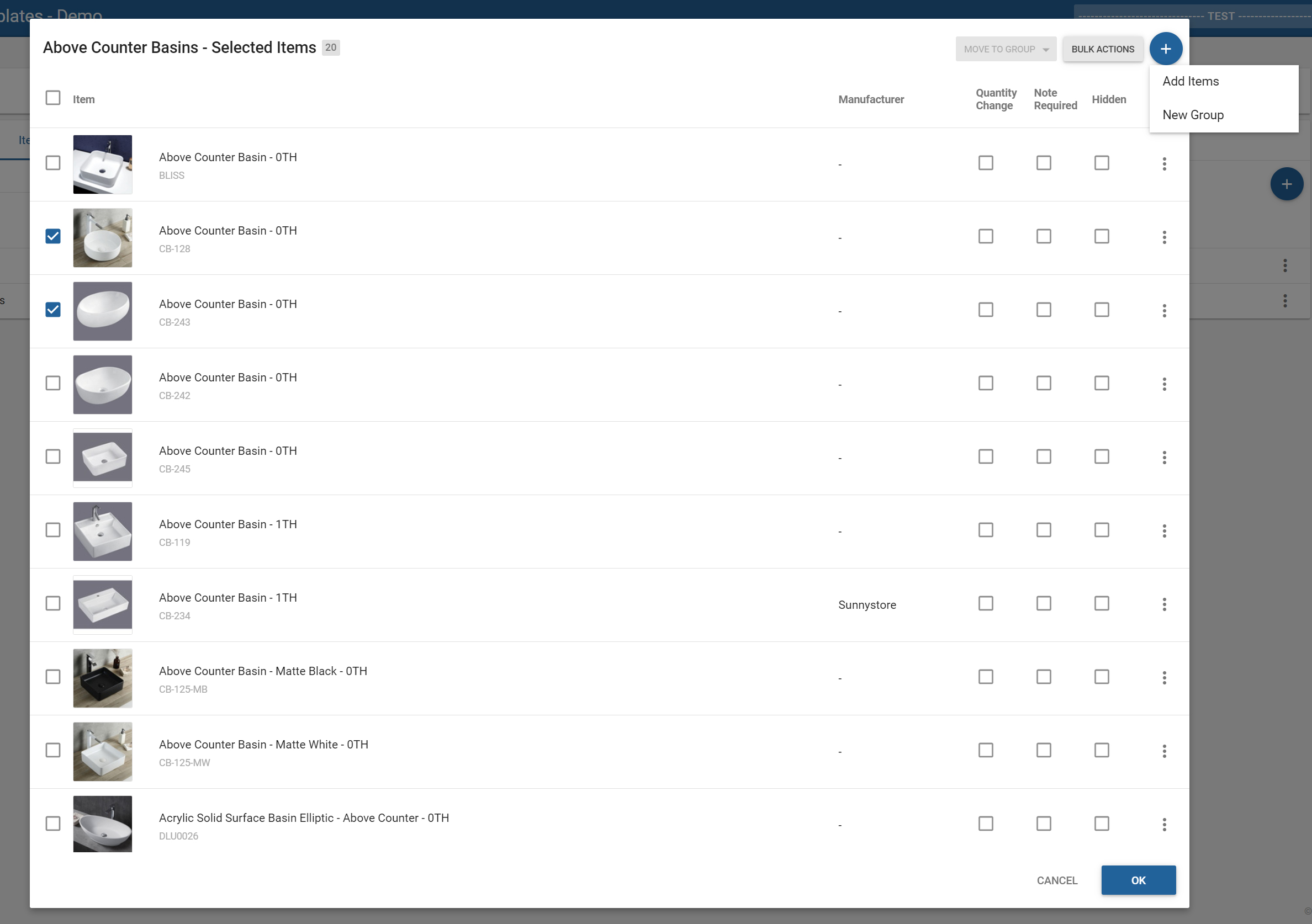
Click the blue, circular ‘+‘ button and choose ‘New Item List.’ Name your list (eg, “Above Counter Basins”) and click the blue number under the Items column to start adding Items to your list or create a new Group.
You can perform Bulk Actions or move Items to a Group by ticking the Items you want to action in the left-hand column first which will activate the Move to Group and Bulk Actions buttons.
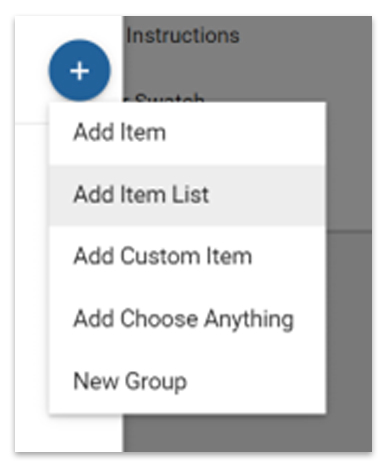
You can add an Item List to a Selection by choosing ‘Add Item List‘ from the blue, circular ‘+‘ icon menu.
All items within an Item List are applied in the same grouping and order — and the naming and any name overrides are retained across all applications of the list within that Selection Template.
For questions or more information, please contact your Client Success Manager.
When conducting Selections meetings from the My Selections screen, you can now search by Model Number in the modal pop-up when selecting products.
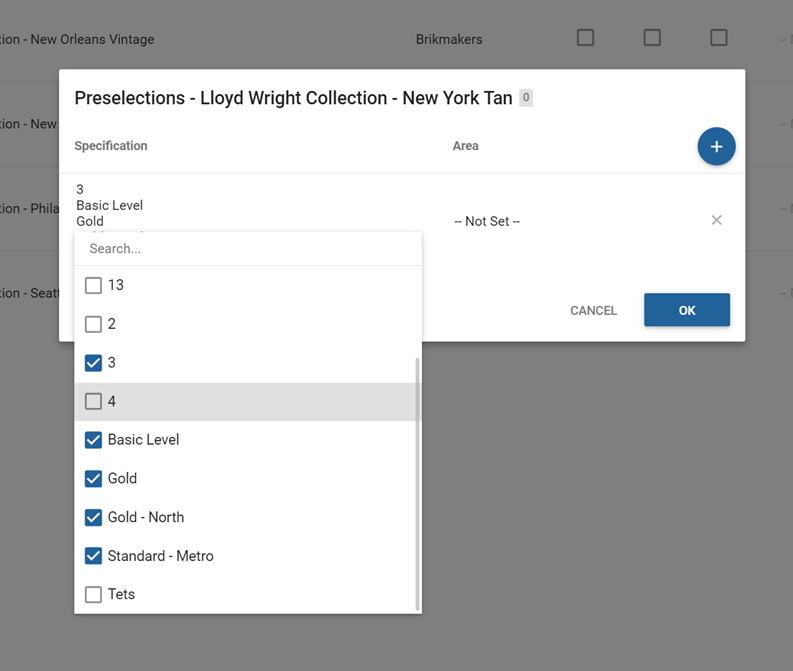
2 —Pre-selected Items — Select multiple specifications for one line
You can now save time by selecting multiple specifications for one line via multi-select checkboxes, instead of having separate lines for each specification.
3 — Bug fixes
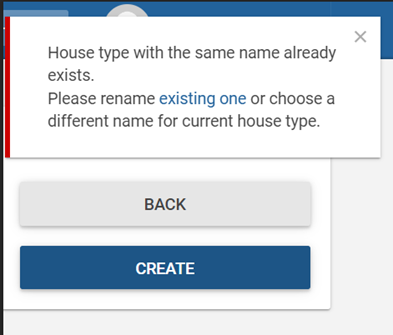
Selections – House Types Admin screen
When a user attempts to create a House Type with a name that already exists, they are now prompted to either re-name the existing one — or choose a different name — so that House Types can remain unique for a Company.
Selections – Packages with Note required
Previously, when selecting a Package that contained Items with Notes required, you were unable to successfully select the Package. Now, you are prompted to enter a Note if required on selection of the Package.
Maintenance – Maintenance Report
Fixed incorrect numbering of Maintenance Items.
Usernames with spaces
Constructive now supports Usernames that contain spaces as an allowed character.
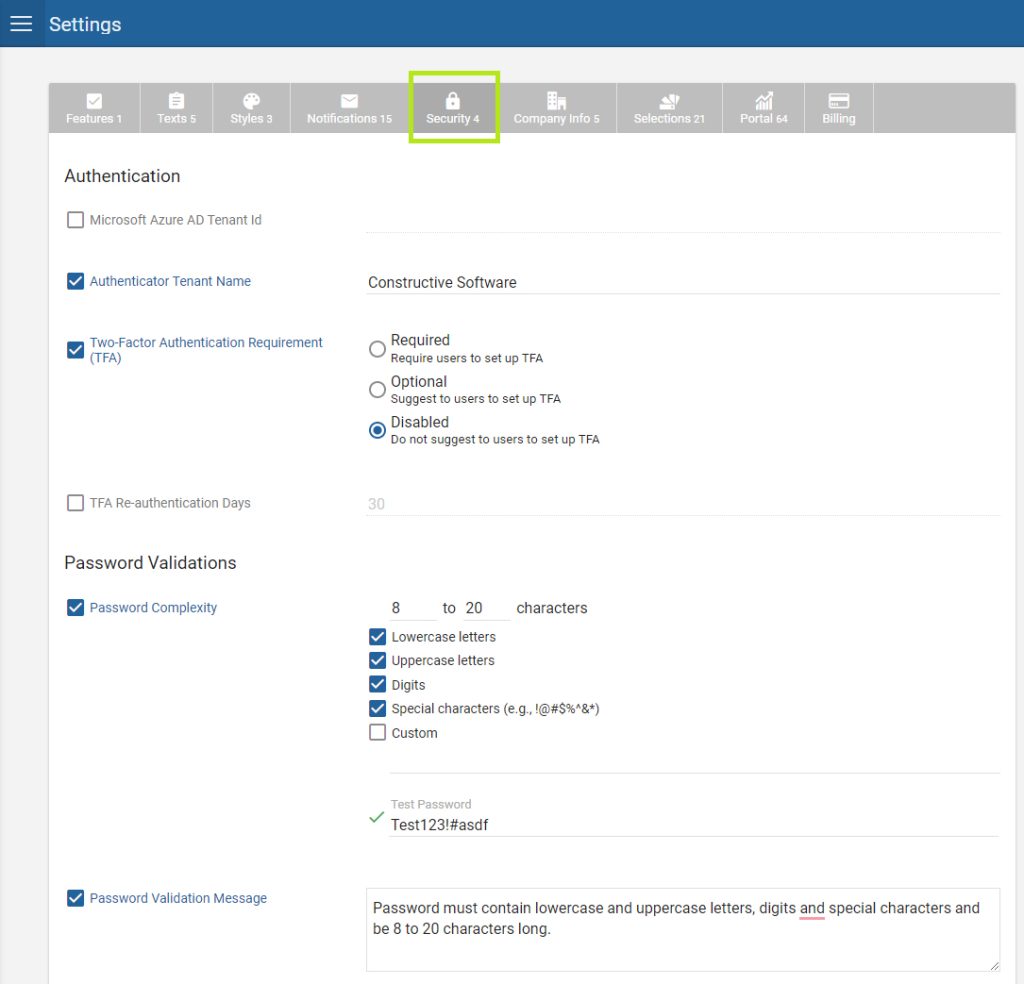
Within Settings, you’ll find a new Security tab that allows you to customise authentication settings and password validations.
NEW – Customise password complexity requirements
You can now customise password validation requirements with number of characters as well as requirements for lowercase letters, uppercase letters, digits, special characters and custom complexity. Try out a test password in place to see if it validates against your requirements.
NEW – Customise password error validation message
Customise the error validation message that appears when your password complexity requirements are not met.
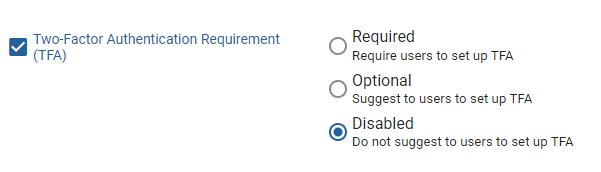
NEW – Two Factor Authentication (TFA)
To increase your security, you can now secure User logins with Two Factor Authentication.
Your users, (internal and clients), can set up TFA at any time by navigating to their account settings, scanning the QR code in their Authenticator application, (eg, Authy, Microsoft Authenticator, Google Authenticator), and entering the six digits displayed in their Authenticator app to complete setup.
Now, whenever they log into Constructive, they’ll be prompted to enter a six-digit code if:
They have not logged into Constructive authenticated with TFA in the number of days specified in the setting TFA Re-authentication Days; or
They are logging in from a new device.
If the user doesn’t have access to their Authenticator app when logging in, they can opt to send a one-time code to their email address, instead, (this code is valid for six minutes). The user has 10 attempts to correctly enter the code before their account is temporarily locked for 20 minutes.
Note that TFA is disabled by default.
Configuration settings
Disabled, Optional or Required TFA
You can prompt your users and clients to set up TFA when they next log-in using their password. Within settings, you can configure your preferred TFA option:
Disabled – Never prompt to set up TFA (but the individual user can choose to set it up if they wish)
Optional – Prompt user only once to set up TFA with the option to dismiss.
Required – User must set up TFA to access their account in Constructive.
TFA Reauthenticate Days
Here you can specify how many days it can be since a user last logged in using TFA, (default and maximum days is 30).
Customise TFA One-Time Code Email
Customise the email that contains the code you send to Users logging in without an Authentication app and set it under: Settings / Notifications / Two Factor Authentication — One-Time Code Email Content.
2 — Maintenance improvements
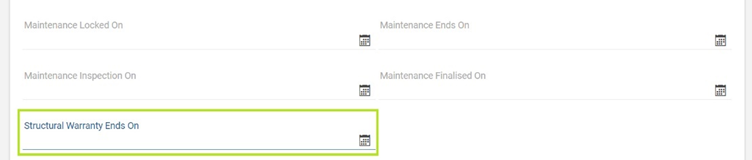
Structural Warranty Ends On date setting You can now record the Structural Warranty Ends On Date for a Job within a new date-picker setting in Job Details.
End of Structural Warranty notification
Using the new Structural Warranty Ends On date, you can now notify clients via email that their Structural Warranty period has ended with the End of Structural Warranty email.
Configure this setting under: Settings / Portal / Maintenance under the Notifications heading.
This email is triggered to send on the Structural Warranty Ends On date within Job Details.
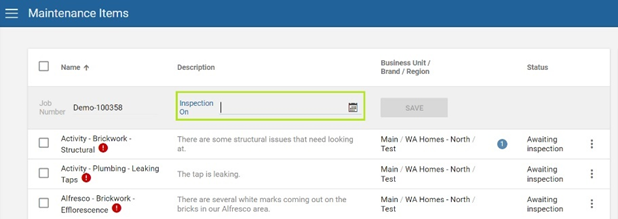
Maintenance Inspection On date field
The Maintenance Inspection On date field now appears on the Admin Maintenance Items page(when filtered by Job Number) to help you easily see, or edit, this date while working through a Job’s defects. Note it can be edited here as well as in Job Details / Maintenance.
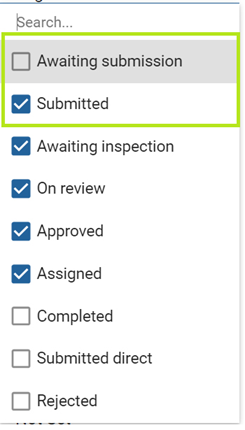
Changes to Statuses
We have replaced ‘Created’ with ‘Awaiting Submission’ and have a new pseudo/calculated status of ‘Submitted.’
Awaiting Submission
The previous ‘Created’ status is now named ‘Awaiting Submission’ and is default unticked in the filters in the Maintenance Items screen so you will now not see issues awaiting submission by default.
We have removed the ‘Ignore Due Date’ tick-box as ‘Awaiting Submission’ now covers this requirement and provides a cleaner interface.
Submitted
Submitted status is for items that are locked from client editing, ie, Urgent or past the Maintenance Locked Date. Note this is a pseudo/calculated status only.
Activity Update client notifications
Any time a client-visible status displayed changes, your client will now receive a notification via an Activity Update.
Note that clients only receive this Activity Update about client-facing status changes, not any Builder status changes. Status changes are the only information the client will be made aware of via the Activity Update email. The addition of photos, changing of Urgent, or allocation of dates and trades will not be advised via this email notification.
The following status changes will trigger a client Activity Update notification:
On Review Approved Assigned Rejected Completed Submitted Direct — Client (On update only)
Job Number search top field enabled
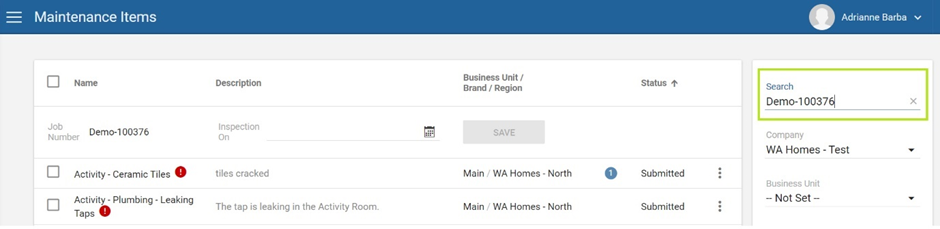
Job Number search is now enabled in the top Search field of the right-hand panel in the Maintenance Items screen.
New email setting – Maintenance Ends On email content with no items
Sometimes, clients may never report any Maintenance Items during their warranty period. Previously, they would receive the Maintenance Submit Email Content email regardless if there were no defects lodged.
You now have the option for this scenario where there are no Maintenance Items to either disable the Maintenance Submit email so the client receives nothing at the Maintenance Ends on date, or send a custom email advising the Maintenance period is now over.
Price List Report csv extract additions — Manuals and Warranty and Care Information
You can now extract a list of products from the Selection Template that shows you the available documents in the Maintenance categories Manuals and Warranty and Care Information to help review and manage your manuals and warranties at handover. These are marked in two column headers Has Manual and Has Warranty and indicated by True/False.
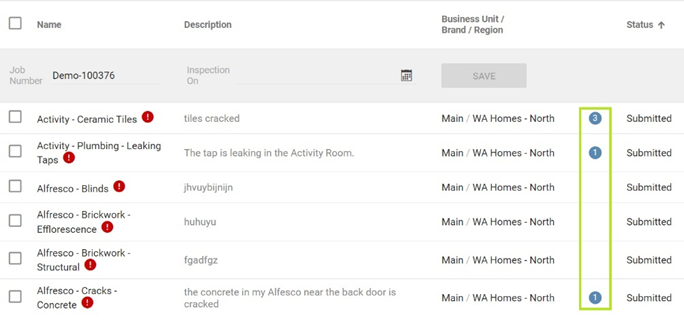
If a Maintenance item has one or more comments against it, you will now see a comment icon with the number of comments in Admin View, as already visible in Client View.
Maintenance – Client comments disabled until Maintenance locked
Previously, clients could leave a comment on a Maintenance issue that was created (Awaiting Submission), but not yet Submitted. This triggered a notification email to builders; however, this resulted in many email notifications for comments on non-urgent defects. The preference was to not receive these comments until after the Maintenance Locked On date.
Now, Client comments on non-urgent Maintenance Items are disabled until the Maintenance Locked On date. Clients should edit a Maintenance Item if they wish to add more information.
Please note:
Issues flagged as Urgent still have Client comments enabled (which will immediately notify you via email).
Builders are still able to add comments during this period.
Issue Types – ‘Unlocked’ months setting
For ‘Unlocked’ Issue Types (defects that can be lodged outside the standard Defect Liability Period), you now have the option to set a custom number of months for the Issue Type to remain unlocked to give you greater flexibility.
For example, appliances may have a 12-month warranty, but a hot water unit may have a 24-month warranty, so you’d enter a different number of months for each to remain unlocked.
Once an Issue Type’s unlocked months is passed, the Issue Type will no longer be ‘Unlocked’.
Configure the unlocked months from your Maintenance Wizard Template under the Issue Types tab.
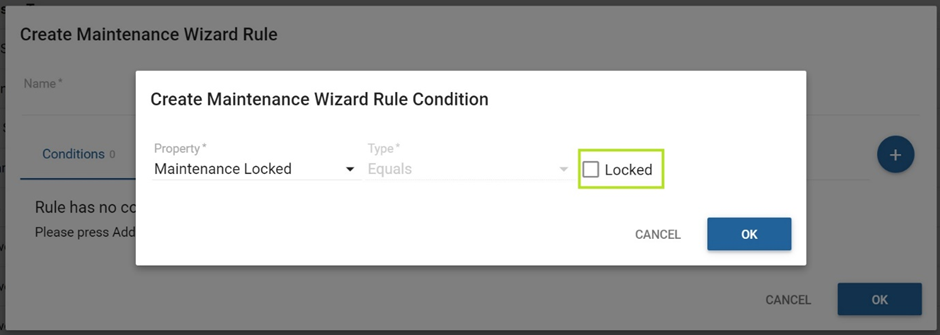
‘Unlocked’ Issue Types customisable Wizard content for Pre and Post Locked periods
You can now customise the Maintenance Wizard content that is displayed to your clients depending on whether Maintenance is Locked, or not.
Configure content to appear in a Post-locked period by creating a Wizard Rule and create a new condition ‘Maintenance Locked’ by ticking the box. Constructive will check the Job’s Maintenance Locked On Date and display this content only if Maintenance is Locked.
3 — Bug fixes
Jobs – Stop all notifications on cancelled Jobs
Previously, if a Job’s status was ‘Cancelled’, clients would still receive a notification if a document or image was added to their Job in error. Now, if a Job is cancelled, no notifications whatsoever are sent to the client if something were to update on their cancelled Job.
Sometimes, clients would receive Low Selections Reminder emails before they had the chance to register. We’ll now only send this email if the client has previously received an email with a registration link attached to it.
In this release ofIntelligence Analytics, we’ve introduced three new pages related to Job Pipelines. Available from the existing Jobs page, Job Pipelines are a new way to analyse the state of your Jobs in Constructive.
Two pipelines have been defined: Selections and Workflow.
Selections Pipeline
Monitor Jobs running through the Selections process. With this report, you can identify jobs that have stopped moving or are taking a long time. Monitor average timeframes moving from meeting complete to Selections finalised.
Job created to selections created: The date the Job was created in Constructive to the date Selections were created.
Selections created to selections available or appointment: This stage has two possible end dates, the date Selections were made available to the client or the completed date for the selection appointment. The earliest of the two is used if the Job has both.
Selections available to appointment: The date Selections were first made available to the client to the completed date for the selection appointment.
Selections appointment to signed off: The date of the selection appointment to the completion date of the Selections Finalised progress task.
WorkflowPipeline
With this report, you can conduct overall monitoring of current workload per stage, identify bubbles and bottlenecks and uncover the average timeframes through each stage.
Deposit to contract: Completion of deposit to contract signed progress tasks.
Contract to site start: Completion of contract signed to site start progress tasks.
Site start to handover: Completion of site start to handover progress tasks.
Handover to end of maintenance: Completion of handover progress task to the Job maintenance end date.
On hold: The start of the current on-hold period is used for the start of this stage. When the job comes off hold it falls back into the appropriate stage based on progress task completion.
1. New pages
Current Job Stages
See where your Jobs are currently for each pipeline. The current stage for a Job is the earliest stage in the pipeline which the Job has started but not completed. Drill through to Job Stage Details.
Job Stage Completions
Displays Job stage completions over time and average calendar days to completion.
Job Stage Details
See stage detail at the Job level.
2. Small additions and improvements
Selection Detail page:
Add Is Updated column.
Added Choose Anything Details drill through.
Added progress complete/incomplete filters, and removed last complete progress item.
Job Details page:
Added Client Email column.
Added Maintenance Coordinator and Supervisor to Job Details.
New columns added to price configuration tables: Area, Specification, Override Calculations. Relative price measure updated to honour Override Calculations flag.
1 — 3D improvements: Material rendering, lighting and performance
In this release, we’ve greatly improved our 3D Selections product with the adaption of a new 3D shading material workflow. PBR (Physically Based Rendering) has created a more accurate and realistic rendering of materials.
Lighting has been enhanced to use luminosity and kelvins of real lights resulting in lights appearing physically correct. We’ve also added Bayonet lights (point lights) — light sources illuminate and cast shadows in all directions.
3D has been optimised for improved performance, increased frame rate and faster loading times (approximately 38.5% decrease in draw calls and approximately 11% decrease in GPU memory).
All these improvements make the 3D Selections experience faster, and more accurate, for your clients when considering selections, materials and colour schemes for their new homes.
2 — 3D – Auto-assign Pre-made Models
You now have the ability to auto-assign Pre-made Models depending on House Type and Elevation combinations — allocate kitchen styles and bathroom styles based upon your House Types.
Contact your Client Success Manager to find out more about setting up Pre-Made Models.
This release, we’re introducing a new module — To Do List. A free add-on to Customer Portal, To Do List is an actionable list of everything your clients need to do — now — to progress their home build.
1 — Customer Portal — To Do List
To Do List drives your clients to action their responsibilities. It removes the need to chase up clients manually, reducing delays and missed deadlines, saving you time and resources.
As clients action their To Dos, tasks move to an In Review state. Once you’ve checked their submission and marked it as complete it will be ticked off as Completed, improving customer experience by delivering a satisfying sense of progress.
Client View — Changed order of Client Name and Job Number
In the Client View only, we’ve changed the order of the Job information in the top left-hand navigation to Client Name and Surname, Address and finally the Job Number. This small change helps clients feel valued as individual customers and not ‘just a number.’
Note Admin View retains the previous order of Job Number first for ease of administration.
Progress Emails Settings — Is Selections Visible
Previously, column 5 was titled ‘Is Prestart Created.’ We’ve updated this title to read ‘Is Selections Visible’ to be a more universal terminology.
Maintenance — Allow selection of a Unit Job Number if the Job is a Parent of other Jobs
In a Project Job, you can now select which Unit Job Number you are lodging maintenance defects for if the Job is a Parent of other Jobs.
3 — Bug fix: Area-specific package items now appear
We fixed a bug where packages/package items were missing when those Items had an area specified in a Package.
For this release, we’ve listened to your feedback on the Online Selections Admin screen and implemented many improvements to make your file preparation more efficient.
Please view the video below for an overview of the improvements within Constructive 5.36:
1 — Selections Admin screen improvements
Tick identifies selection madein a Group
Previously, in the Selections Admin screen, it was often difficult to identify where a selection had been made in a Group. Similar to Client View, you’ll now see a tick symbol to the right-hand side of a Group where a selection exists.
Selection Groups after a selection is made
When selecting or unselecting an item, Groups will no longer auto-expand and return you to the top of the area, removing the frustration if you need to make further changes. Now, when you leave a selection and come back, you’ll be returned to the selection made.
Select button and context menu User Interface updated
Previously, ticking a checkbox on the left hand side, (meant for Bulk Actions), could unintentionally be mistaken for selecting an Item (selecting an Item was previously achieved by clicking the 3-dot kebab menu and choosing Select).
To make this more obvious and user-friendly, we’ve created a Select/Unselect button — with it’s own arrow drop-down menu that replaces the previous 3-dot menu — that appears when you hover/highlight on each selection.
Please note: on iPad/Tablet devices, the Select/Unselect buttons will always be visible.
Bulk price override — Type ‘X‘ to delete and revert to original.
You can now type an ‘X‘ character in the edit box to delete your price override and revert back to the original pricing.
Auto-collapse sections
Sections in the Selections Admin screen now have auto-collapse behaviour, similar to Client View selections.
Packages multiple options ‘?‘ flag
As per Client View, you’ll now see a green ‘?‘ symbol to easily identify Packages that contain multiple options for a selection.
2 — Pricing — ‘Advanced Options’ removed and all Pricing options visible
You’ll now see all the Pricing options in one screen, removing the need for you to make an extra click. We’ve removed the ‘Advanced Options’ arrow that expanded access to set an item’s sell price asarea-specific, set item pricing, or price bands, by specification, or override differential calculations.